

Calendar
Learn how to use the Calendar feature in the CommPeak Dialer Agent Workspace to view your scheduled appointments.
If you're using the legacy Dialer Agent Interface, refer to the legacy Scheduled Calls article to learn how you can view your scheduled calls with leads.
Click Calendar in the top-right corner of your Agent Workspace to view your scheduled future callbacks. These are follow-up calls with leads that are assigned to you.
Callbacks are set during feedback submission.
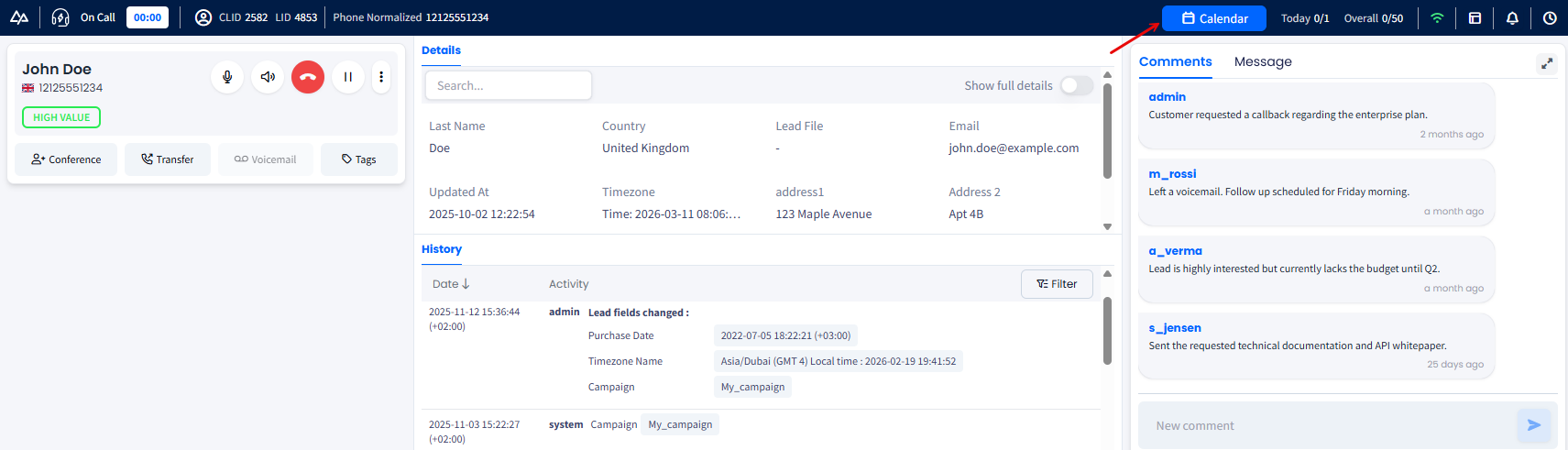
Calendar button
You can switch between the two side menu tabs:
- All day: full overview of your working day schedule
- Meetings: the short list of callbacks / meetings scheduled for the day.
All day
In the All day tab, view the hourly list of your appointments for the current working day. Each entry shows the lead's details and scheduled time. Entries are arranged within the working day timeline along with free time slots.
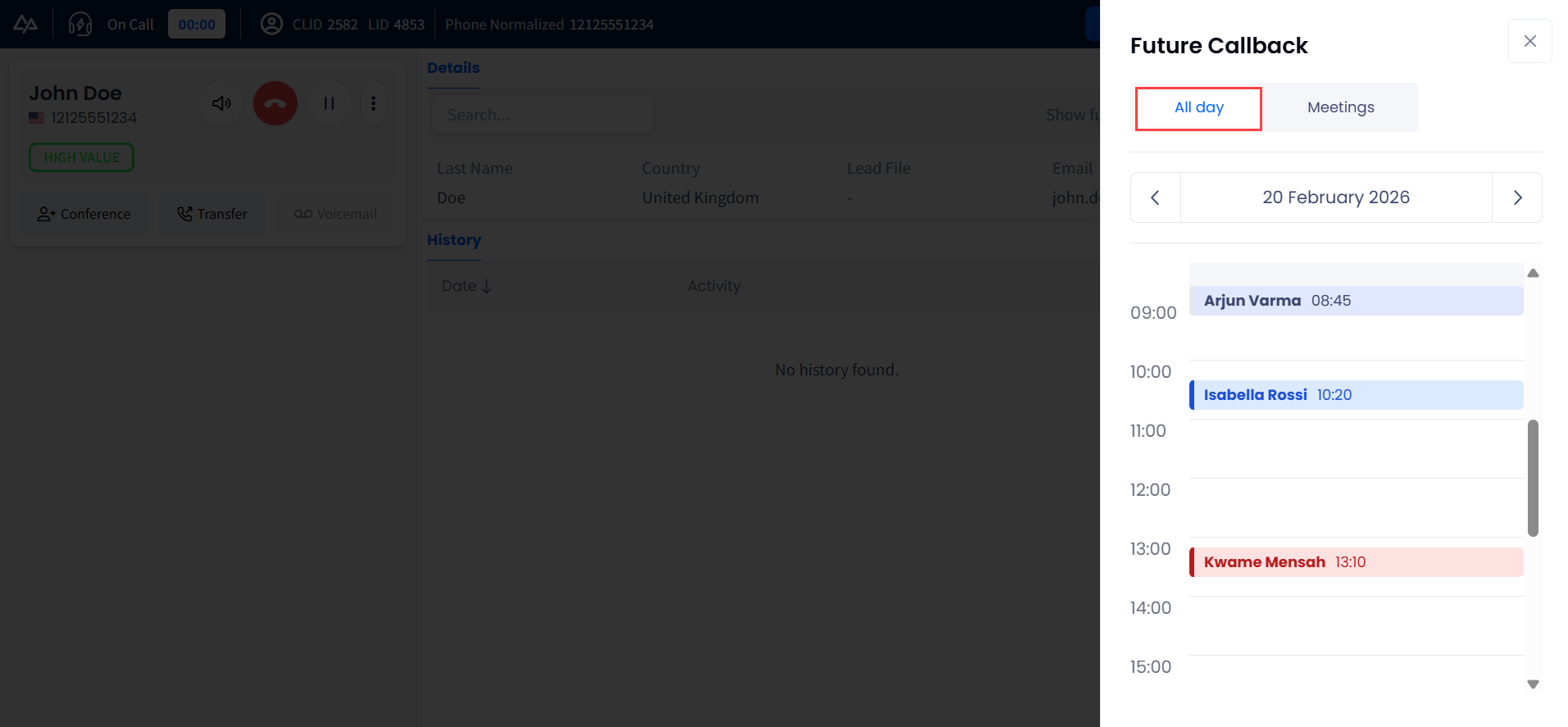
Future Callback >All day tab
Use the left/right arrows to navigate to past working days' records or those scheduled for upcoming days.
Meetings
Click Meetings to view the short list of your appointments scheduled for the current day.
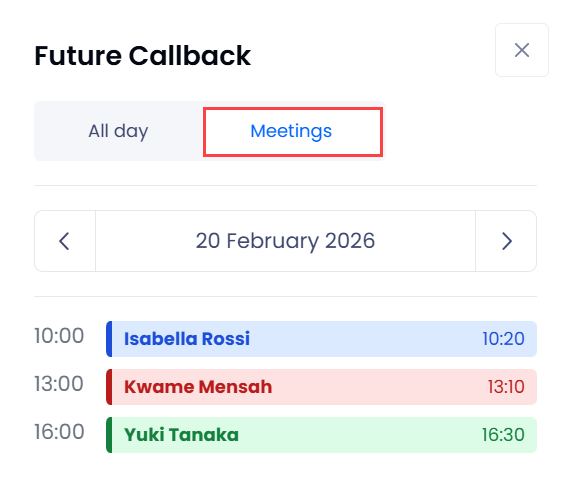
Future Callback > Meetings tab
Use the left/right arrows to navigate to past meeting records or those scheduled for upcoming days.
Updated 1 day ago