

Closing Your CommPeak Account
Learn how to submit a CommPeak account closure request, review active services and balance details, and understand what happens after approval.
Important
- After your CommPeak Account is closed, you cannot reactivate it.
- To use CommPeak products and services again in the future, create a new account.
- Your previous account configurations, numbers, and data cannot be recovered.
To create an account closure request:
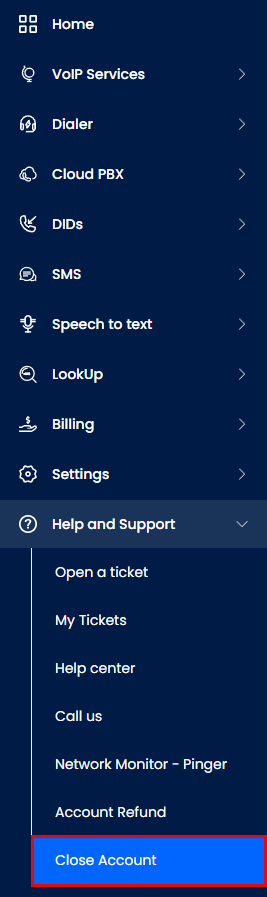
Help & Support > Close Account tab
- Complete each step in the form:
- Step 1: Close Your Account - select a reason for closing your account. Add additional details if any and click Continue.
❗️Make sure you fully understand that this operation is permanent and irreversible and once closed, your CommPeak account cannot be reactivated.
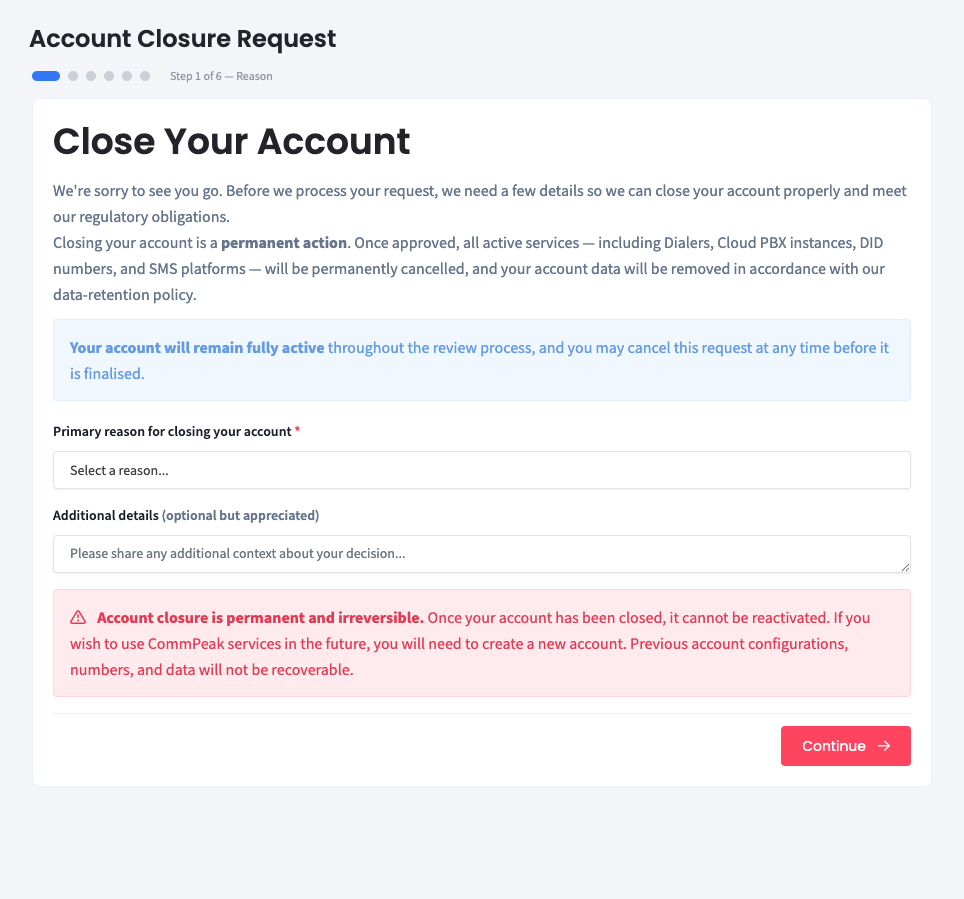
Account Closure Request: Step 1
- Step 2: Active Services & Subscriptions - review your active services and recurring subscriptions carefully. Then, check the checkbox below and click Continue to proceed to Step 3.
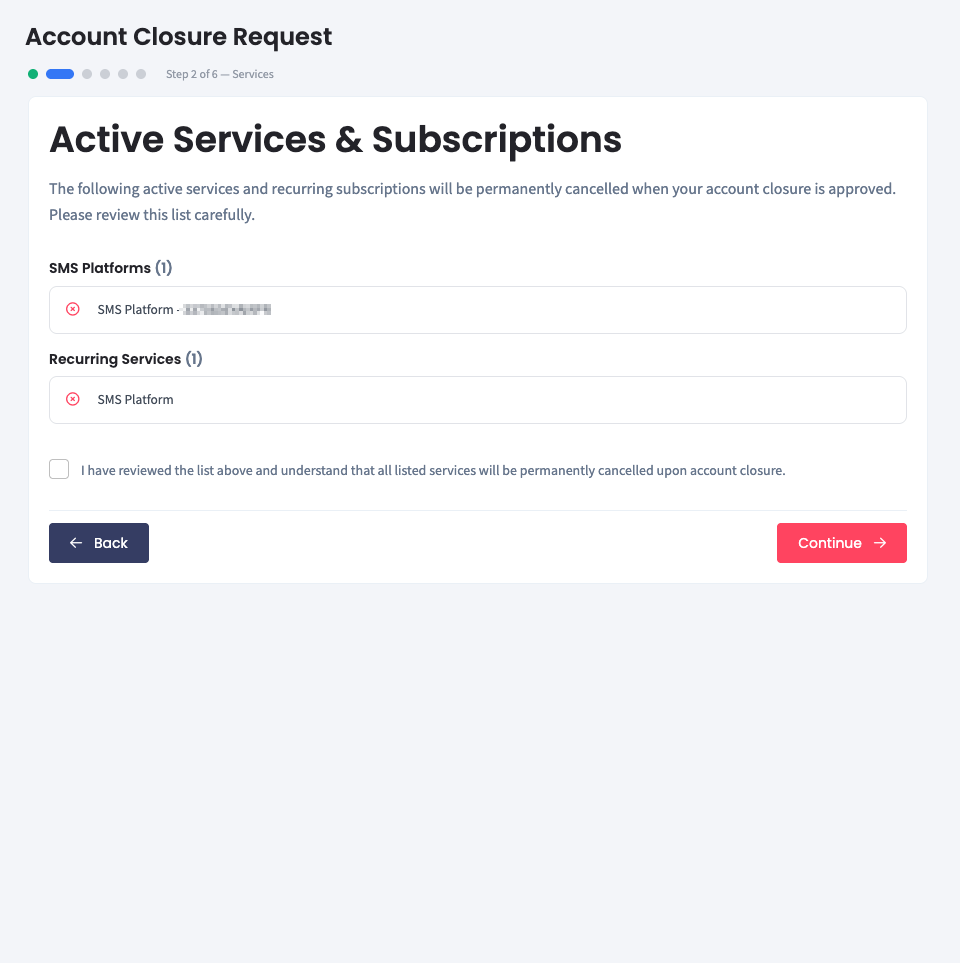
Account Closure Request: Step 2
- Step 3: Account Balance & Refund - review the remaining balance. Submit a refund request if applicable.
❗️Note that you must submit a refund request before or shortly after submitting this account closure request.
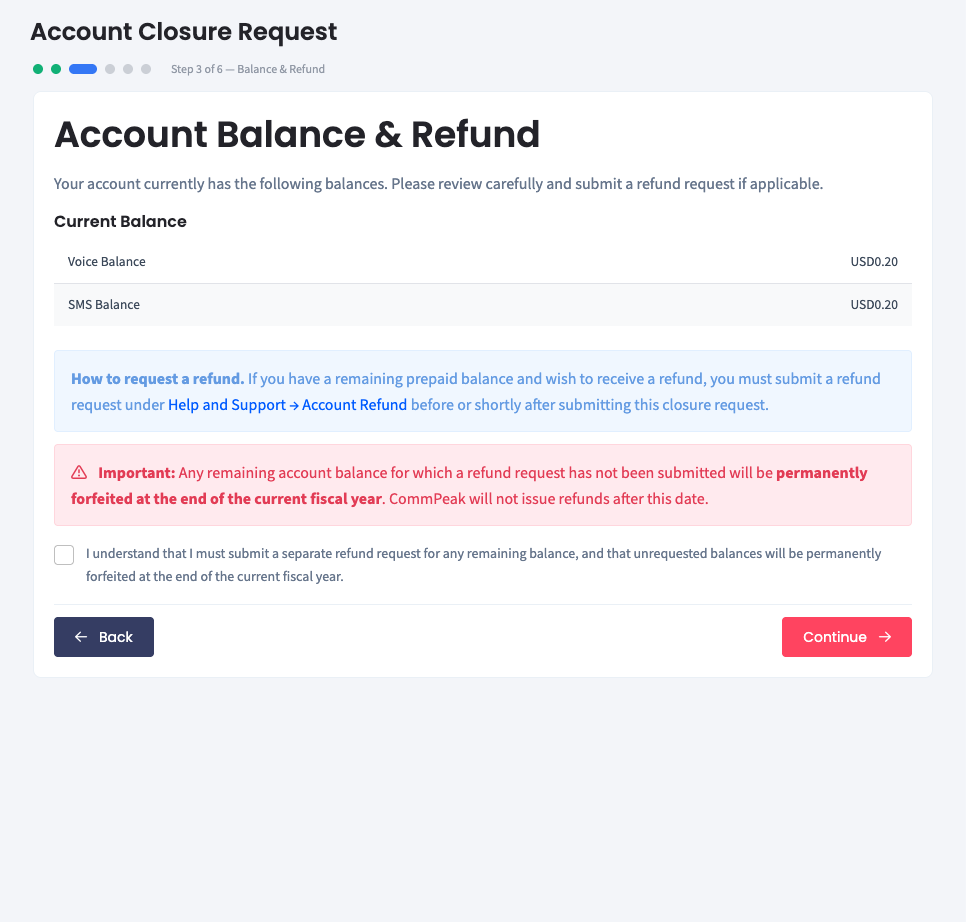
Account Closure Request: Step 3
- Step 4: Data Retention & Regulatory Information - review the data retention details kept to comply with applicable laws and regulations. Note that retention periods may vary by jurisdiction.
For more details, check our Privacy Policy.
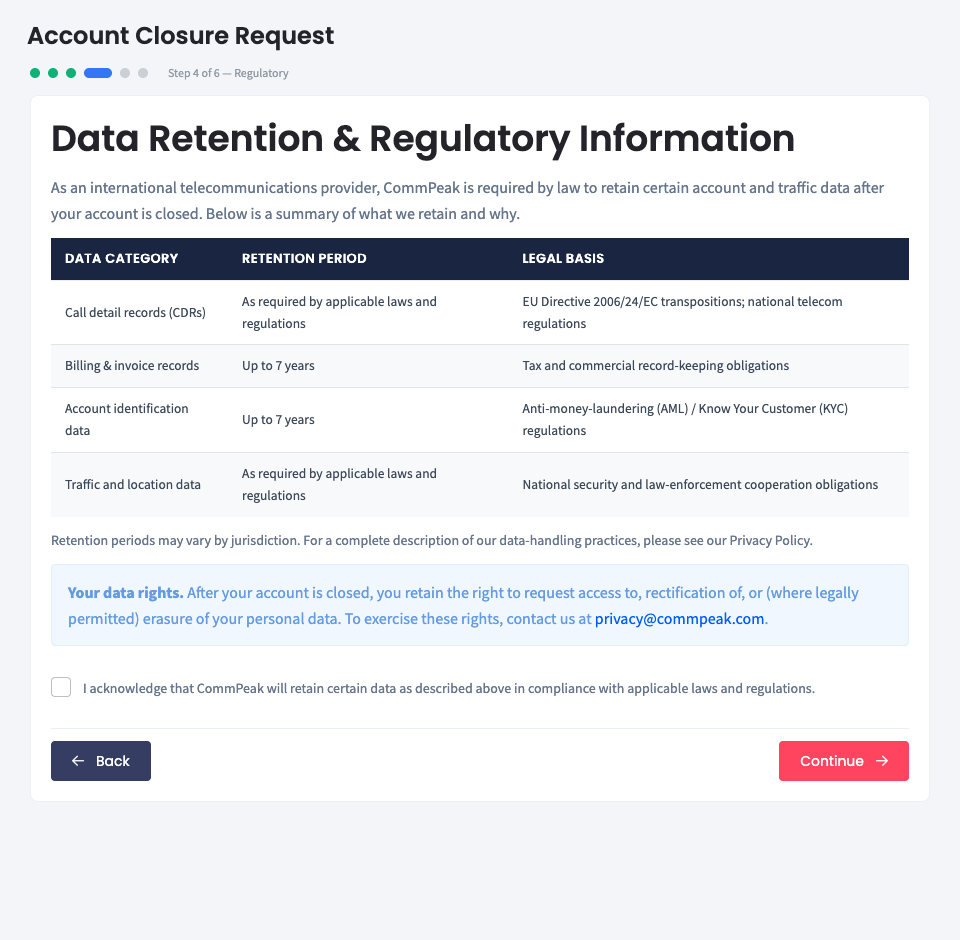
Account Closure Request: Step 4
- Step 5: What should happen to your data? - choose how CommPeak should handle your account data: keep it securely archived available upon request or delete it.
❗️Note that the data will be permanently deleted within 30 days of the account closure.
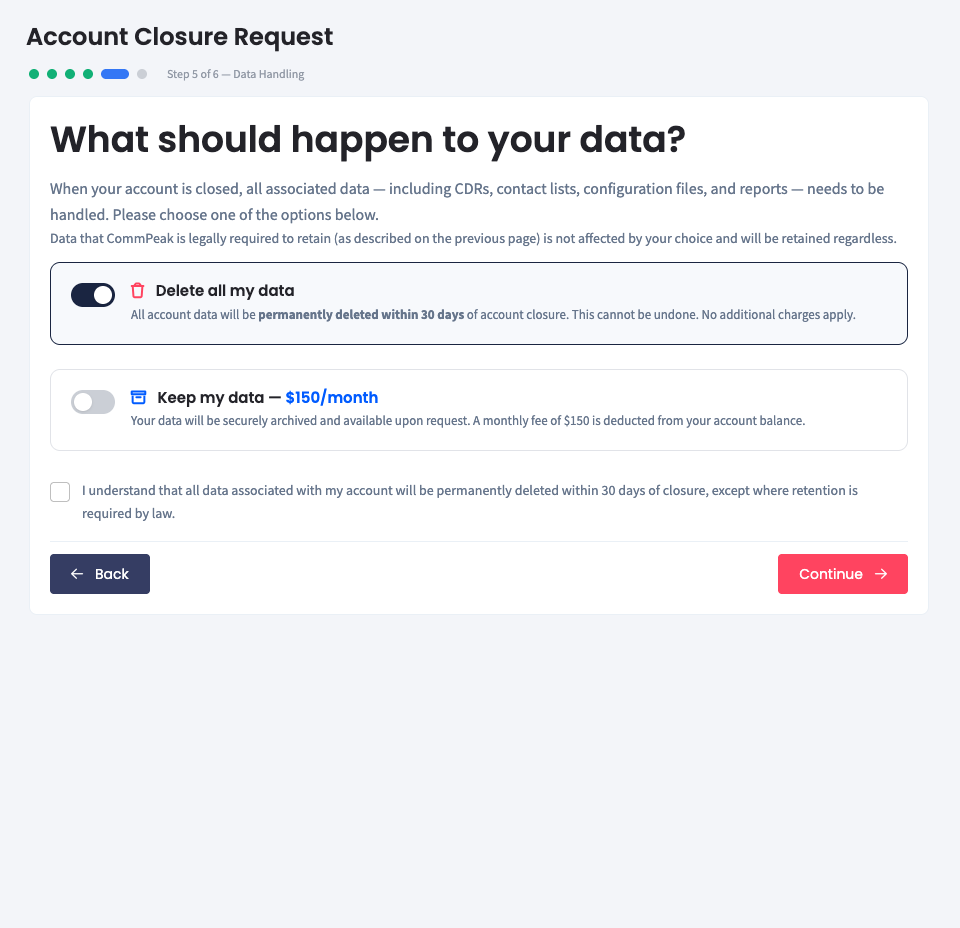
Account Closure Request: Step 5
- Step 6: Confirm Your Account Closure Request - review the listed terms, enter your account password, and click Submit Closure Request to confirm your submission.
❗️Our team reviews closure requests within 5 working days from the submission date.
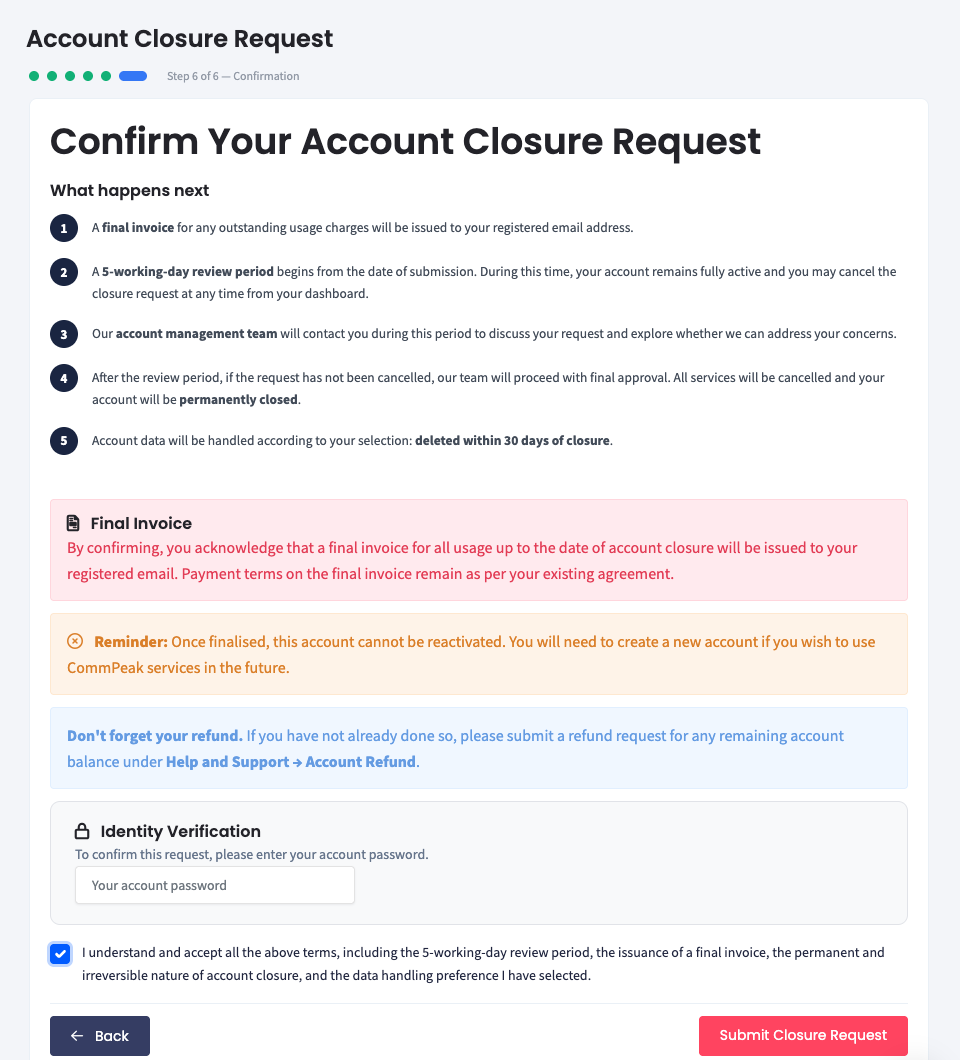
Account Closure Request: Step 6
- A final invoice for any outstanding usage charges will be issued to your registered email address.
- Once the account closure request is processed (provided it has not been cancelled by the account owner) our team will proceed with final request approval. All the active services will be cancelled and your account will be permanently closed.
NoteYour account will remain fully active throughout the review process, and you may cancel this request at any time before it is finalized.
Updated 7 days ago