

How Do I Check Voice Rates for a Specific Country?
Look up per-minute voice rates for any country and network in the CommPeak Portal's Billing > Voice Rates page.
Answer
You can check per-minute voice rates for any country and network directly in the CommPeak Portal.
Rates are shown for every destination we serve - including the US, UK, Germany, France, Spain, Italy, Netherlands, Poland, Brazil, Mexico, Argentina, Colombia, India, Indonesia, Philippines, Vietnam, Thailand, Malaysia, Singapore, Japan, South Korea, China, Australia, New Zealand, South Africa, Nigeria, Kenya, Egypt, UAE, Saudi Arabia, Israel, Turkey, Canada, and 150+ more.
Checking voice rates by country
- Click https://my.commpeak.com/rates/index.
- Alternatively, in the CommPeak Portal, go to VoIP Services > Voice Rates.
- Use the Country filter to select your destination - for example, United Kingdom, Germany, or Nigeria.
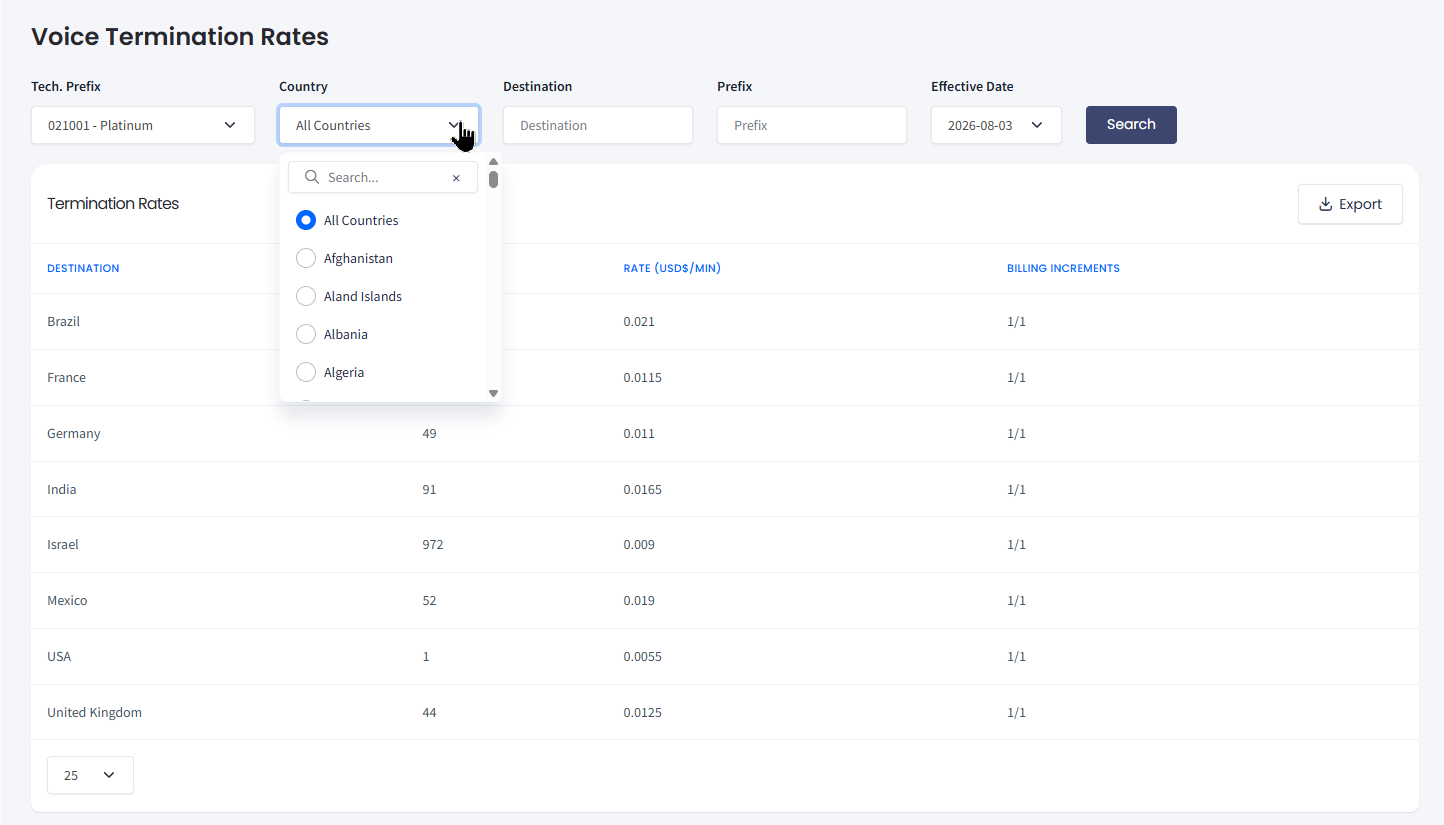
Billing > Voice Rates: filter by country to see per-minute rates
- Review the network breakdown by technical prefix, destination, and effective date. Different mobile and landline networks within the same country can have different per-minute rates.
TIP
To see the exact fee breakdown for your DID number(s), open DIDs > Management, find the number in the My DIDs table, and hover over the ? icon in the Monthly Fee column. For more details, check DID Management Overview.
- Check the Billing increments column to see how calls are charged (for example, 1/1 vs. 60/60).
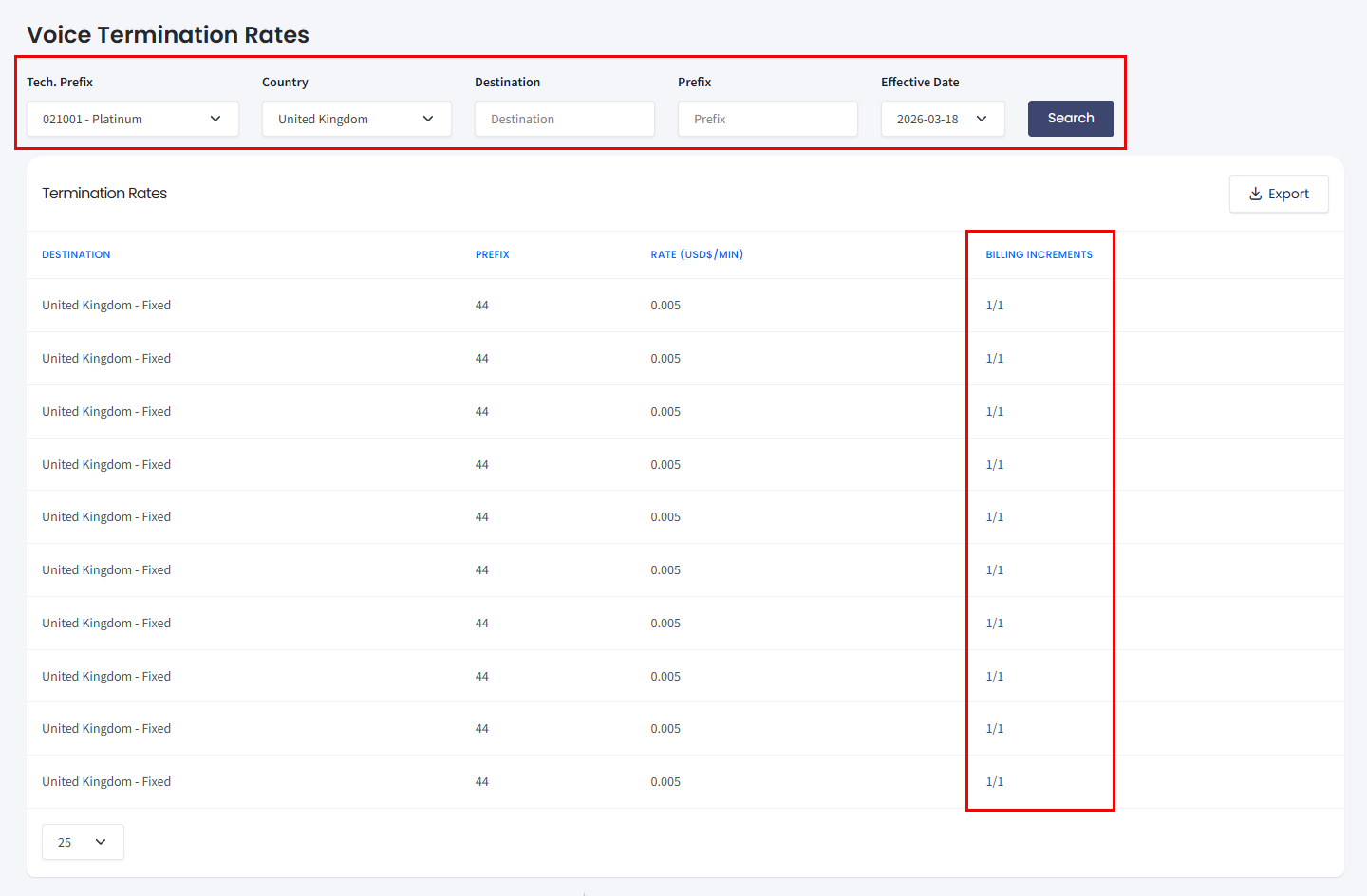
Termination rates: United Kingdom
NOTERates depend on your pricing tier. If your account is on a custom plan, the rates shown already reflect your specific tier - there's no need to apply additional discounts.
Why do rates differ within the same country?
Answer
Within a single country, calls to different networks (mobile vs. landline, or different mobile operators) are routed through different carriers, each with its own wholesale cost. This is why a call to a UK mobile number can cost differently than a call to a UK landline, even on the same plan.
The Voice Rates page breaks this down by Technical Prefix so you can see the exact cost for each destination network before you dial.
Do my rates change if I switch plans?
Answer
Yes. Per-minute voice rates are tied to your CommPeak Account pricing tier. If you upgrade to a custom plan or volume-based tier, the Voice Rates page automatically reflects your new pricing - you don't need to recalculate anything manually.
To request a custom plan, contact your account manager or open a support ticket from the Portal.
Related articles
- Call and SMS Pricing: full overview of how pricing works in the Portal.
- How Do I Check SMS Rates for a Specific Country?: the same workflow for SMS pricing.
- DID Monthly Fees and Auto-Renewal Billing: information about how monthly fees and auto-renewal work.
- What Are Billing Increments?: how per-second vs. per-minute billing affects your bill.
- Setting a Spending Limit: cap maximum per-minute rates to avoid expensive routes.
Updated 10 days ago