

DIDs
Configure and manage the DID numbers service from the CommPeak Portal account.
Start using DID numbers, configure and manage them in the CommPeak Portal, and find troubleshooting resources.
Use CommPeak's DID numbers service coverage in over 75 countries to manage local numbers for calling and texting from one account.
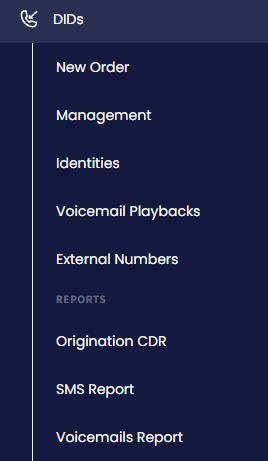
DIDs menu tabs
Choose a page below to get started, configure your setup, manage your DIDs, or troubleshoot issues:
Follow the first steps and learn how to use CommPeak DID numbers, which give each person or workstation a unique virtual phone number.
Configure the DID numbers service to support your calling setup.
Follow country-specific guidelines to integrate DID numbers and stay compliant.
Create and manage your business or personal identity before you purchase DID numbers.
Find answers to common questions about CommPeak DID numbers.
Fix common CommPeak DID numbers issues.
Updated 4 days ago