

Manager's Guide: Inbox Settings
A comprehensive guide for managers on how to work with the settings that control TextPeak's Inbox functionality.
From the Inbox > Settings page, inbox admins or managers (provided they hold the corresponding Inbox role permissions) can:
- set up and manage the space
- create sender profiles
- create incoming routing rules
- define working hours schedules
- configure auto replies for SMS, WhatsApp, Telegram, or Webchat
- add and manage tags and canned templates
- set the goals to meet in conversations
- choose how conversations are assigned to agents in each team
- track agent availability across the space
- manage their teams and users.
To access the Inbox settings options:
Log in to TextPeak
In your browser, log in to TextPeak with admin or manager access privileges.
Open Inbox
In the main TextPeak menu, select the Inbox tab.
Open Settings
From the main inbox page, click Settings at the bottom left of the screen, then open the setting you want from the cards below.
IMPORTANTInbox agents have no access to the Settings page and can manage conversations only.
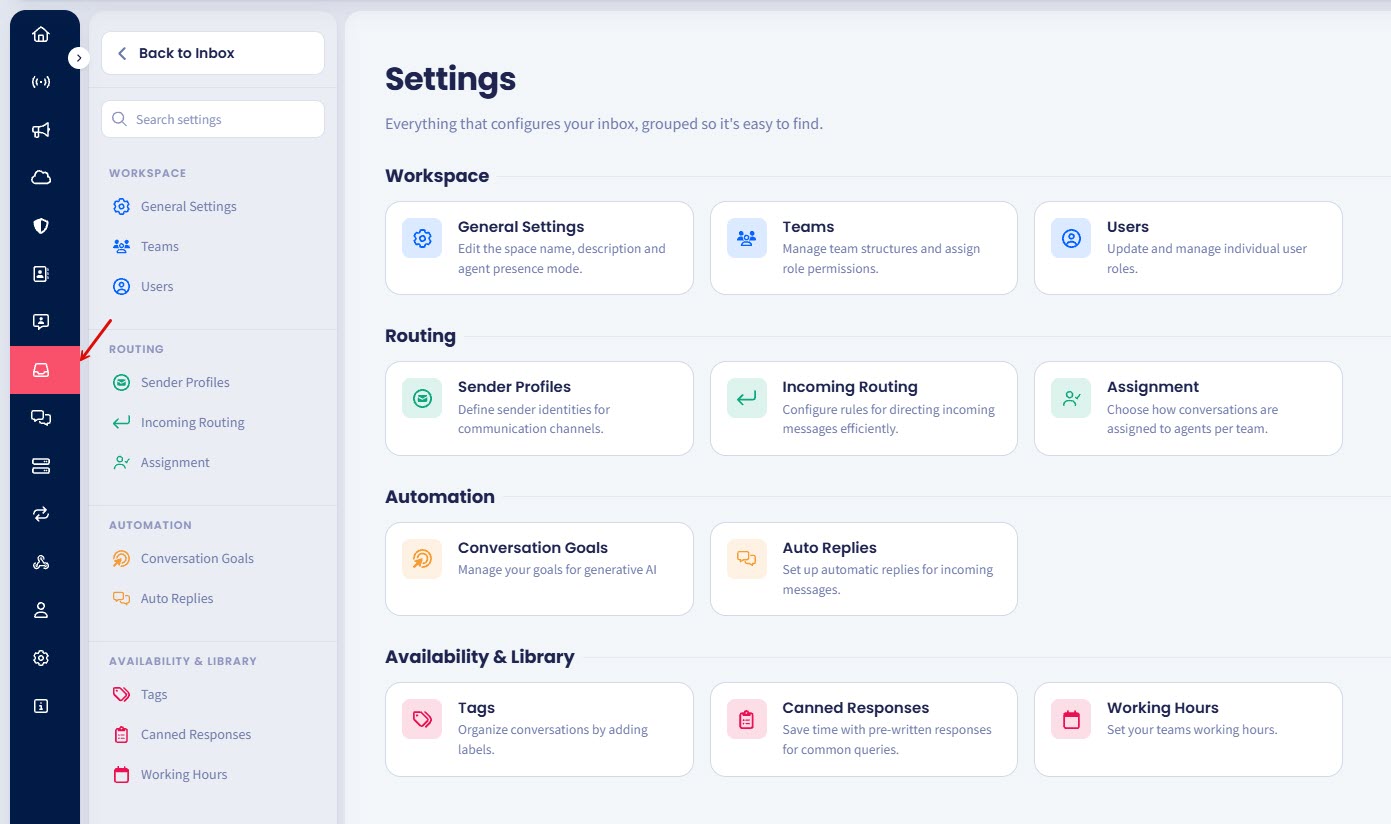
Inbox Settings tab
Refer to the following pages for detailed descriptions and step-by-step instructions to learn how to configure and manage the TextPeak Inbox settings:
A comprehensive guide for managers on how to set up the space.
A comprehensive guide for managers on how to manage teams and agents from the Inbox tab.
A comprehensive guide for managers on how to manage Inbox agents.
A comprehensive guide for managers on how to create and manage sender profiles from the Inbox tab.
A comprehensive guide for managers on how to create and manage Inbox incoming routing rules.
Choose how conversations reach agents in each team, and set capacity, reassignment, and queue order.
A comprehensive guide for managers on how to create and manage conversation goals in Inbox.
A guide for managers on how to configure automatic responses for out-of-office windows, SMS keywords, and WhatsApp quick replies.
A comprehensive guide for managers on how to create and manage Inbox conversation tags.
A comprehensive guide for managers on how to create and manage the customized Inbox responses for most common customers' queries.
A guide for managers on how to define the days, hours, and time zone your Inbox team is available so auto replies fire only outside those windows.
Updated 5 days ago