

How Do I Check Messaging Rates for a Specific Country?
Look up per-message rates by country, route type, and MCC/MNC in the CommPeak Portal's Billing > SMS Rates page.
Answer
You can check per-message rates for any destination country directly in the CommPeak Portal.
Rates are available for every country we serve - including the US, UK, Germany, France, Spain, Italy, Netherlands, Poland, Brazil, Mexico, Argentina, Colombia, India, Indonesia, Philippines, Vietnam, Thailand, Malaysia, Singapore, Japan, South Korea, China, Switzerland, Australia, New Zealand, South Africa, Nigeria, Kenya, Egypt, UAE, Saudi Arabia, Israel, Turkey, Canada, and 150+ more.
Checking messaging rates by country
- Click https://my.commpeak.com/rates/index.
- Alternatively, in the CommPeak Portal, go to Messaging > SMS Rates.
- Use the Country filter to select your destination - for example, United Kingdom, Germany, or Nigeria.
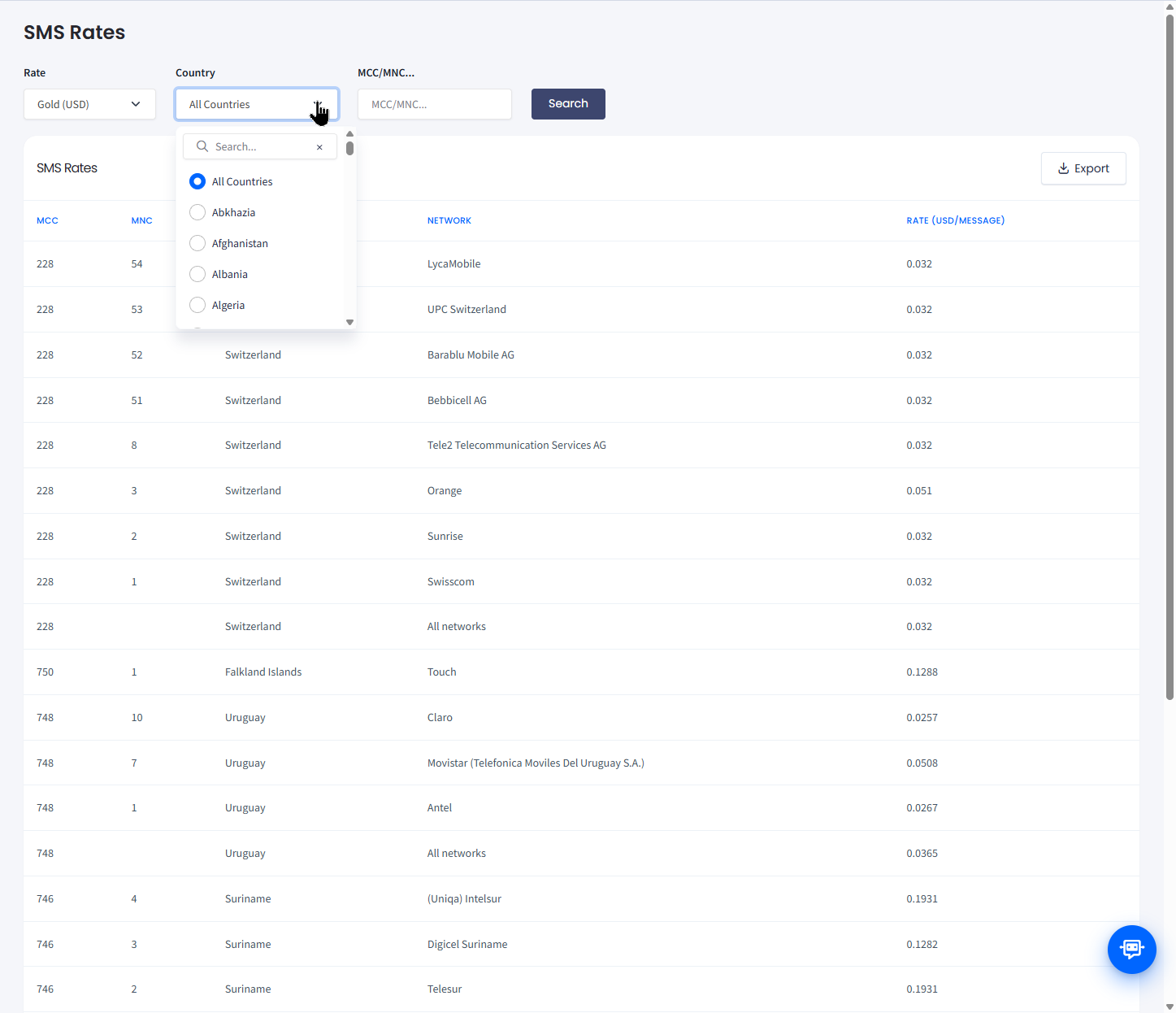
Billing > SMS Rates: filter by country to see per-message rates
- Review the route breakdown by rate or MCC/MNC. Different messsaging route types (Marketing SMS, Transactional SMS, Two-Way SMS) may have different rates and delivery characteristics within the same country.
TIP
To see the exact fee breakdown for your DID number(s), open DIDs > Management, find the number in the My DIDs table, and hover over the ? icon in the Monthly Fee column. For more details, check DID Management Overview.
- Check the Rate column for the per-message price that matches your use case.
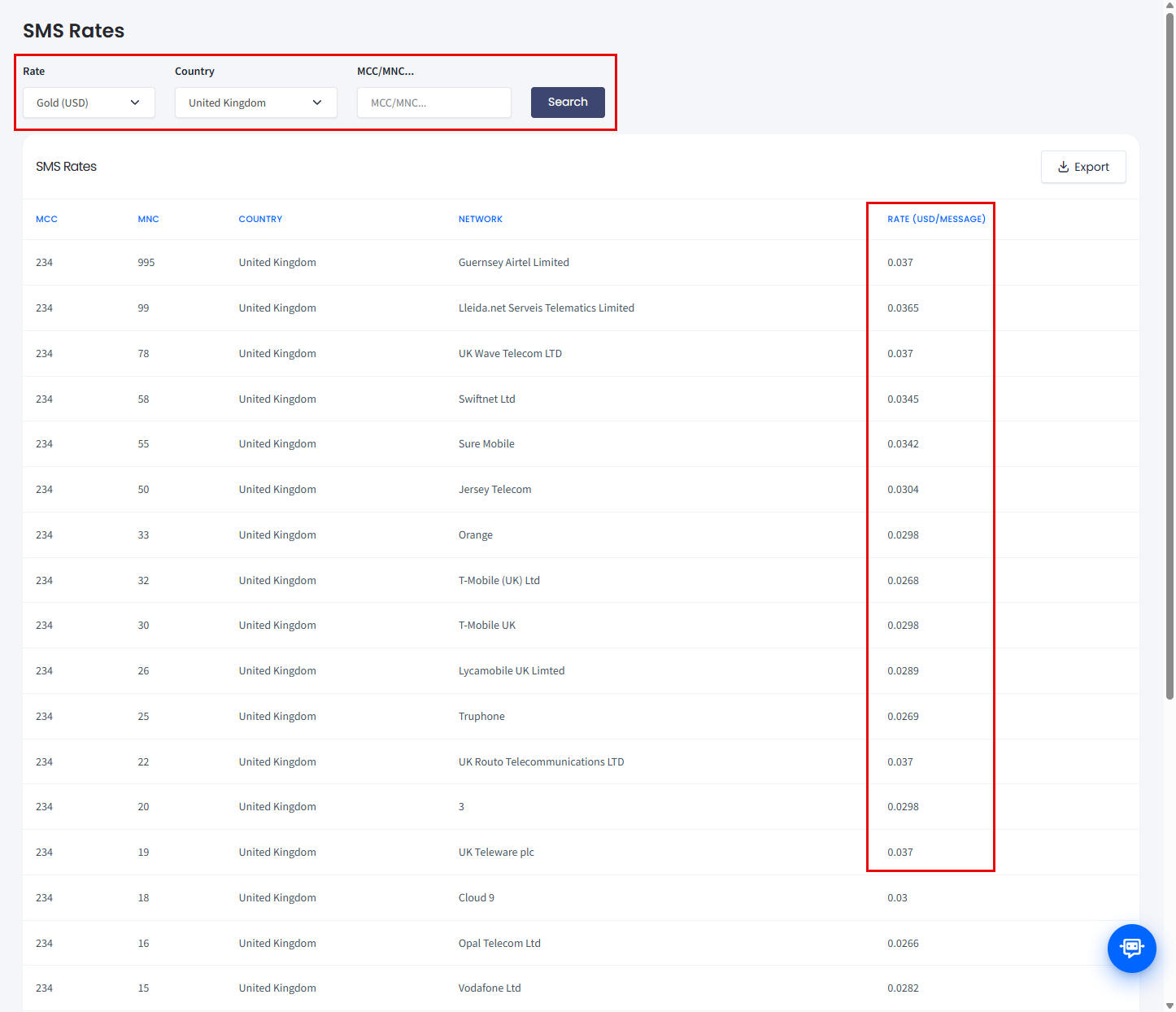
SMS rates: United Kingdom
NOTERates depend on your pricing tier and the messaging route type you're using. If your account is on a custom plan, the rates shown reflect your specific tier.
Why are messaging rates higher in some countries?
Answer
Several factors push per-message rates up in certain destinations:
- Carrier surcharges - some mobile operators (especially in the US, India, and parts of Europe) apply per-message fees on top of the base rate.
- Regulatory fees - countries with mandatory Sender ID registration add compliance costs.
- Route type - Transactional SMS routes typically cost more than Marketing SMS routes due to higher delivery guarantees.
IMPORTANTMessaging rates can be affected by carrier surcharges and regulatory fees in certain countries (for example, where Sender ID registration is mandatory).
Always check the Rate column on the SMS Rates page for the final, country-specific price before launching a campaign.
How are multi-part (concatenated) SMS charged?
Answer
A single SMS is limited to 160 characters (GSM-7) or 70 characters (Unicode, for emoji or non-Latin scripts). Messages longer than that are split into multiple parts and each part is billed as a separate SMS at the country rate.
For example, a 320-character GSM-7 message to Germany counts as 2 SMS and is billed at 2× the Germany per-message rate.
Related articles
- Call and Messaging Pricing: full overview of how pricing works in the Portal.
- How Do I Check Voice Rates for a Specific Country?: the same workflow for voice call pricing.
- DID Monthly Fees and Auto-Renewal Billing: information about how monthly fees and auto-renewal work.
- Messaging Route Types: picking the right route for your campaign.
- Sender ID Requirements: regional registration rules that may affect cost.
- Setting a Spending Limit: cap maximum per-message rates to control campaign costs.
Updated 15 days ago