Monitor your daily spending, review account insights, and access payment actions from the My CommPeak Dashboard.
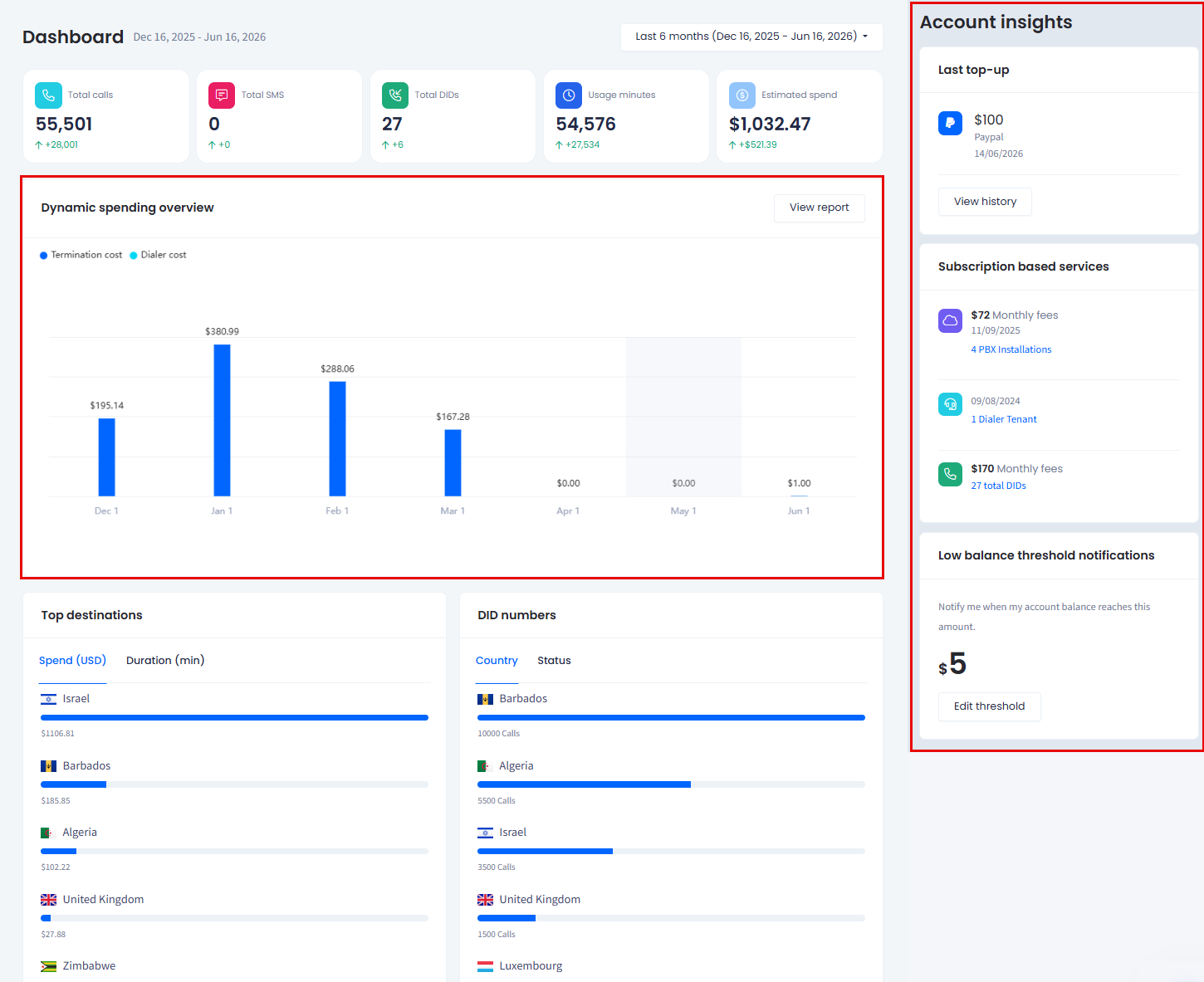
The product Dashboard lets you monitor your spending and access payment actions from one place. You can also add credit to your balance directly from the panels described below. The two panels covered in this article are Dashboard > Dynamic spending overview and Account insights:
Dynamic spending overview and Account insights panels
Dynamic spending overview
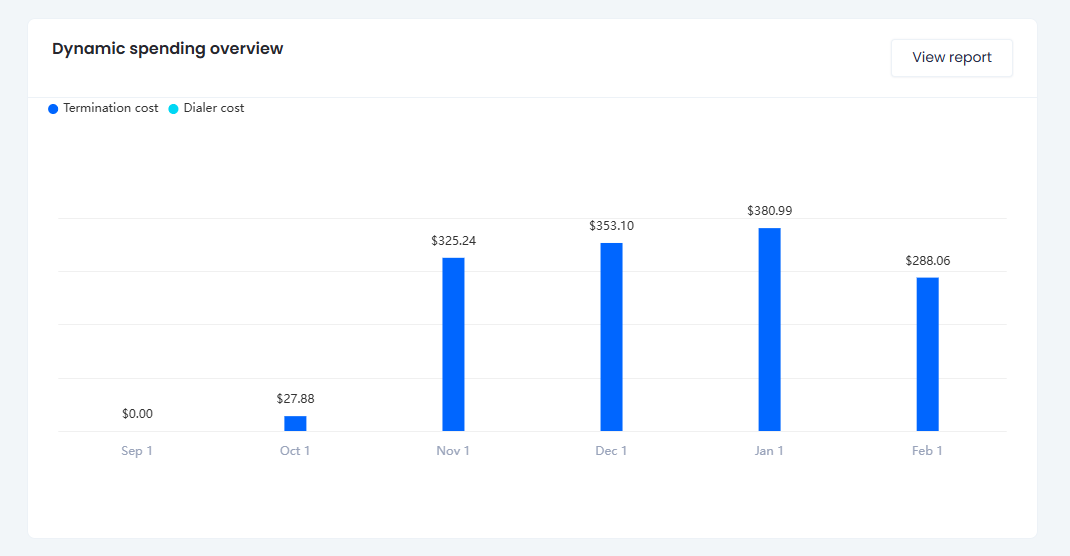
The Dynamic spending overview chart breaks down your daily spending across the selected period, split into Termination cost and Dialer cost, so you can spot trends and compare where your spending goes.
By default, you see the last week, but you can switch to another time range. Click View report to open the detailed Balance Graph.
Dynamic spending overview graph
👍
TIP
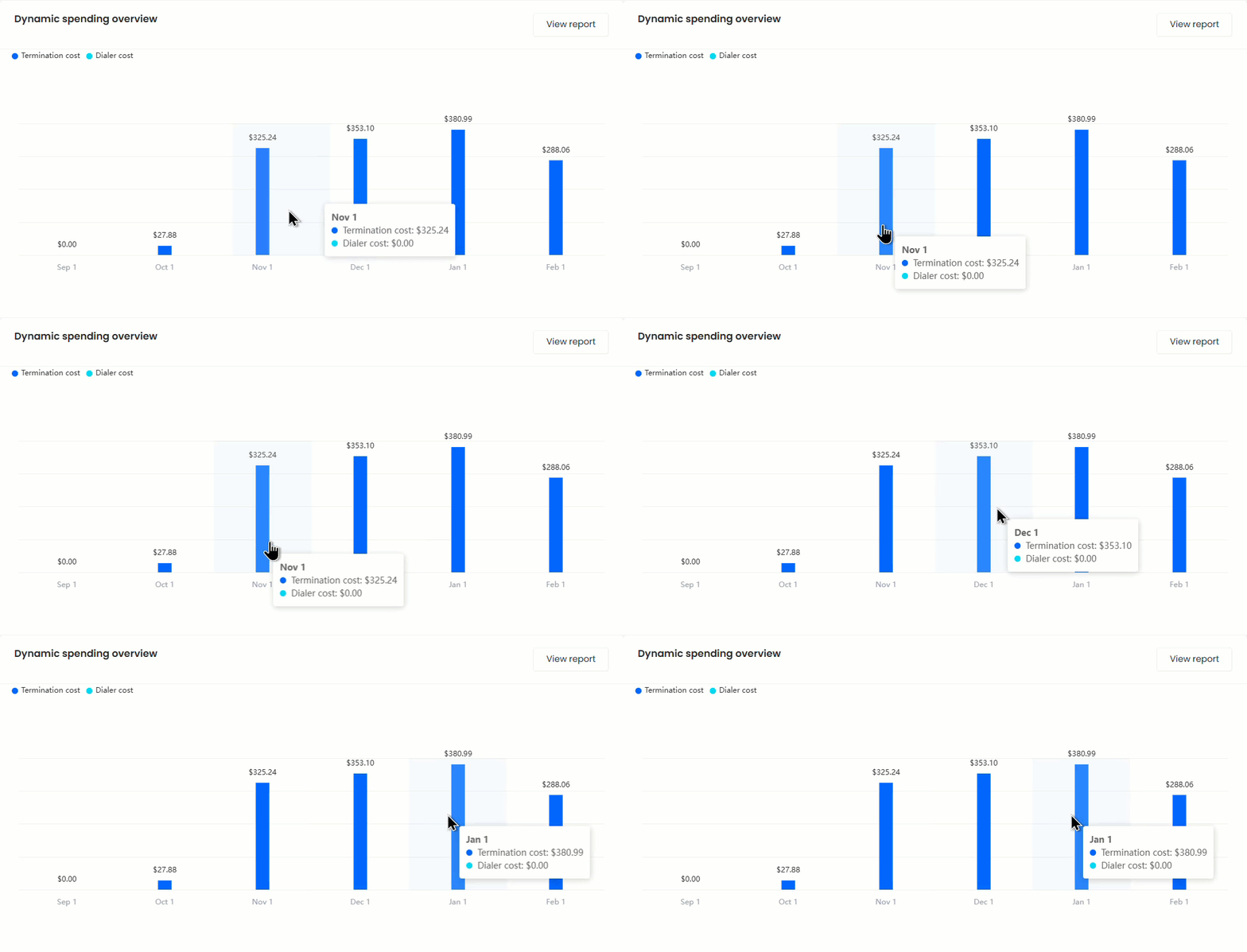
Hover over a bar to see more spending details:
Hovering a bar in the Dynamic spending overview to reveal details
Account insights
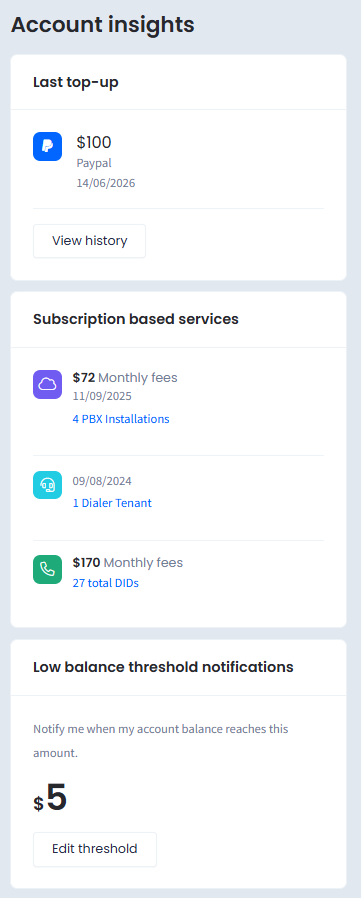
The Account insights panel on the right gives you a snapshot of your account health and quick access to billing actions.
Account insights panel
Last top-up shows the amount, payment method, and date of your most recent top-up. Click View history to review your full your payment history.
Subscription based services lists the subscription-based services you use and their monthly fees, such as PBX Installations, Dialer Tenants, and DID numbers, each with its start date and amount.
Low balance threshold notifications shows the balance amount that triggers a low balance notification. Click Edit threshold to change it.
📘
NOTE
Setting a low balance threshold helps you avoid service interruptions by warning you before your balance runs out. For more details, see the Notifications Settings article.