

Leaving Comments
Log internal notes about lead interactions in the Comments section of the Agent Workspace, giving your team immediate context on past conversations and instructions.
If you're using the legacy Dialer Agent Interface, refer to the legacy Predictive Dialing article.
The Comments section, located in the right-side sidebar of your Agent Workspace, lets you log internal notes about a lead's interactions. These notes are never visible to leads or customers.
The sidebar is shared with your inbox Message tab, both panels are accessible as tabs within the same sidebar.
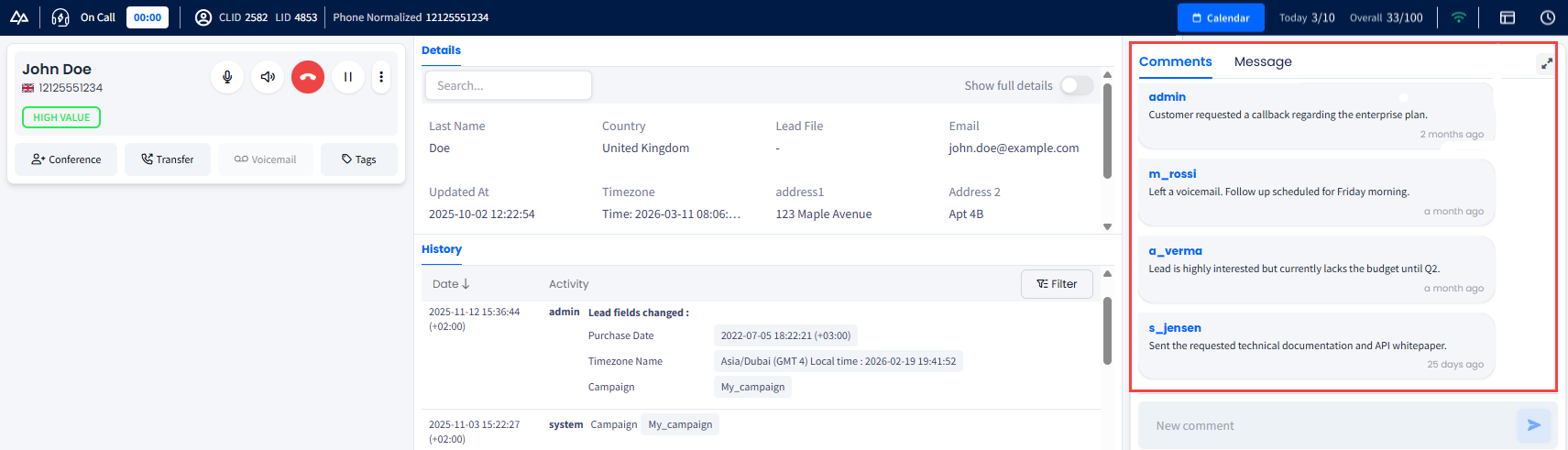
Comments section
When to use comments
Use the Comments section for:
-
Internal Communication: Leave notes visible only to your manager or authorized colleagues.
-
Contextual History: Review past notes to understand the lead's journey before speaking with them.
-
Audit Trail: Provide context for your manager during feedback sessions or performance reviews.
To open the Comments sidebar:
- Click the expand button in the Comments area to open it as a right-side sidebar.

- The sidebar gives you more space for reading and writing notes.
To leave an internal comment:
- Scroll through the chronological feed of previous entries to review the lead's history and past agent interactions.
- Type your comment in the text field at the bottom, then press Enter or click Send.
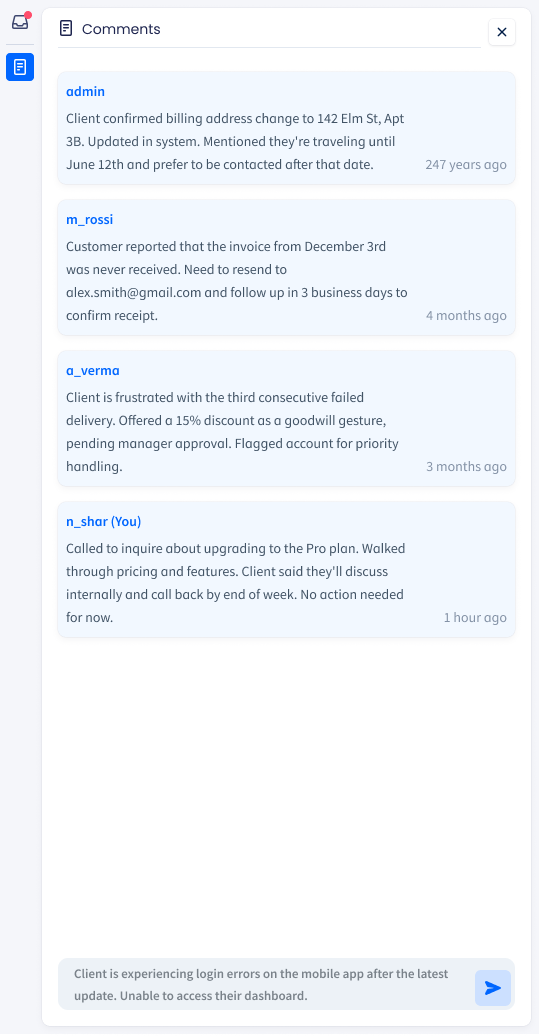
Comments history and leaving a new comment
Switching between comments and inbox
In the Comments section, you can switch between the notes left on the lead's interaction and messages sent within your CommPeak Dialer Inbox. When the sidebar is open, both are accessible via the tab icons at the top of the sidebar panel.
Click the Comments or Message tab to switch between them.
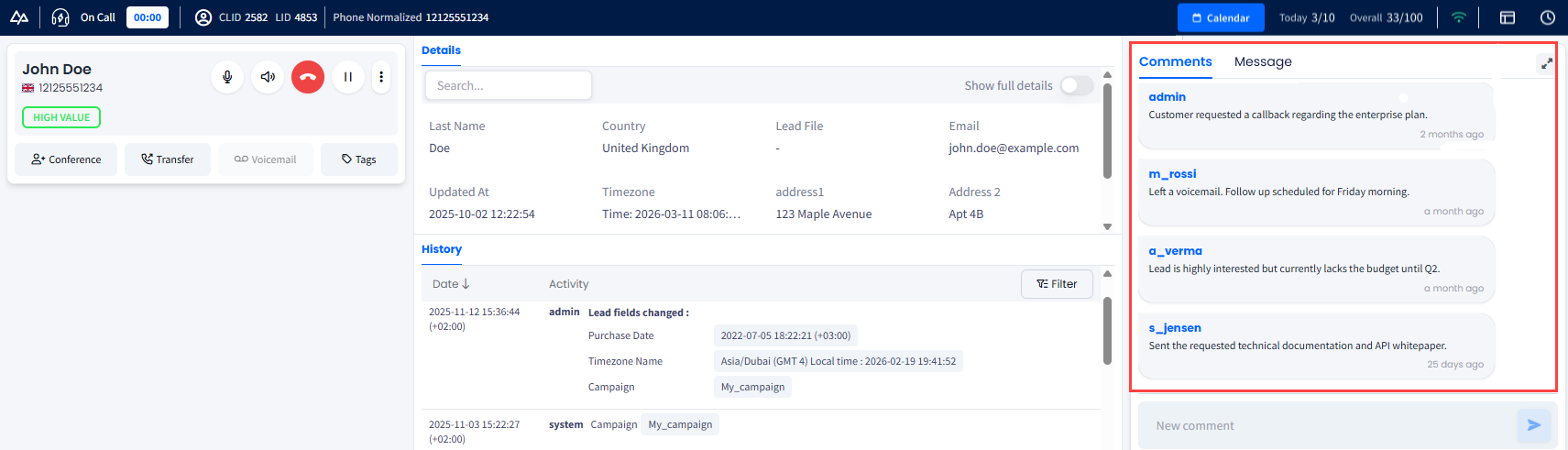
Comments and Message tabs
The inactive panel collapses to an icon-only tab. To close the sidebar entirely, click the close (x) button.
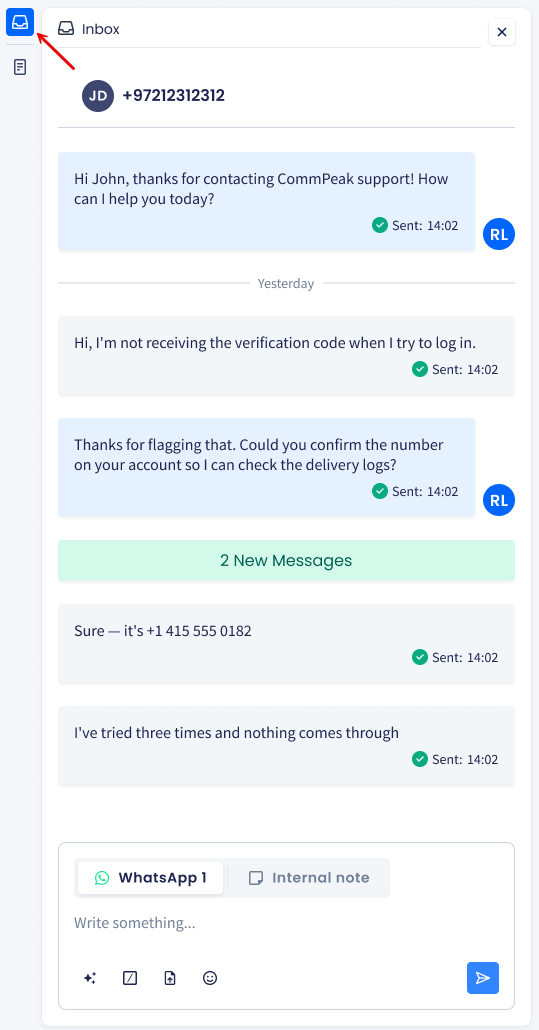
Switching between Comments and Messages
NOTEInbox notifications:
If you receive a new message in your Inbox while working, a red dot badge with the unread message count will appear on the Inbox button in the top bar and on the Message tab icon inside the sidebar.
Updated 5 days ago