Create SMS delivery profiles and configure CommPeak DID numbers to forward inbound messages by email or to TextPeak.
Configure how inbound messages from your CommPeak DID numbers are delivered.
Video tutorial
You can forward received messages by email or view them in a web-based viewer.
To configure where your inbound messages are delivered, you must first create a delivery profile.
Creating SMS delivery profile
To add a new SMS profile:
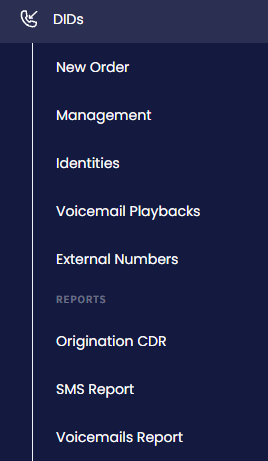
Expand DIDs in the menu on the left and click the Management tab.
DIDs > Management tab
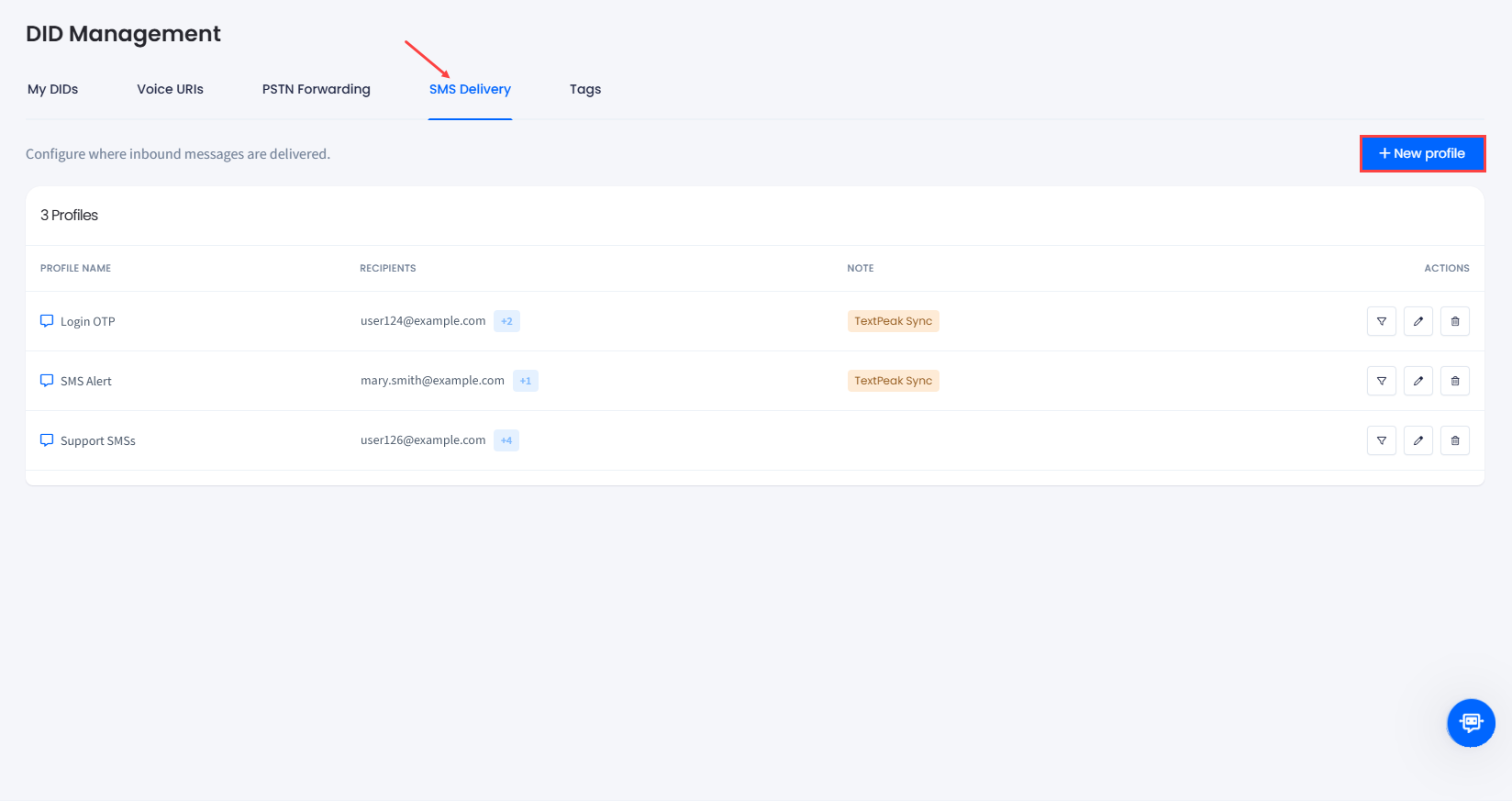
Switch to the SMS Delivery tab and click + New profile at the top right.
SMS Delivery tab
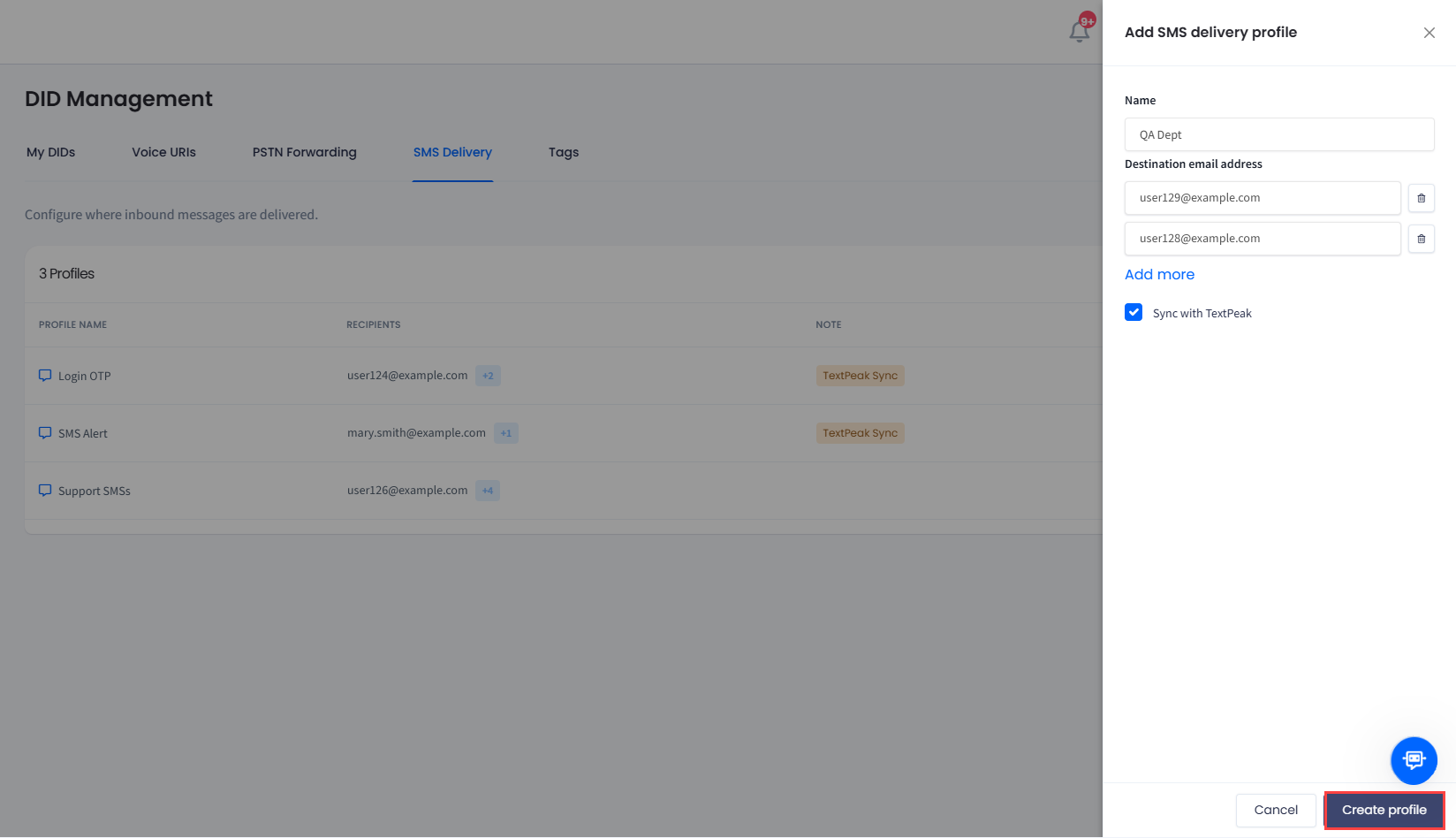
In the side menu, fill out the Name and the Destination email address fields:
In the Name field, enter the name for the profile you are going to forward your messages to
In the Destination email address field, specify the email address to forward the messages to. Click the Add more link to add more addresses.
Optionally, to configure your CommPeak DID numbers to forward SMS messages you receive to your TextPeak account, check the Sync with TextPeak checkbox below.
Creating new SMS delivery profile
📘
NOTE
You can add up to 10 email addresses to forward incoming messages.
Click Create profile.
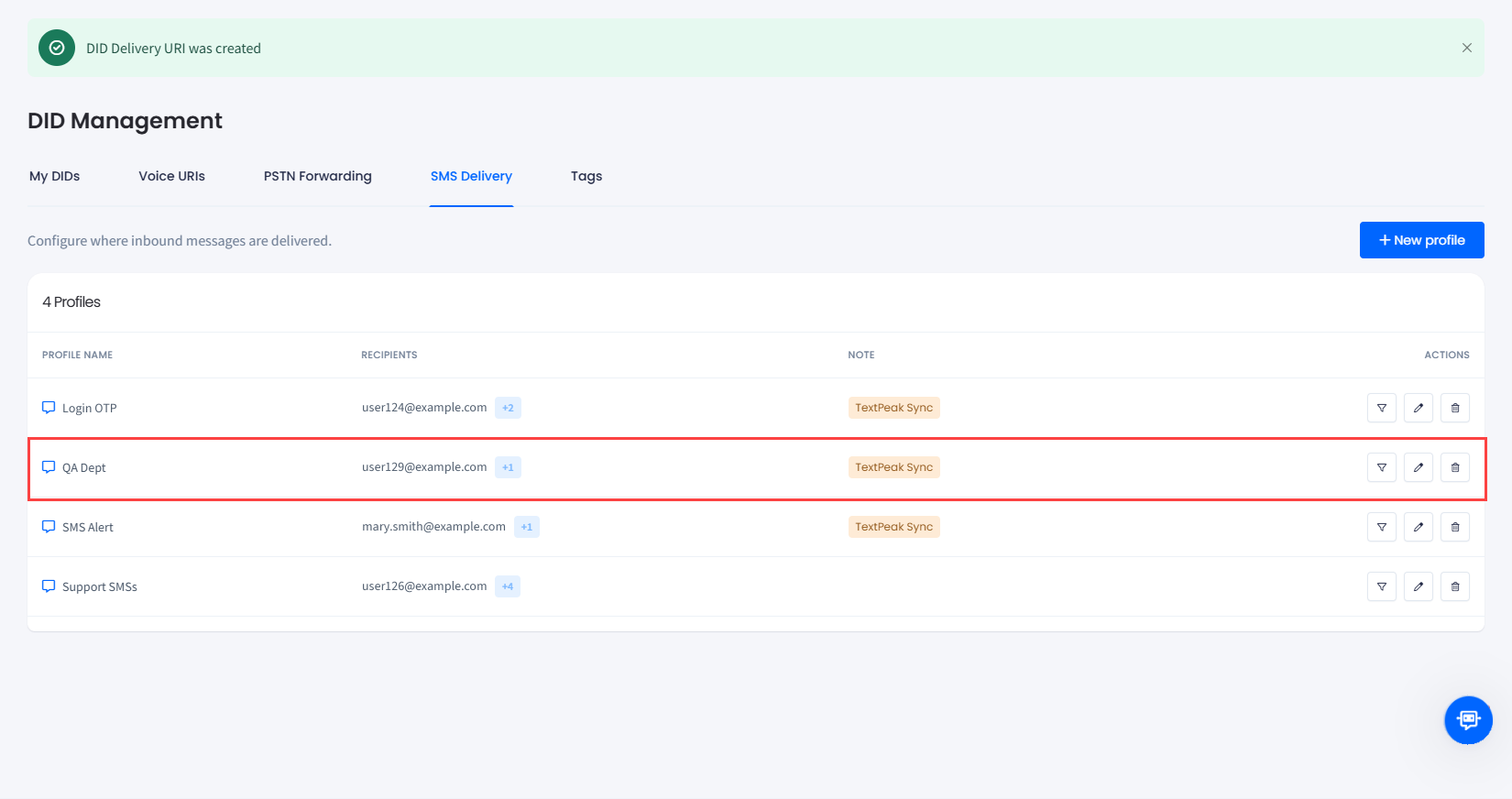
Your new profile is added to the table.
SMS delivery profile created
Configuring DIDs to forward inbound SMS
To configure your DIDs where your inbound SMS messages are delivered:
Open the My DIDs tab.
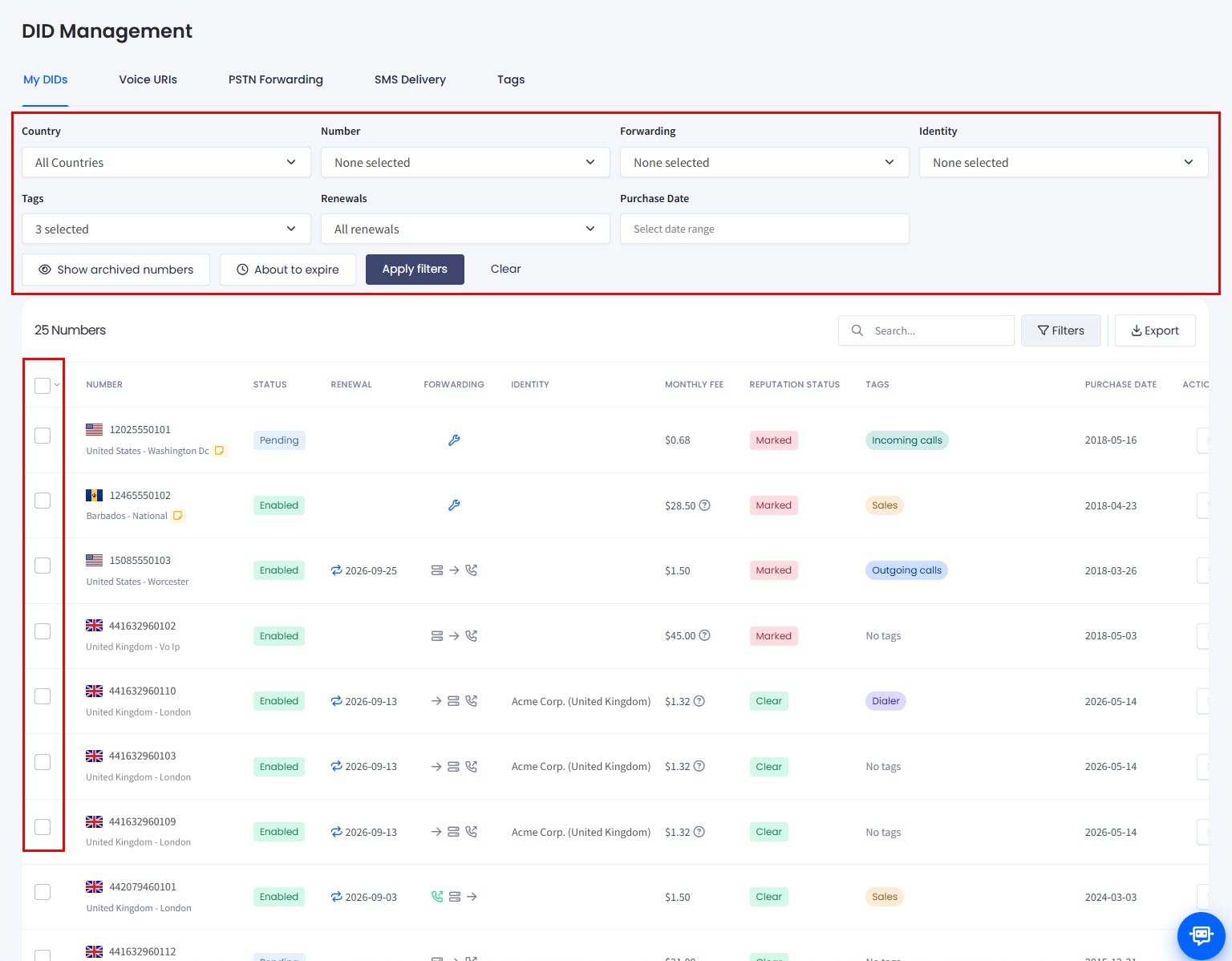
In the My DIDs table, use the checkbox on the left or select the needed number by applying search filters at the top right of the DID Management page.
Filtering or selecting DID numbers
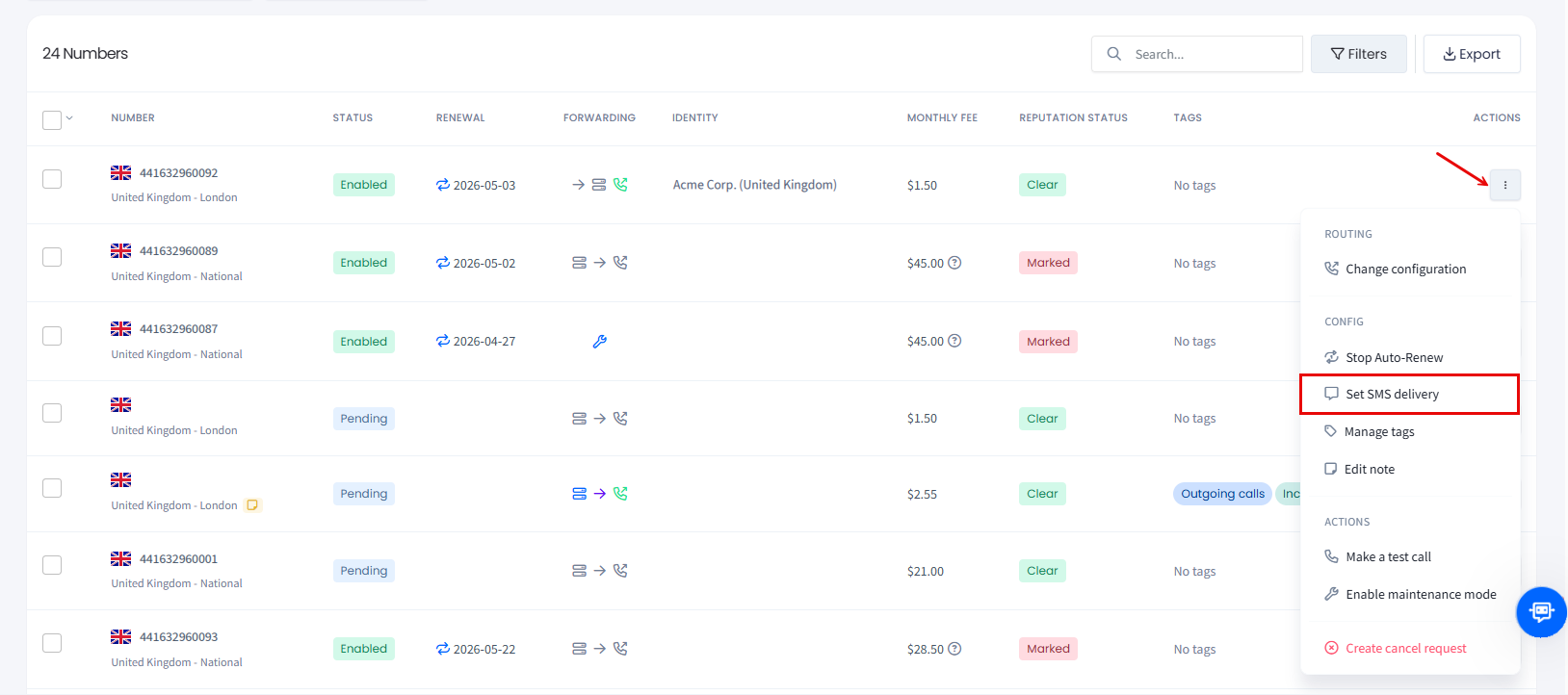
Click the three-dot action icon for the needed number and select the Set SMS delivery action from the drop-down list.
Set SMS delivery action
👍
NOTE
You can also apply this action across multiple DIDs. For more details, check the Managing Multiple DIDs article.
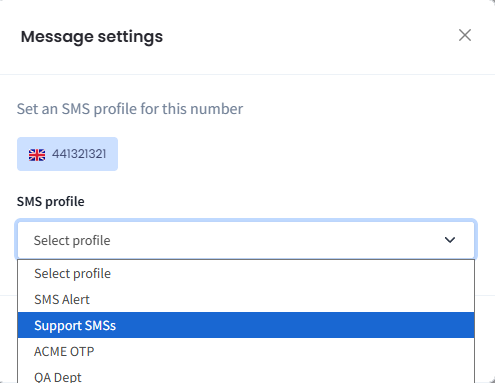
In the Message settings window, review the number, select the needed SMS profile from the drop-down, and click Save changes to confirm.
Setting SMS profile
Now, you will start receiving all incoming SMS messages to this DID number.
To check if the SMS profile has been applied, hover over the corresponding icon for the DID number record (blue ticked message icon means the option is enabled).
SMS Support enabled for DID number
👍
NOTE
Make sure the number you select supports SMS delivery. If it does, the following icon is shown for the number:
SMS delivery is supported for DID number
Otherwise, you will get the following error message.
SMS delivery cannot be set error message
Managing SMS delivery profiles
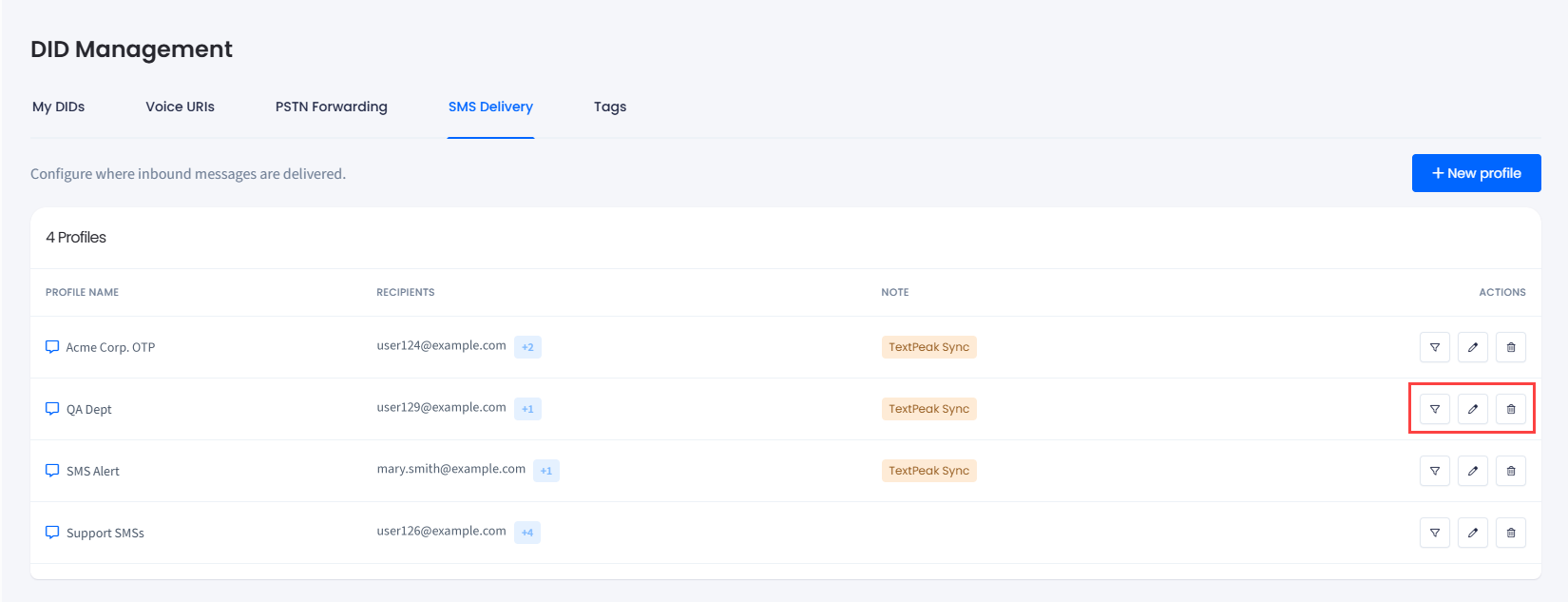
You can apply the following actions to manage your SMS delivery profile:
Filter DIDs: click to open the DID Management tab with the DID records filtered by this profile.
Edit: click to open the Edit SMS delivery profile side menu.