

Recurring Services
Manage CommPeak account's automatic credit refills: view the list of recurring services or stop recurring payments.
The Recurring Services page lists service payments performed automatically for your account. Use it to review automatic credit refill services and stop recurring payments you no longer want.
To open Recurring Services:
- Expand Billing in the main menu.
- Select Recurring Services.
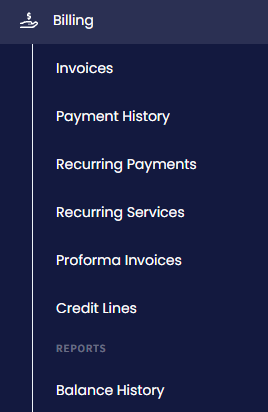
Billing menu tabs
The Services table lists each service with its Name, Details, Status, Start Date, Last Payment, Next Payment, Setup Fee, and Amount.
These payments are created by the automatic credit refill option set up for the Credit Card payment type.
Use the delete icon on a row to cancel a service.
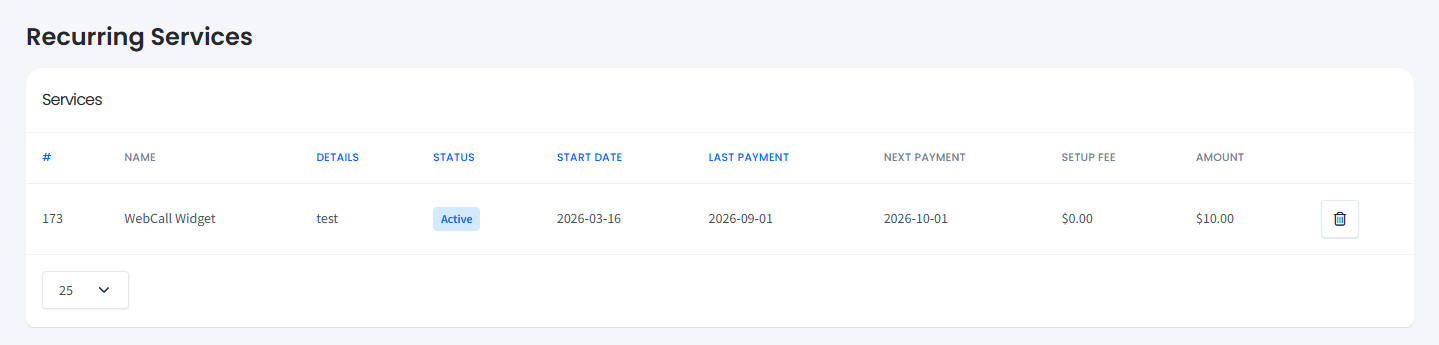
Service records list
Updated 5 days ago
Did this page help you?