

Managing Multiple DIDs
Learn how to select multiple DID records and apply bulk actions in DID Management.
You can select multiple DID records in the DID Management table and apply bulk actions.
Available bulk actions
- Change call configuration to apply SIP, URI, or PSTN profile(s) to hundreds of numbers at once.
- Enable and stop Auto-Renew
- Set SMS delivery
- Manage Tags
- Add or edit internal notes to better organize the work with your inventory
- Create a cancel request.
Managing multiple DID numbers
To apply actions across multiple DIDs:
-
Log in to the CommPeak Portal.
-
On the main menu on the left, navigate to DIDs and select Management.
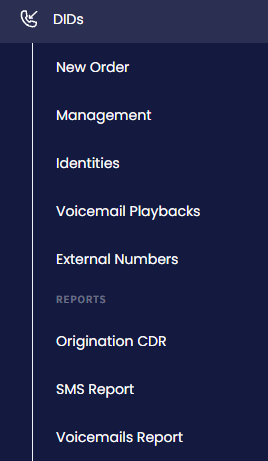
DIDs > Management tab
-
In the My DIDs table, use the checkbox(es) on the left or click the Filters button and select the needed number(s) by applying search filters at the top right of the DID Management page.
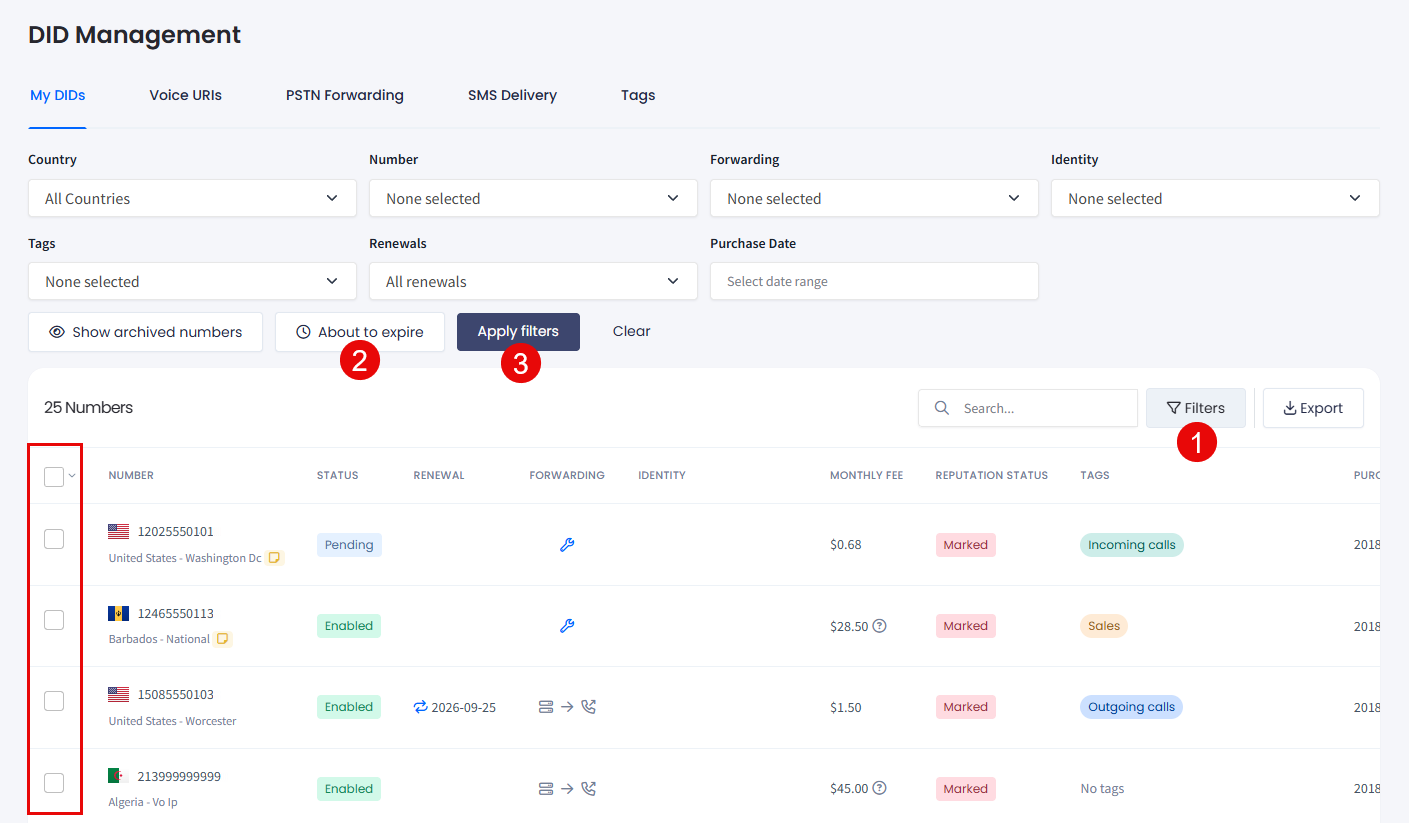
Filtering DID numbers
NOTETo build the set of numbers you want to change, you can filter the table by multiple DID numbers at once. See Filtering by multiple numbers at once.
- For the numbers selected, click the needed action button.
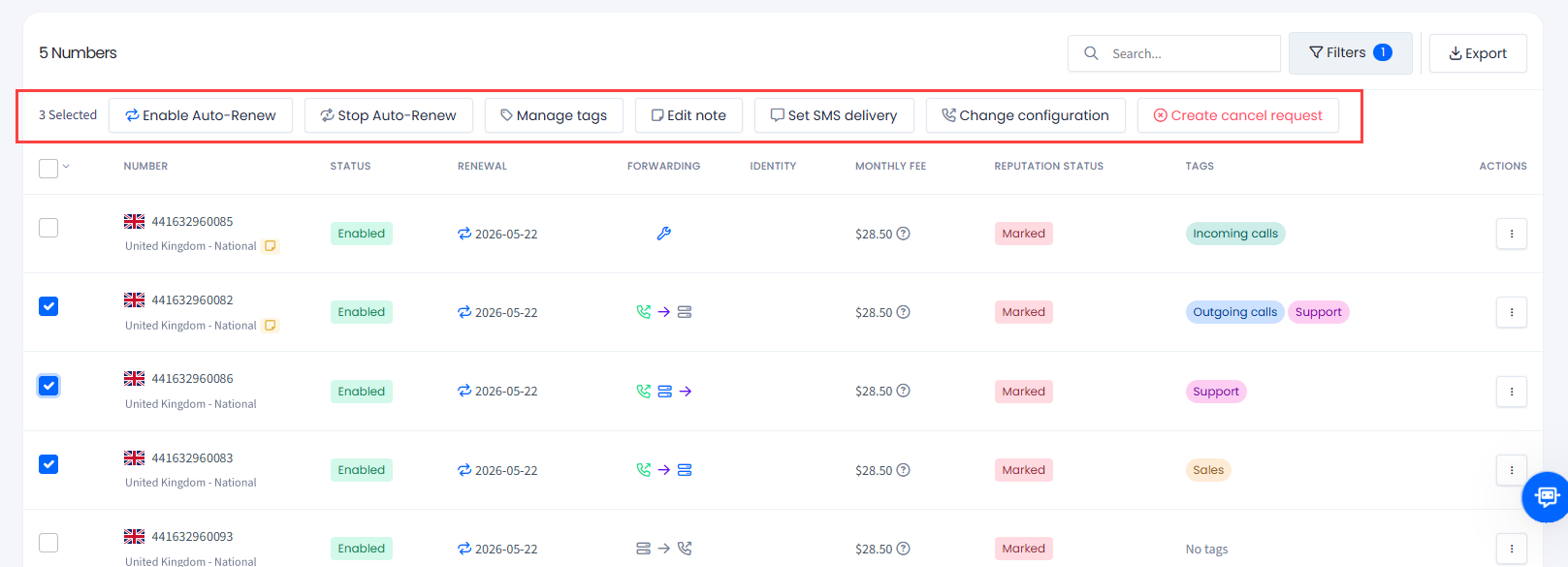
Multiple selection actions
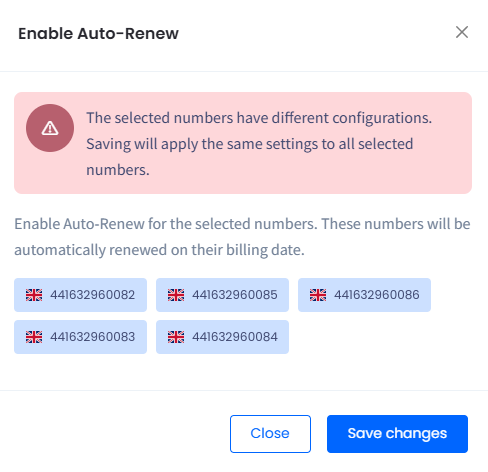
- Depending on the action selected, review the selected numbers, proceed as instructed, and confirm the action by clicking Save changes.
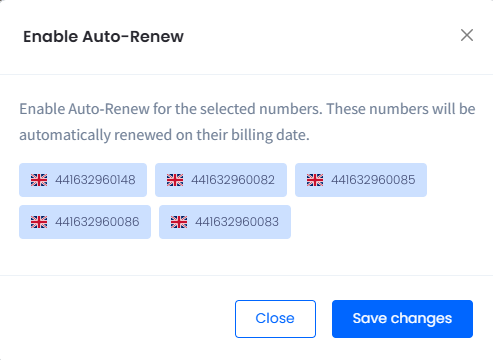
Enable Auto-Renew window
- You will be notified that the selected action was successfully applied for the selected numbers. Click X to close the message.

Auto renewal enabled successfully for 5 numbers message
Updated 12 days ago