

Pause Types
Configure pause types in PBX Stats by creating custom statuses for agents and managers to indicate unavailability, with options for work-related or personal reasons.
Managers and agents can use pause types to let others know if they are available at the moment and select a reason for their unavailability. When an agent is on pause, this information is displayed on their card on the Realtime page. The card will also show the pause type - work-related or personal.
A manager can configure pause types this way:
Log in to PBX Stats
Log in to PBX Stats.
Open Pause Types
Go to Configuration > Pause Types.
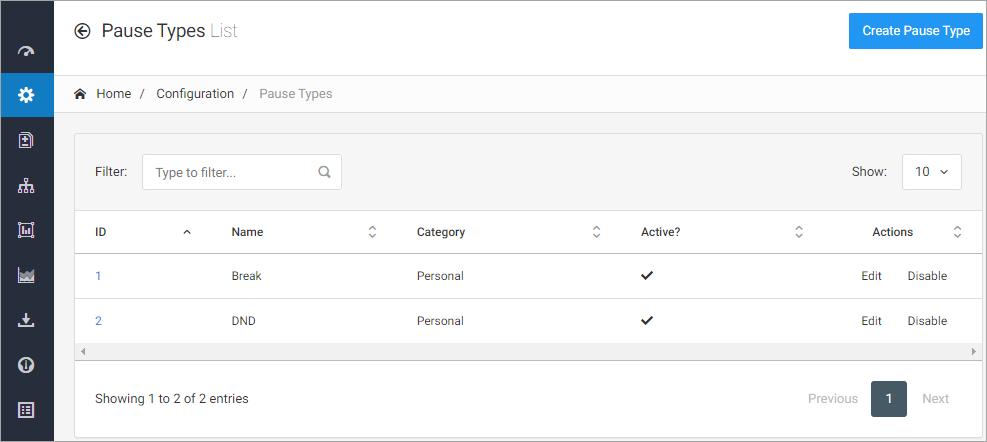
Configuration > Pause Types page
Edit or disable pause types
Edit or disable previously created pause types in the list.
NOTEThe pause types that you have created appear in agent workspaces. When agents need to take a break, they can click Pause and choose one of them.
To create a new pause type:
Create a pause type
Click Create Pause Type.
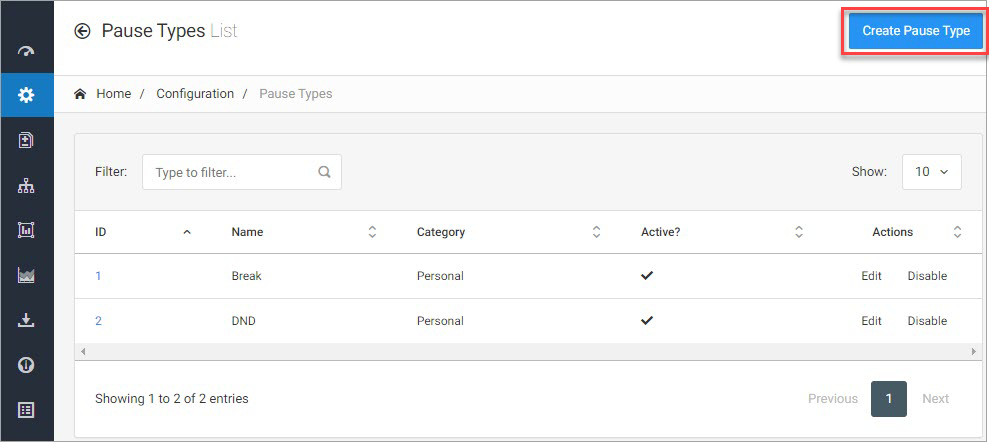
Create Pause Type option
Name the pause type
Enter its name.
Select the category
Select category - Work Related or Personal
Activate the pause type
Place a checkmark to make it active.
Save the pause type
Click Create.
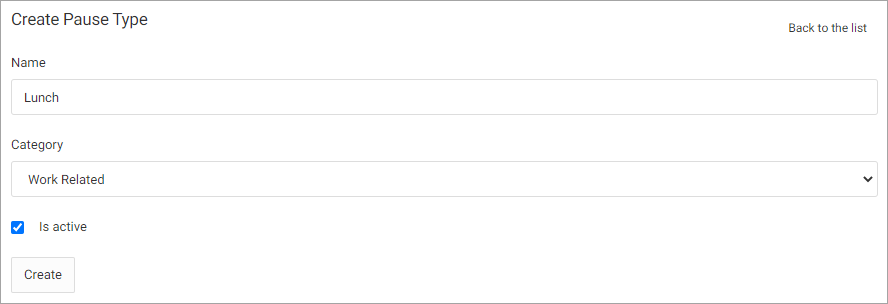
Create Pause Type form
If you want to learn more about configuring pause types for the agent, you can check Agent's Workspace Overview.
Updated about 5 hours ago