

Connecting WhatsApp Business Accounts
Learn how to connect your WhatsApp Business number to the CommPeak messaging service by completing Meta's sign-in wizard, and what Meta checks afterwards.
To send messages from a WhatsApp Business number through the TextPeak messaging service, you first connect that number to CommPeak.
The TextPeak WhatsApp Business account launcher automatically signs you in to your Facebook Business account, where you can choose the number and the business assets you share, and grant CommPeak the permissions it needs.
Before you begin
Make sure you have:
- A Facebook Business account with a business portfolio you administer; if you have no such account, you will be asked to create one.
- A phone number that is not already registered with WhatsApp.
- The CommPeak messaging service activated on your account.
Starting WhatsApp business launcher
Start a new channel
To run the WhatsApp Business account launcher, initiate creating a new WhatsApp channel with TextPeak, enter the channel details and proceed to the Connect WhatsApp section. See more in creating a WhatsApp Channel.
Connect WhatsApp
In this section, click the Connect WhatsApp button.
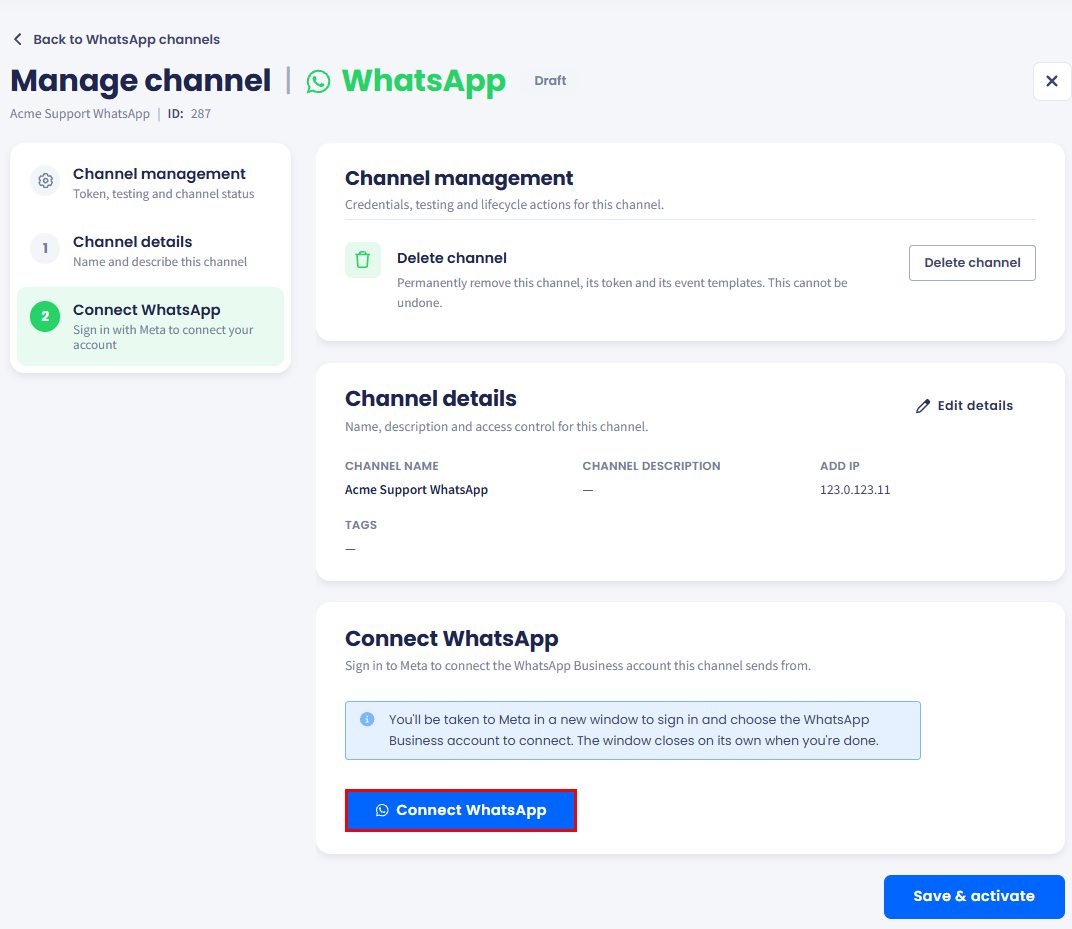
Connect WhatsApp section
Sign in to Meta
The Meta sign-in wizard opens in a pop-up window, where you must sign in and choose the WhatsApp Business account to connect.
Grant the permissions
Follow the required steps below and grant the permissions the wizard asks for.
Meta sign-in wizard flow
After you have been redirected to your Facebook Business account:
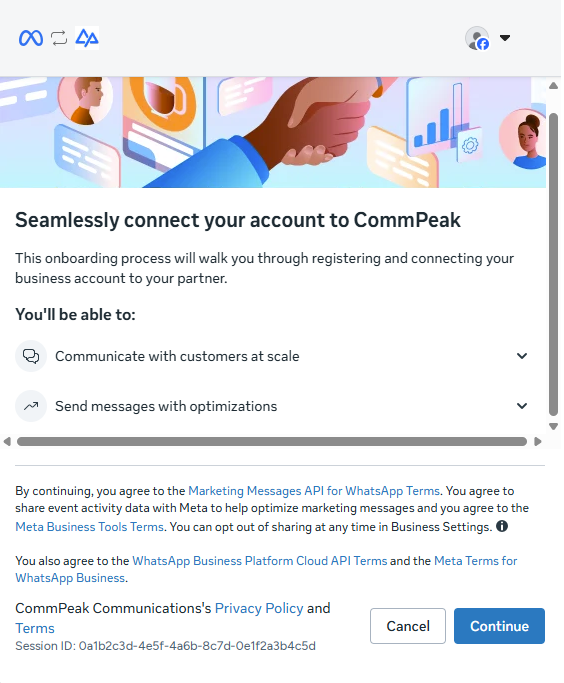
Meta summarizes the connection before the wizard starts.
- Enter the display name and the phone number this channel sends from, then click Next.
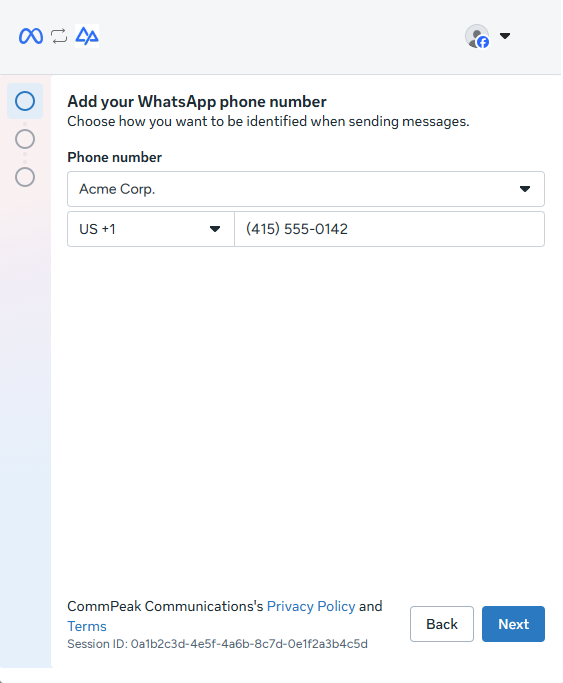
The number you enter here becomes the sender for this channel.
- Select the business assets you share with CommPeak, then click Next.
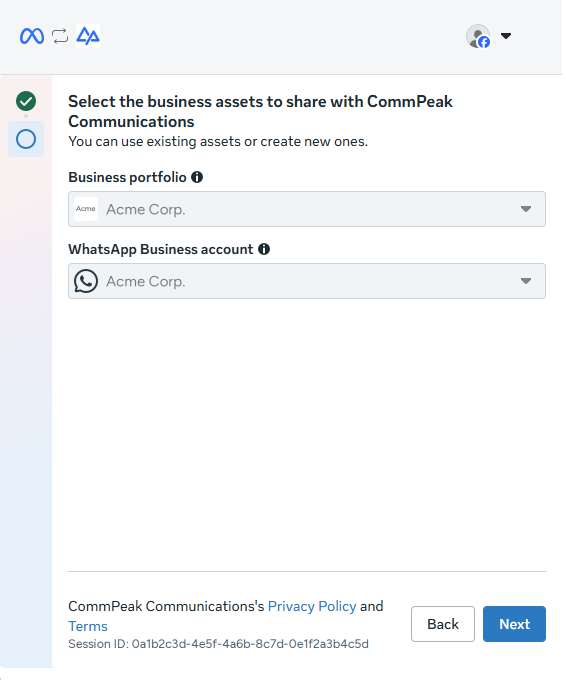
Pick the business portfolio and the WhatsApp Business account CommPeak uses.
- Review the permissions the wizard asks for, then click Confirm.
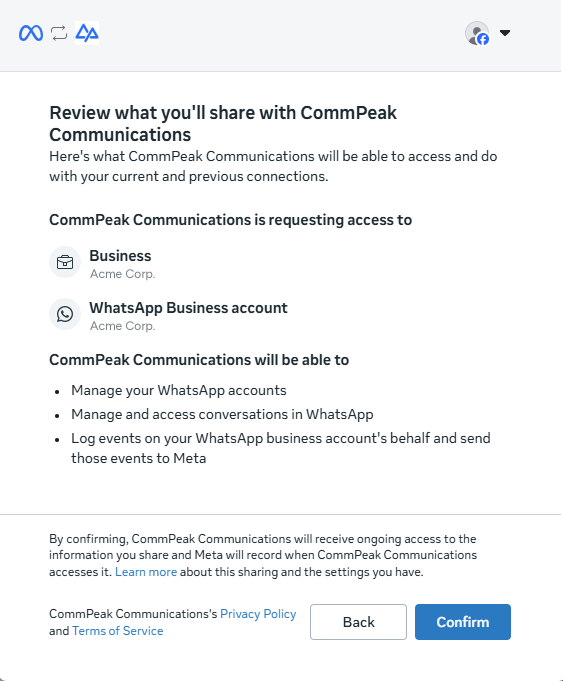
Meta lists every permission CommPeak receives before you confirm.
- Meta confirms that your WhatsApp Business number is connected to CommPeak.
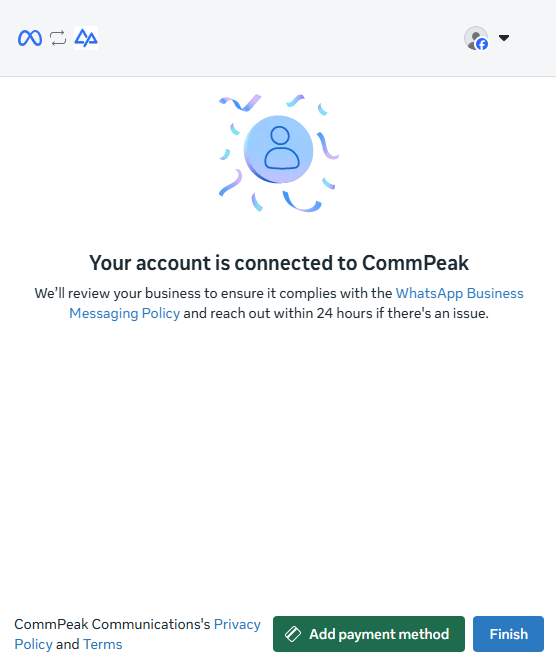
Meta confirms the connection and starts its review of your business.
- Click Finish.
Updated 6 days ago