

Viewing Recent LookUps and Results
View recent lookups and lookup statistics and find detailed information about each phone number checked.
Recent LookUps
The Recent LookUps menu tab displays the lookups made in the last 30 days.
To view the lookups:
-
Expand LookUp in the left pane.
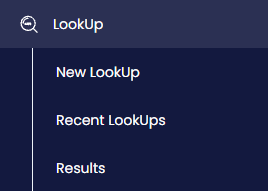
LookUp menu tabs
-
Click Recent LookUps.
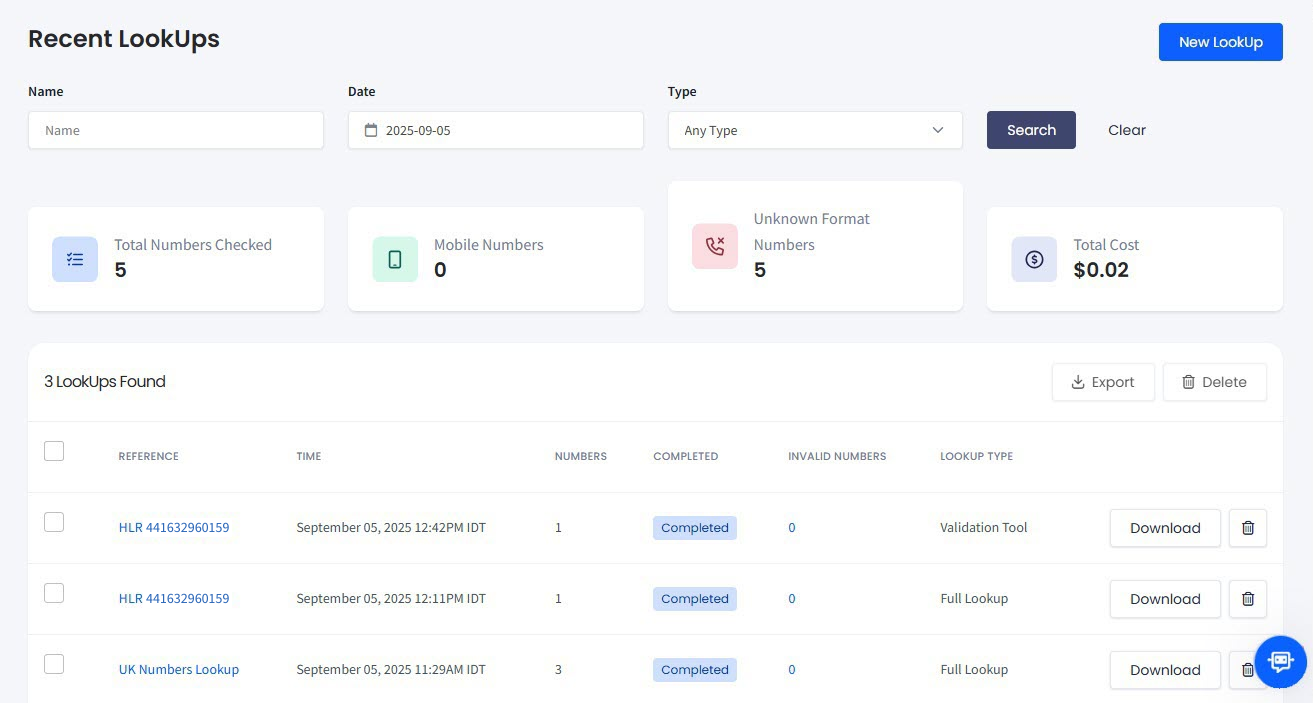
Recent LookUps page
You can also see LookUp statistics on the total number checked, the number of mobile and unknown format numbers, and the total cost.
To get the most accurate results, apply the search filters.
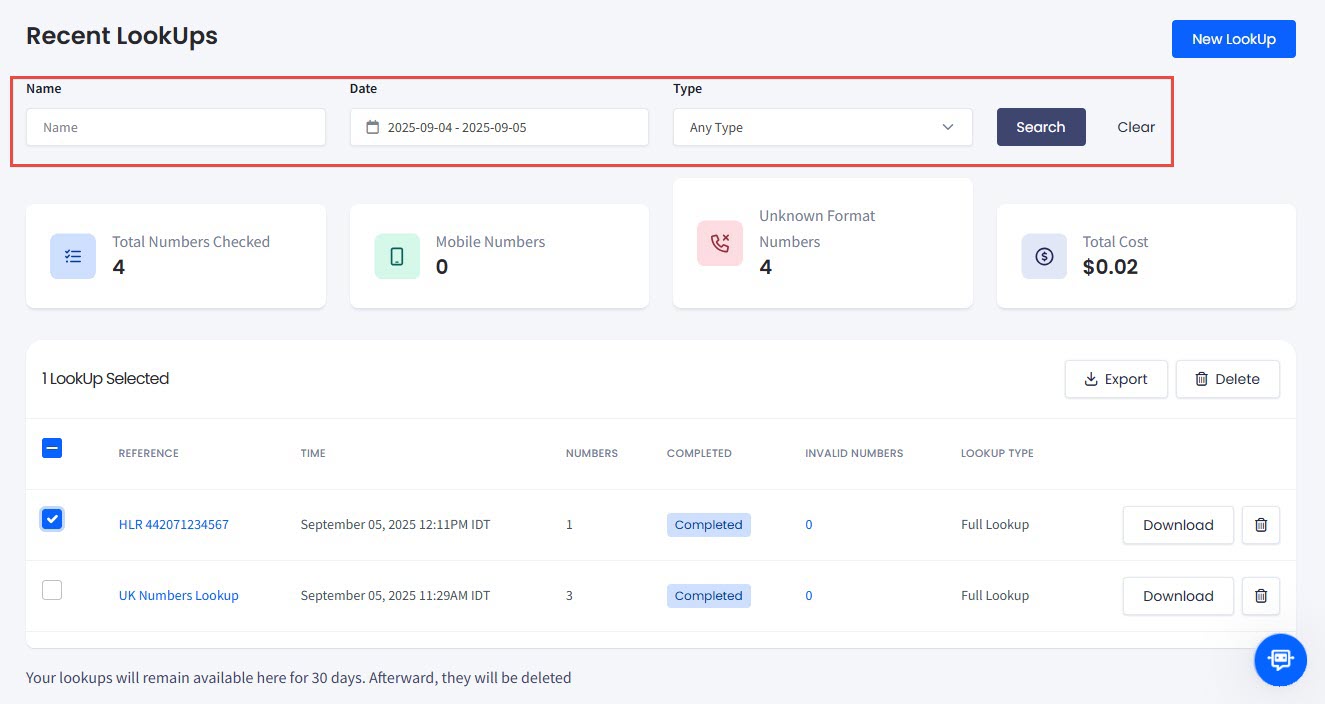
Filtering your lookups
The table with your lookups contains the following columns:
| Column Name | Description |
|---|---|
| Reference | Click the name of the lookup list to move to the Results tab and view its results |
| Time | The time when you submitted the lookup |
| Numbers | Number of numbers within the selected lookup |
| Completed | The status of the uploaded file |
| Invalid Numbers | Numbers defined as invalid (unknown format) |
| Lookup Type | The validation tool or the full HLR LookUp |
| Download | Click to download the lookup to your drive |
| Delete | Click to delete the lookup |
Additionally, you can apply the Export and Delete actions to multiple lookups by selecting the lookups you need in the list and clicking Export or Delete above the table. Canceled lookups cannot be exported.
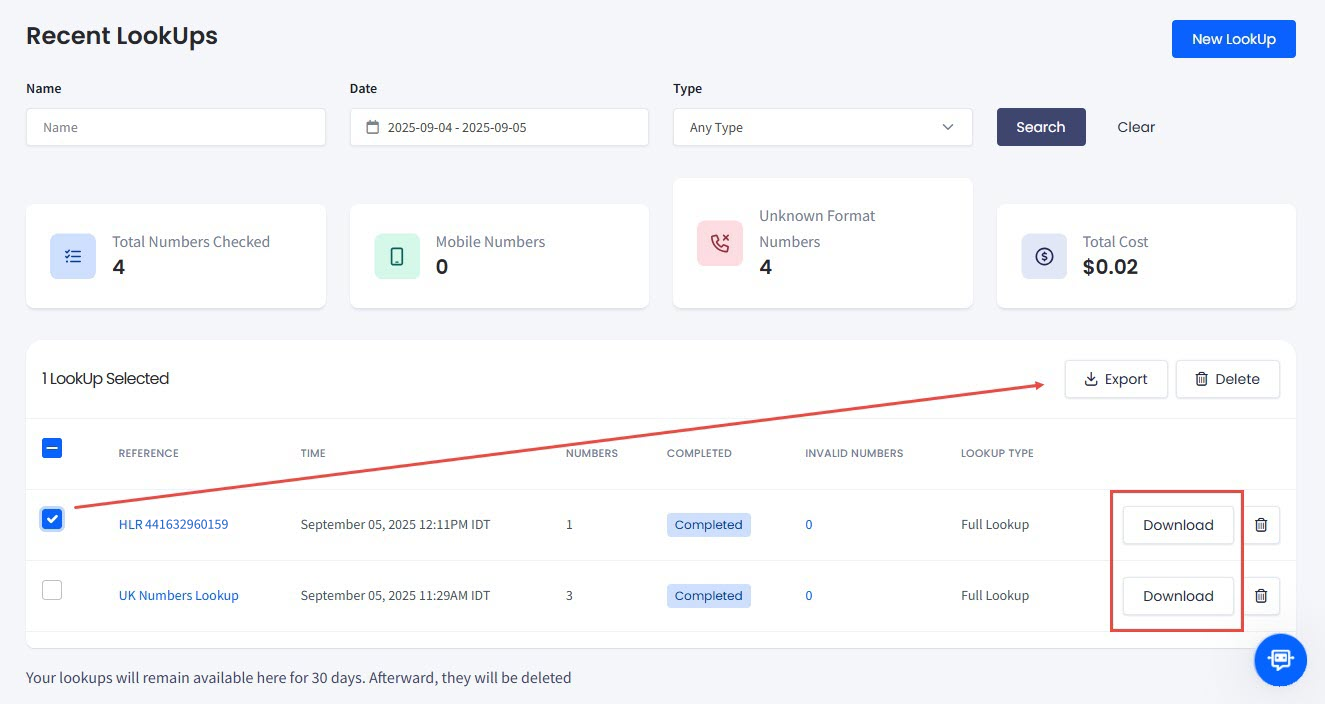
Export and Delete actions
NOTETo learn about how to interpret exported lookup request data, check LookUp Requests Data Explained.
To create a new lookup, click the New LookUp button in the upper-right corner of the page.
Results
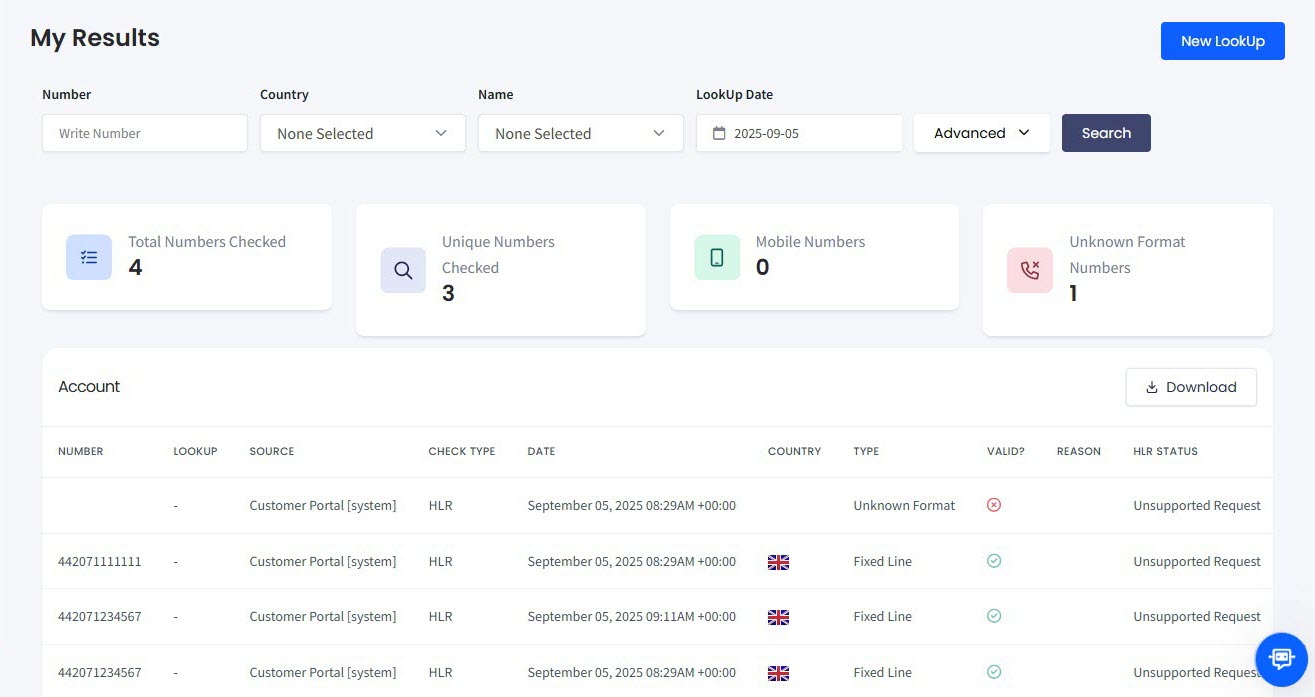
The My Results tab displays the results of submissions you have previously made. Expand LookUp in the left pane to display the lookups and click Results.
LookUp > Results in the main menu
You can also apply search filters and view LookUp statistics.
The My Results page filters on Number, Country, Name and LookUp Date, and the Advanced control opens further filters. Its statistics cards are Total Numbers Checked, Unique Numbers Checked, Mobile Numbers, Unknown Format Numbers and Total Cost: one more card than Recent LookUps, which does not count unique numbers.
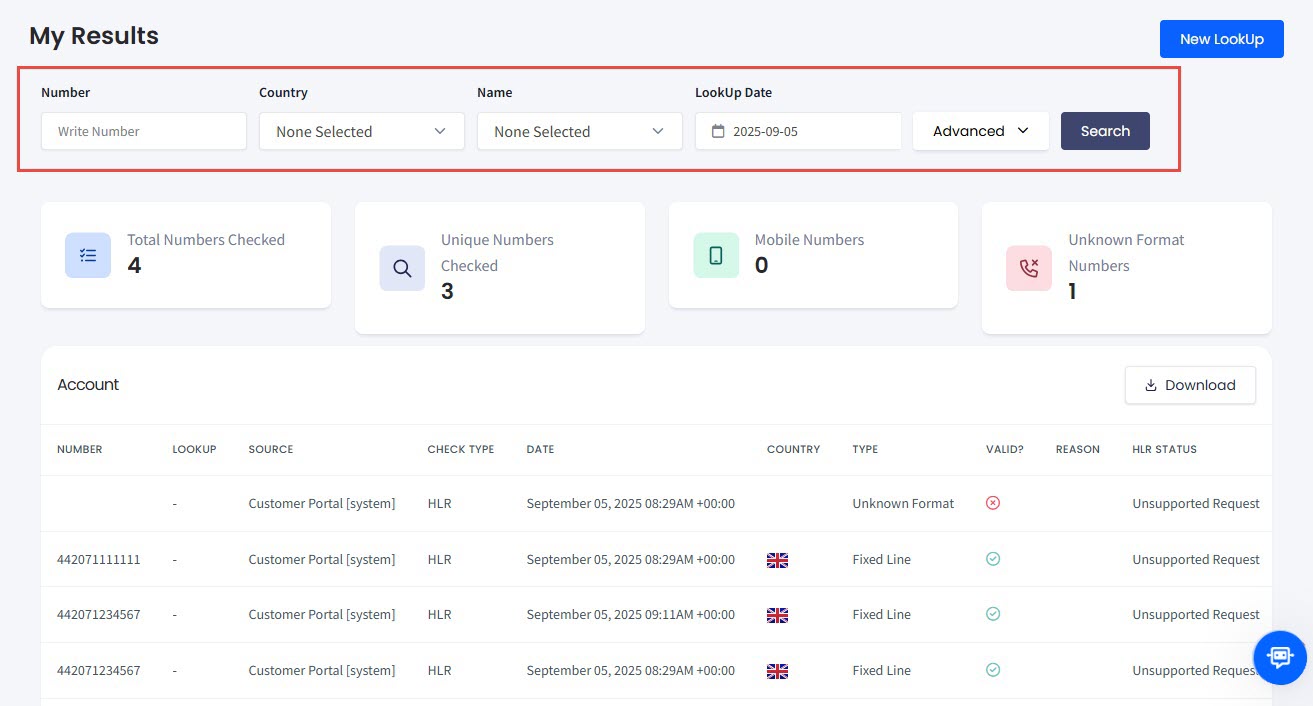
Filtering lookup results
Refer to the following table for column explanations:
| Column Name | Description |
|---|---|
| Number | The inspected phone number |
| Lookup | Displays a list name used for a bulk request or phone number for a single number lookup |
| Source | The lookup source, for example, Customer Portal |
| Check Type | • HLR - full lookup • Validation - validation only |
| Date | Date and time of the inspection in UTC |
| Country | The country of origin of the inspected phone number |
| Type | Phone number types: • Fixed Line • Mobile • Fixed Line or Mobile - in some regions (for example, _the USA_), it is impossible to distinguish between fixed-line and mobile numbers by looking at the phone number itself • Toll-Free • Premium Rate • Shared Cost - the cost of this call is shared between the caller and the recipient and is hence typically less than premium rate calls • VOIP - Voice over IP numbers, including TSoIP (Telephony Service over IP) • Personal Number - a personal number is associated with a particular person and may be routed to either a mobile or fixed-line number • Pager • UAN - Universal Access Number (sometimes referred to as 'Company Number'); such numbers may be further routed to specific offices • Voicemail - Voicemail Access Number • Unknown - the phone number does not fit any of the known patterns for a specific region. |
| Valid? | Indicates whether the phone number is valid |
| Reason | Contains additional information for HLR statuses other than Active |
| HLR Status | Possible statuses are as follows. You can find more information in the Reason column. • Active - the number is currently linked to a network and is under a paid subscription. If the target phone number is linked to a SIM card, it will not appear as Active unless the SIM card is inserted into a phone. 📘NOTE This HLR status does not guarantee callability because it can be affected by factors like the number being suspended or blocked, network issues, or undergoing porting. • Absent - the number is not reachable; this can be due to a loss of connection or the phone being switched off • Failed - this status can appear due to the following reasons: • HLR unavailability - the HLR server may be temporarily unavailable or overloaded, which can prevent the system from querying it, or • Invalid phone number - if the phone number provided for the lookup is incorrect or invalid, the HLR might fail to find a matching result • Unknown - we were unable to retrieve a conclusive status for the number; this can be because the number itself is not reachable or the operator does not provide data. Check here to learn how to troubleshoot the leads validity when the HLR LookUp returns an Unknown status. • Unsupported request - the searched number is not a valid mobile number. |
| Network Name | The network of the inspected phone number |
| MCC | The mobile MCC number (Mobile Country Code) |
| MNC | The mobile MNC number (Mobile Network Code) |
| E.164 | Phone number in E 164 format, for example, +441134960831 |
| National | Phone number in the national format, for example, 01134 960831 |
| International | Phone number in the international format, for example, +44 1134 960831 |
| Ported? | Indicates whether the mobile phone number is ported from another network |
| Roaming? | Specifies if the mobile phone number is roaming |
| Original status | Contains the phone number status as returned by the vendor, with a description of this status (if available). |
Also, you can click Download to download the file with lookup details to your drive.
NOTEYou might get the
lookup_erroroutput in the case if a vendor-side error occurs (for example, the number is flagged as absent or invalid); it contains the error text as returned by the vendor (if available).To learn more about how to interpret downloaded lookup request data, check LookUp Requests Data Explained.
Updated 7 days ago