

Daily Calls
View daily call data, including summaries for each day within your selected timeframe: number of calls, total and billable duration, and total cost.
Video tutorial
On top of the report table, you can also view the data summary for all the days within the selected timeframe:
- the number of calls (total and billable)
- their total and average duration
- and the total cost of the calls.
To generate the report:
Open Daily Calls
In your CommPeak account, expand VoIP Services in the main menu and click Daily Calls.
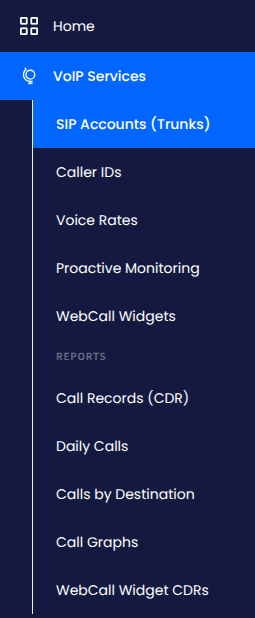
Daily Calls in the main menu
Filter and search
Apply filters as required and click Search. You will see the report output on the screen.
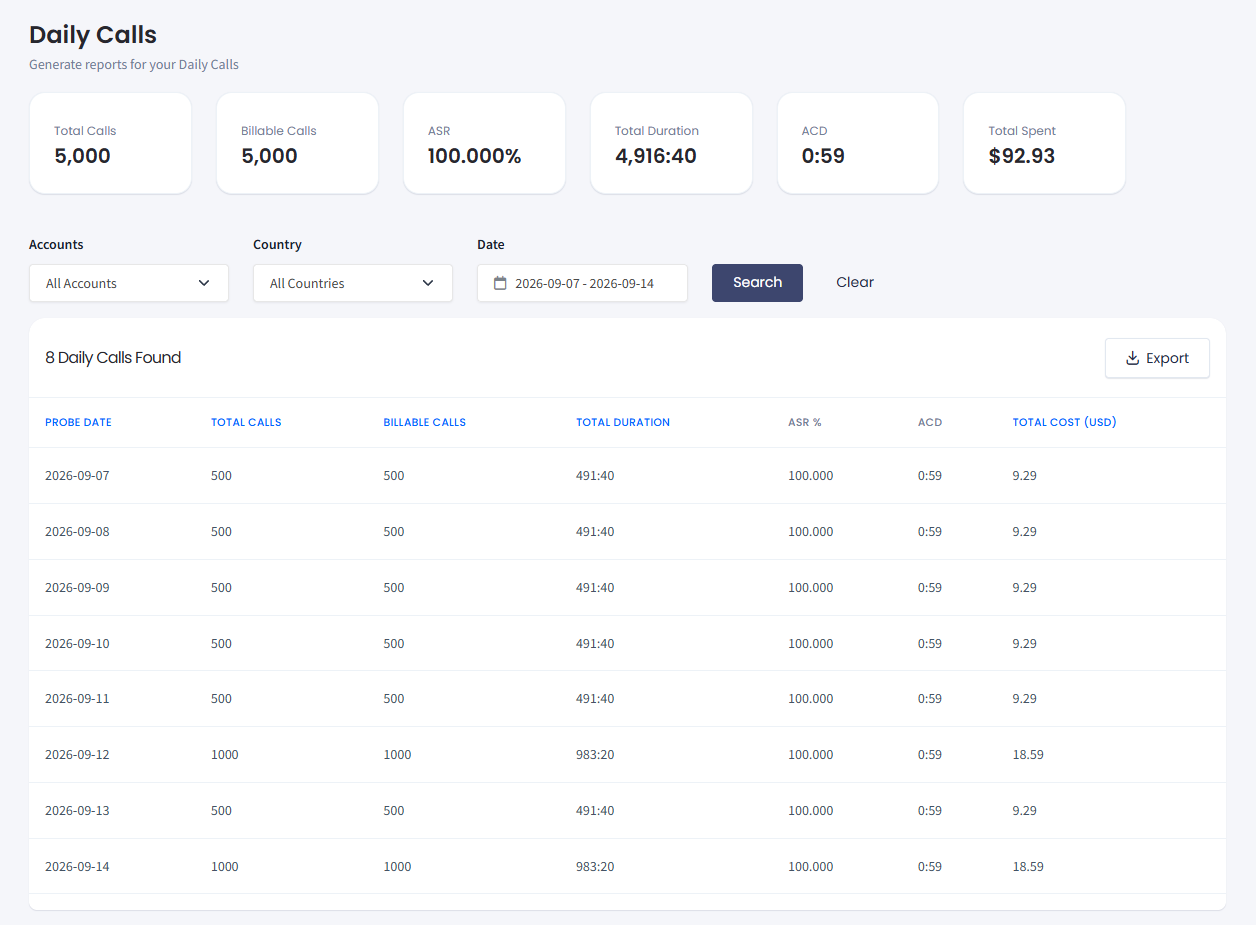
Daily Calls page
Export the report
To download the report as a .csv file, click the Export button on the right.
Updated 3 days ago
Did this page help you?