Launch CommPeak's Streams Messaging API: activate the SMS service, create or use default API tokens, and configure stream settings to authenticate and send SMS messages via API.
We strongly recommend reviewing the related API documentation before you start using the SMS API.
The first step is activating the SMS service as described in the SMS Service Activation section.
Using default API tokens
On the Messaging Platform page, you can find tokens automatically created on service activation that are ready for use. Click the eye icon to show the token and then copy it for future use.
To use default tokens:
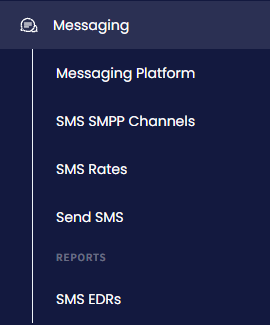
After the SMS service activation, expand Messaging in the main menu and select Messaging Platform.
Messaging Platform tab
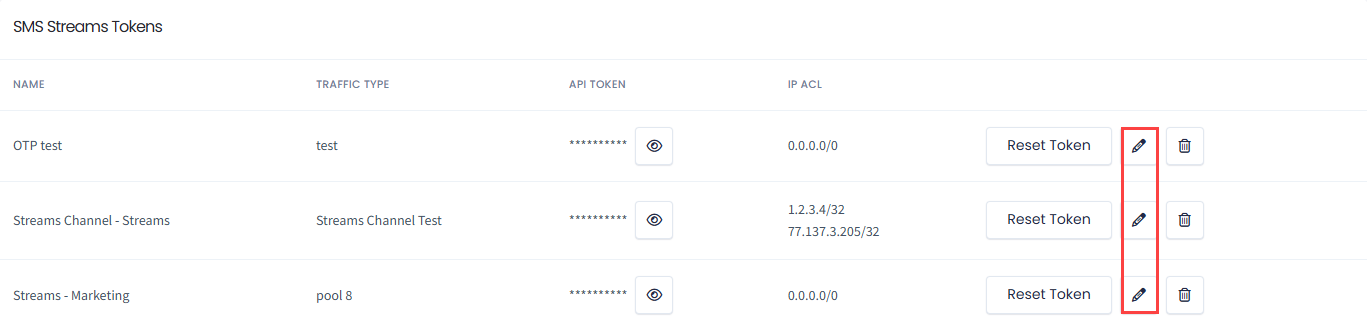
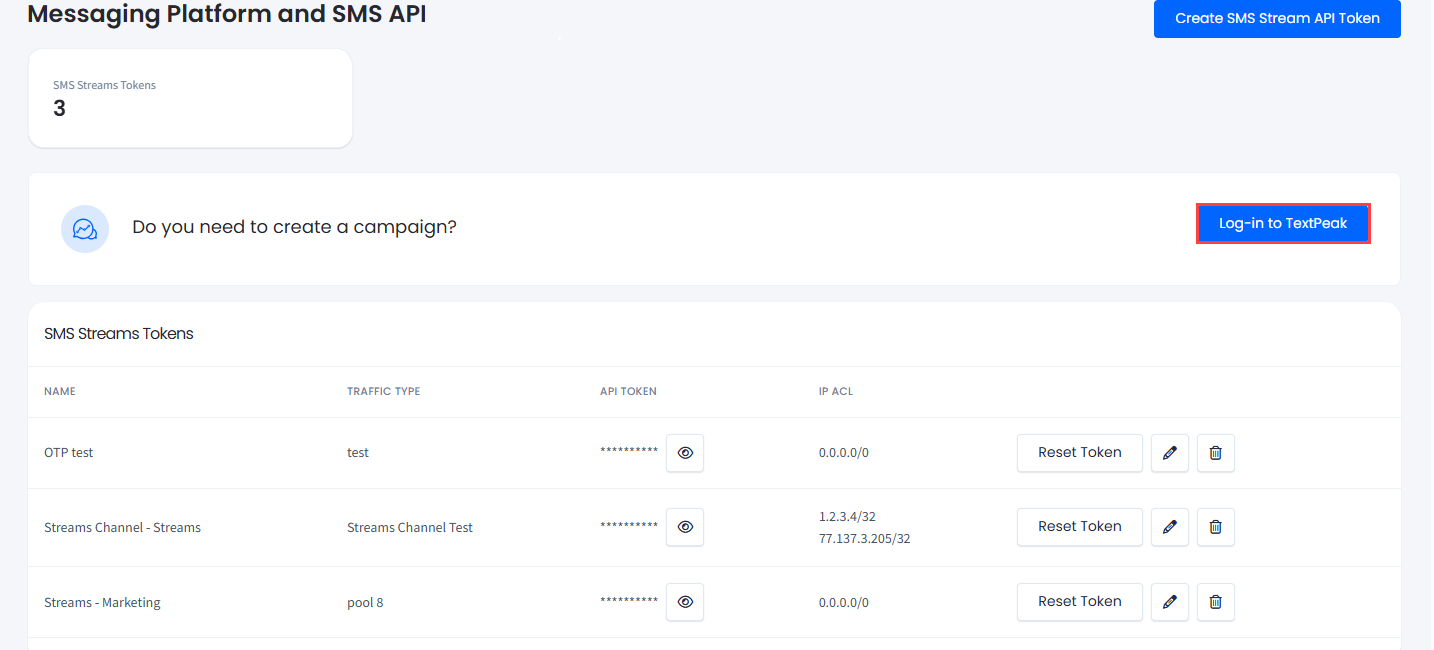
In the SMS Streams Tokens table, you can view the tokens created and apply the actions like resetting, editing, or deleting o them.
Click the pencil icon to change the stream name and add one or more IP addresses from which you will make API calls.
SMS Streams Tokens table
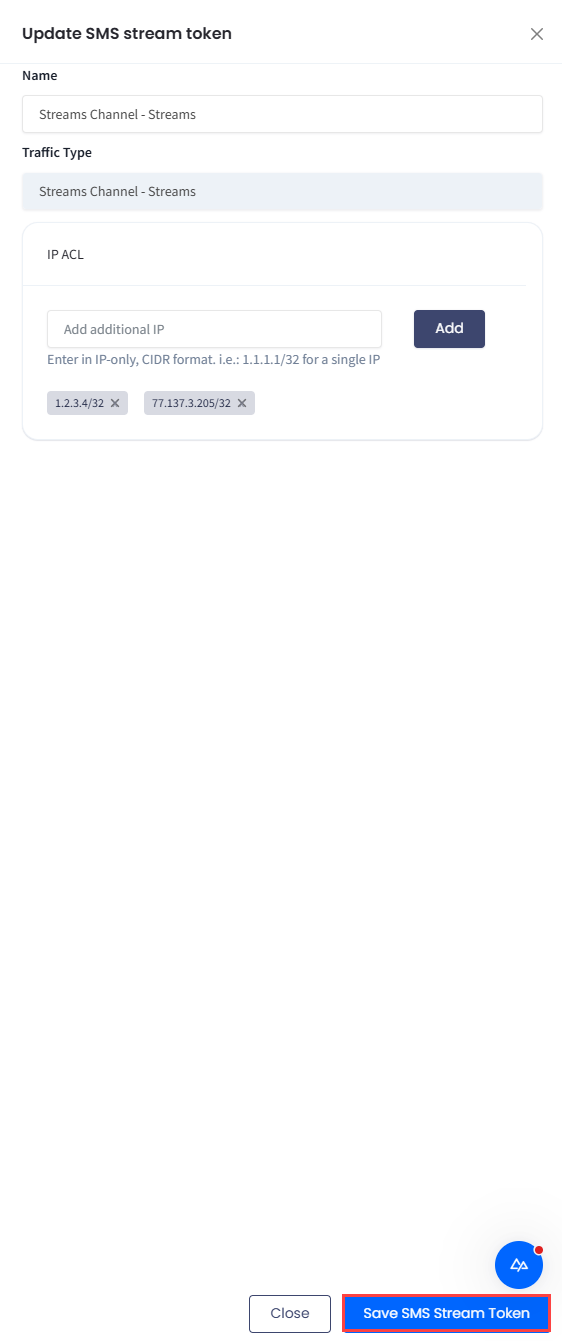
To add an IP, enter it and click Add. Then click Save SMS Stream Token.
Edit SMS Stream Token section
Click the eye icon to show the token and copy it for further use.
Toggle Visibility button
Creating new API StreamTokens
To create an API stream token:
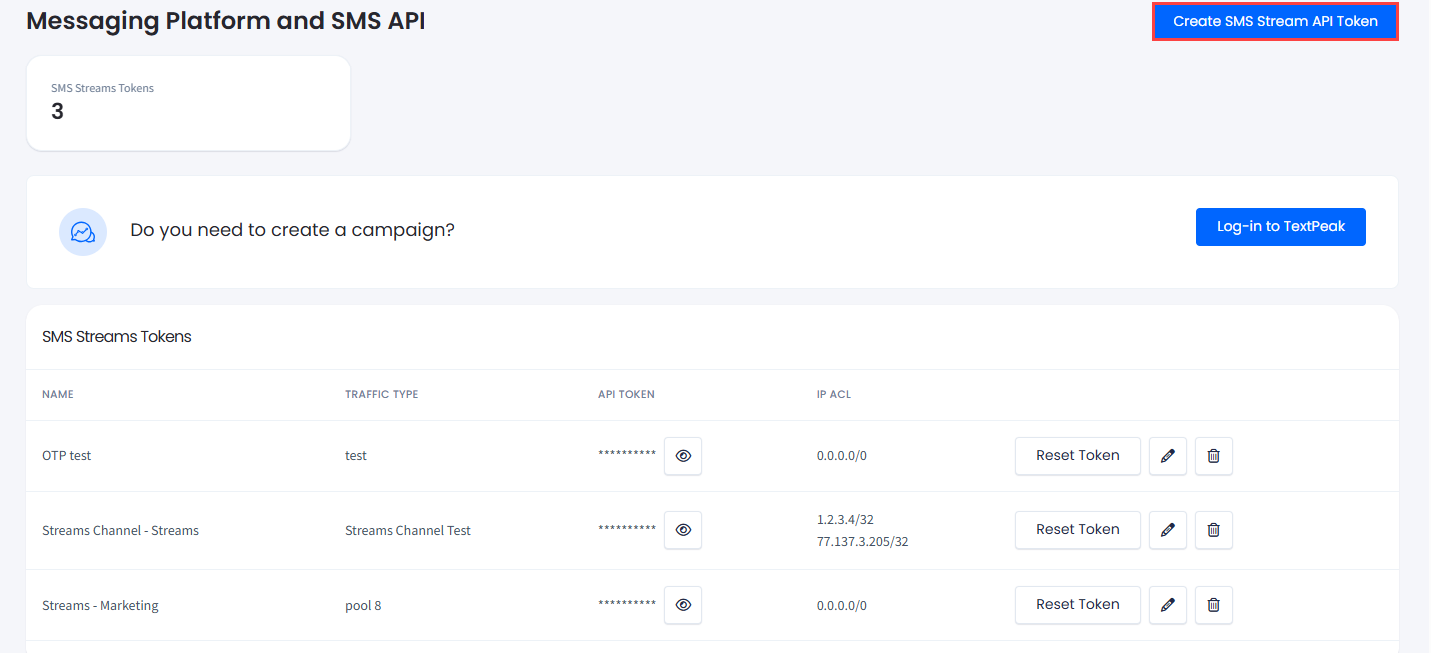
Click Create SMS Stream API Token in the top right corner of the page.
Create SMS Stream API Token button
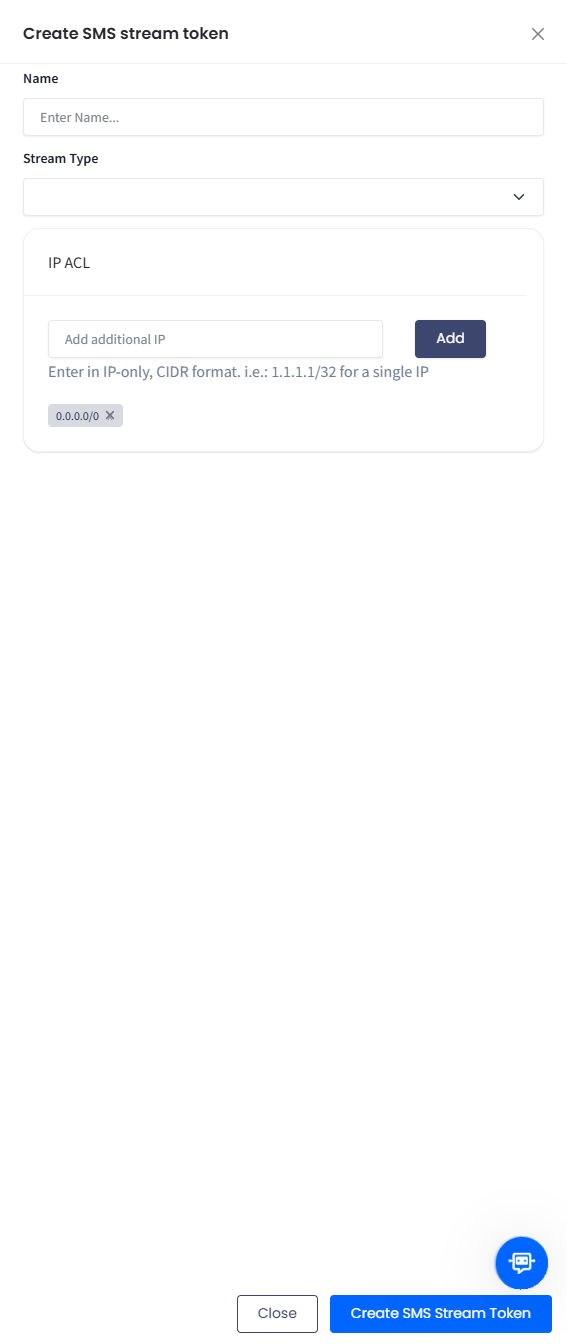
In the pop-up window on the right, enter the name of the new stream.
Create SMS stream token sidebar
In the Stream Type field, select one of the options. You can learn more about SMS route types from our Comprehensive Guide.
Select if you want to define the IPACL restriction, and in the IP ACL field, add one or more IPs that will be allowed to access the API using this authentication token. This field is unavailable if you select the No IP ACL Restriction option.
Click Create SMS Stream Token at the bottom of the page. The stream will be added to the list.
Click the eye icon on the needed line in the API Token field to reveal the token. Then, you can copy it and use it on your API tool. You will find further instructions about creating API requests in our API documentation.
Later, you can click the edit icon and change the stream name and allowed IPs.
👍
TIP
Below the list of your Streams API, you can see links that you can use to learn more about TextPeak - CommPeak's SMS platform. TextPeak is a tool for creating SMS campaigns with a variety of customization options for your messages. To start using TextPeak, click Log-in to TextPeak.
Log-in to TextPeak button
After you have created API streams, you can send test messages to ensure the service works well.