

Your Contracts
View your CommPeak contracts to stay informed about updates and changes and review and accept them.
In My Contracts, you can review and accept the agreements related to your use of CommPeak services.
These documents include the Terms of Service/Use, Privacy Policy, Payment Policy, Data Processing Addendum, and Sub-Processors List.
To access the My Contracts page:
Log in to the CommPeak Portal
Log in to CommPeak Portal.
Open your account menu
Click your account name in the top-right corner.
Select My Contracts
Select My Contracts.
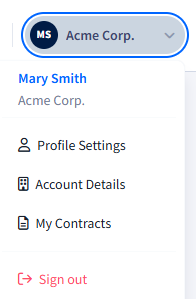
My Contacts tab
Review the documents
Review each document.
You can accept it, view its acceptance date and status, or download a copy.
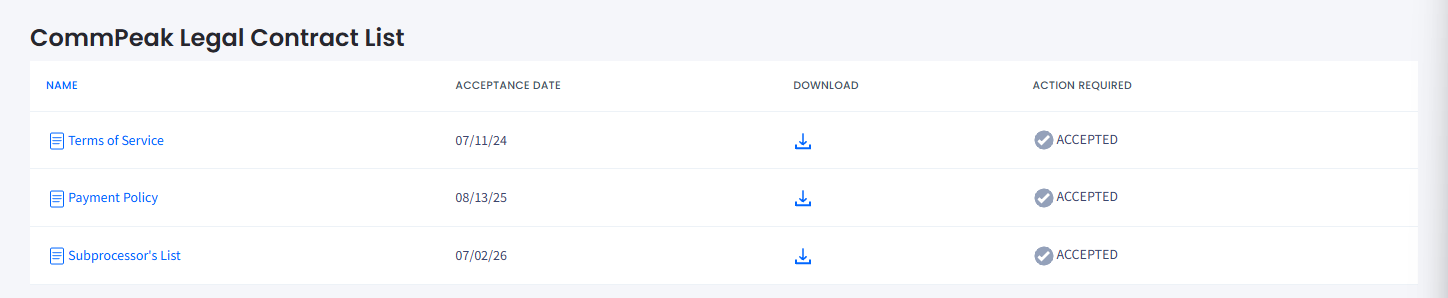
CommPeak Legal Contract List page
When policies are updated:
Watch for updates
Watch for an email and the following pop-up notification in CommPeak Portal.
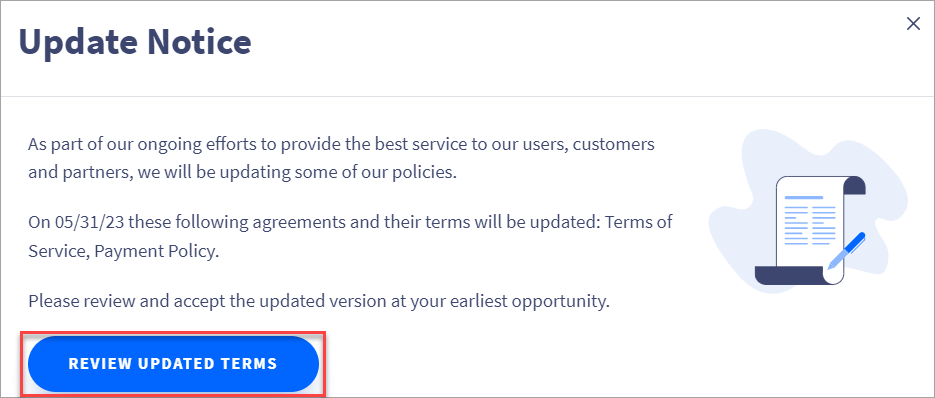
Pop-up notification about updated policies
Review the updated terms
Click REVIEW UPDATED TERMS and then go through the documents one by one.
Acknowledge the new version
Click the button to acknowledge the new document version if you wish to continue using CommPeak services.
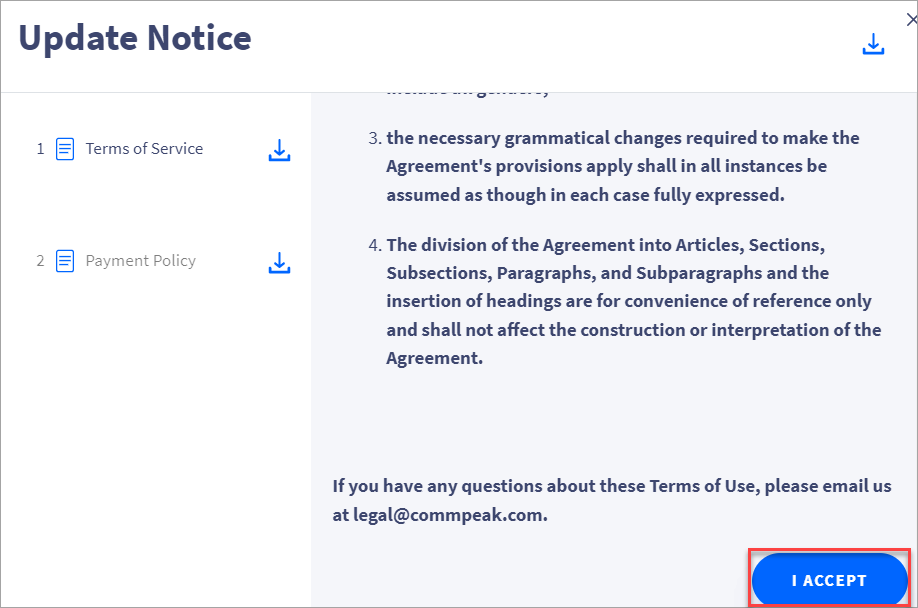
Accepting updated policies
Close the window
Click Close to finish.
Completing the final step
Updated about 16 hours ago