

Configuring Access Control Lists
Learn how to configure access control lists for your PBX instance.
To configure access control:
- In the CommPeak portal, expand Cloud PBX & Dialer in the left pane and select PBX & Dialer Instances .
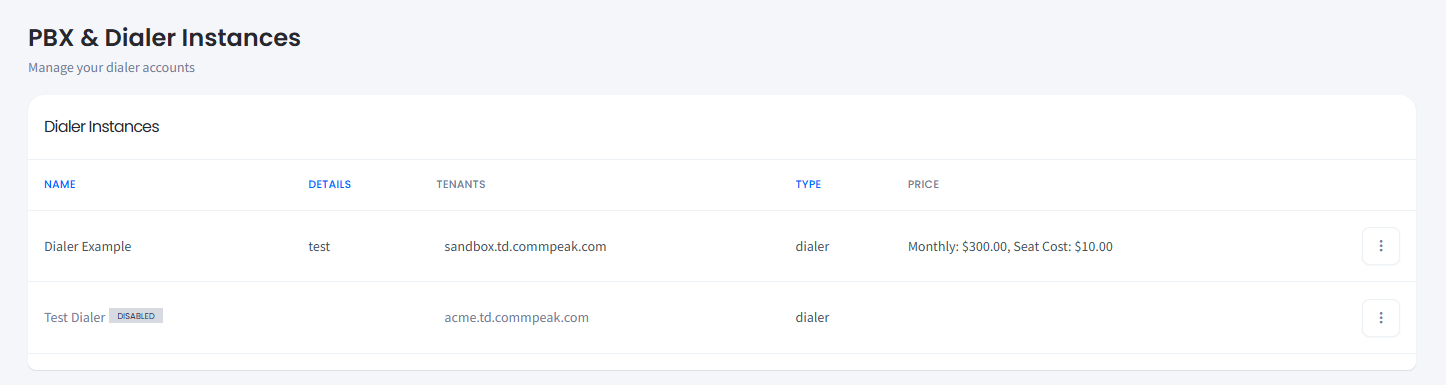
Cloud PBX Instances page
- Proceed to PBX Instances.
- In the PBX Instances table, click the three-dot icon on the right of the needed PBX instance, and select the Firewall Settings option.
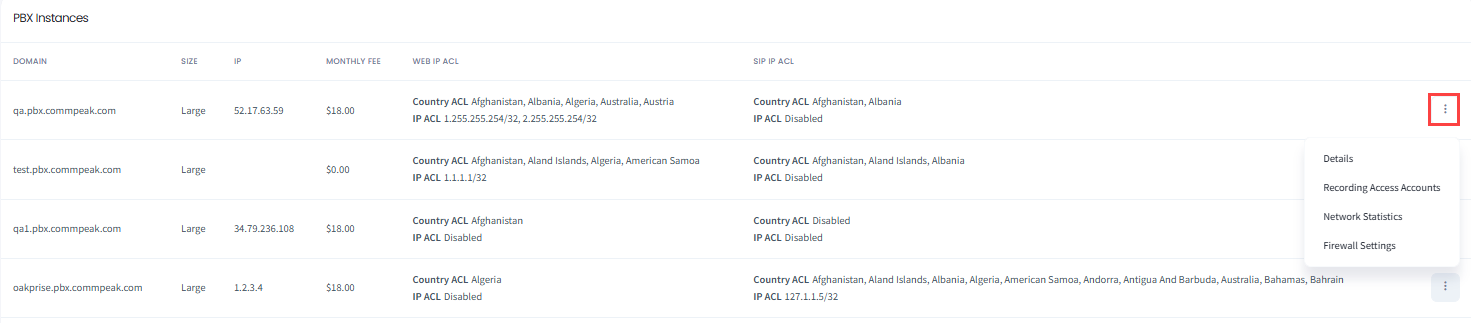
- The Firewall Access Settings sidebar opens with several tabs: Web ACL, SIP ACL, Active blocks, and Click to call (if defined for this instance).
- The Web ACL tab allows setting firewall rules for the unique threats and traffic patterns of web services.
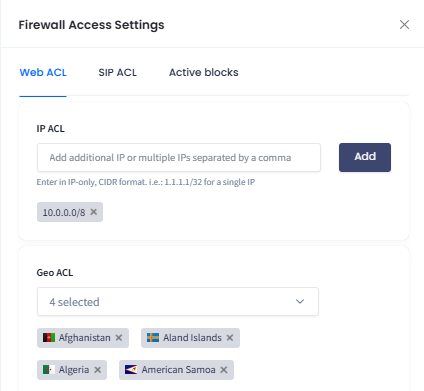
Web ACL tab
- The SIP ACL tab shows the access control list settings for managing the flow of voice and video communication traffic.
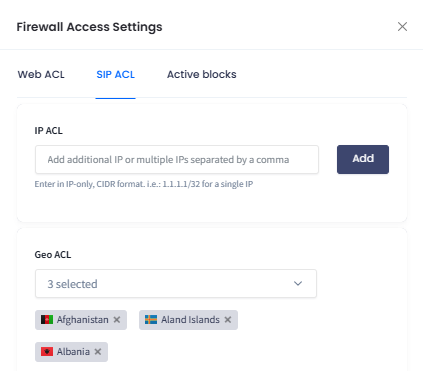
SIP ACL tab
- The Active blocks tab provides the list of IPs that tried to gain access, performed irregular actions, or made too many attempts toward your PBX.
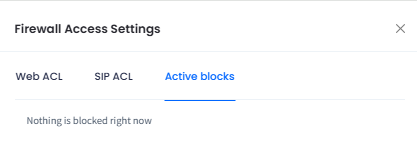
Active blocks tab
WARNINGEven if your IP is on the white list, it still can be blocked if you enter invalid passwords multiple times. If this happens, submit a support request.
- On the Click to call tab (available if defined for this instance), you can set IP-based restrictions for Click2Call requests.
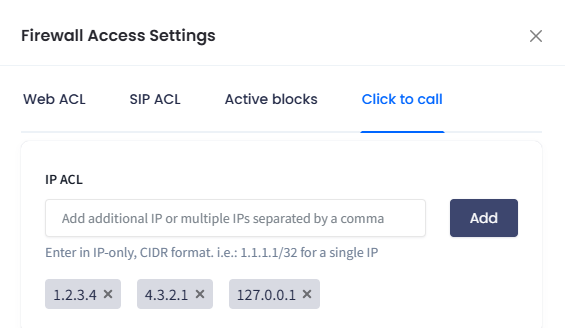
Click to call tab
NOTEFor more information, refer to the IP ACL Settings article.
Updated about 10 hours ago
Did this page help you?