

DID Monthly Fees and Auto-Renewal Billing
Learn how DID monthly fees and auto-renewal billing work, including where to check renewal dates, fee breakdowns, and what happens if your balance is too low.
This article explains how monthly fees and auto-renewal work for DID numbers, and where to check or change them in the CommPeak Portal.
NOTEThis page covers billing behavior. For the click-by-click steps to turn auto-renewal on or off, see Managing Auto-Renewal.
How DID monthly fees work
Each DID number can carry two separate charges:
-
A one-time activation fee, charged when you purchase the number.
-
A recurring monthly fee, charged each time the number renews.
To see the exact fee breakdown for a number, open DIDs > Management, find the number in the My DIDs table, and hover over the ? icon in the Monthly Fee column.
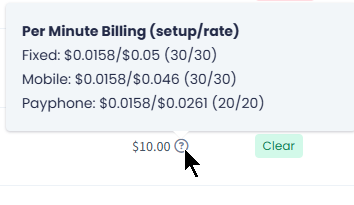
Fee breakdown
For more details, check DID Management Overview.
TIP- To check per-minute voice rates for any country and network, go to https://my.commpeak.com/rates/index. In the Billing > Voice Rates tab that opens, use the Country filter to select your destination.
- To check per-message SMS rates for any destination country, go to https://my.commpeak.com/rates/sms. In the Billing > SMS Rates tab that opens, use the Country filter to select your destination.
How renewal dates work
Each DID has its own renewal date, based on when you purchased or last renewed it - there is no single account-wide billing date that applies to every number.
Open DIDs Management
Go to DIDs > Management.
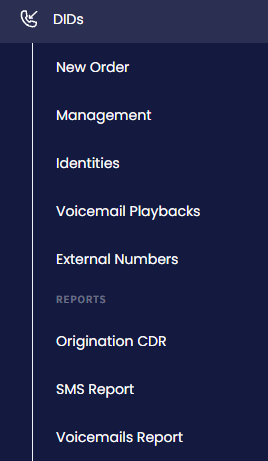
DIDs > Management tab
Open My DIDs
The My DIDs tab loads automatically.
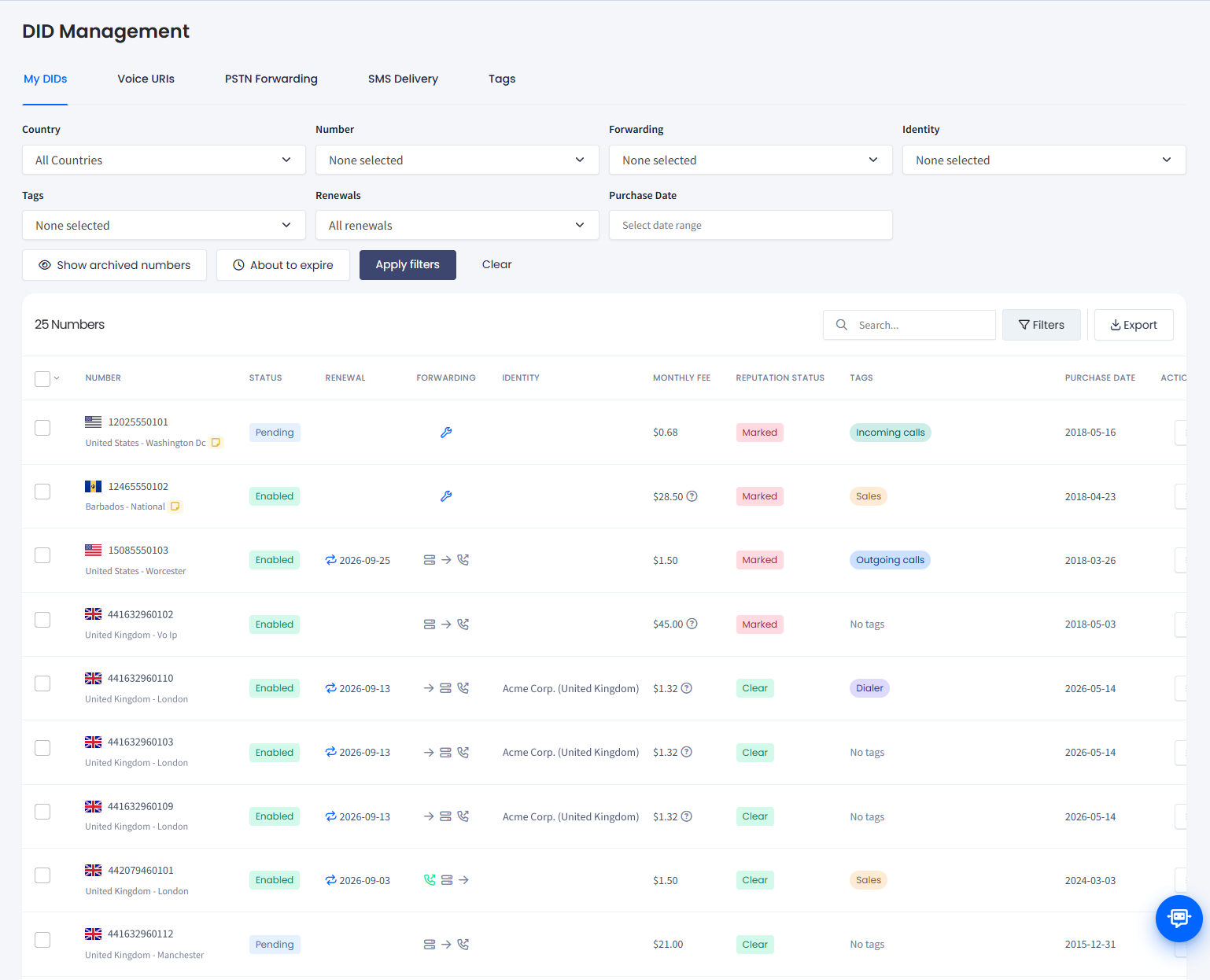
My DIDs tab
Check the Renewal column
Check the Renewal column for the number. Hover over the icon to see how many days remain until renewal.
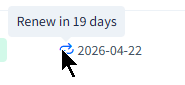
Renewal icon
Find numbers renewing soon
To find every number renewing soon, click Filters, then apply the About to expire filter.
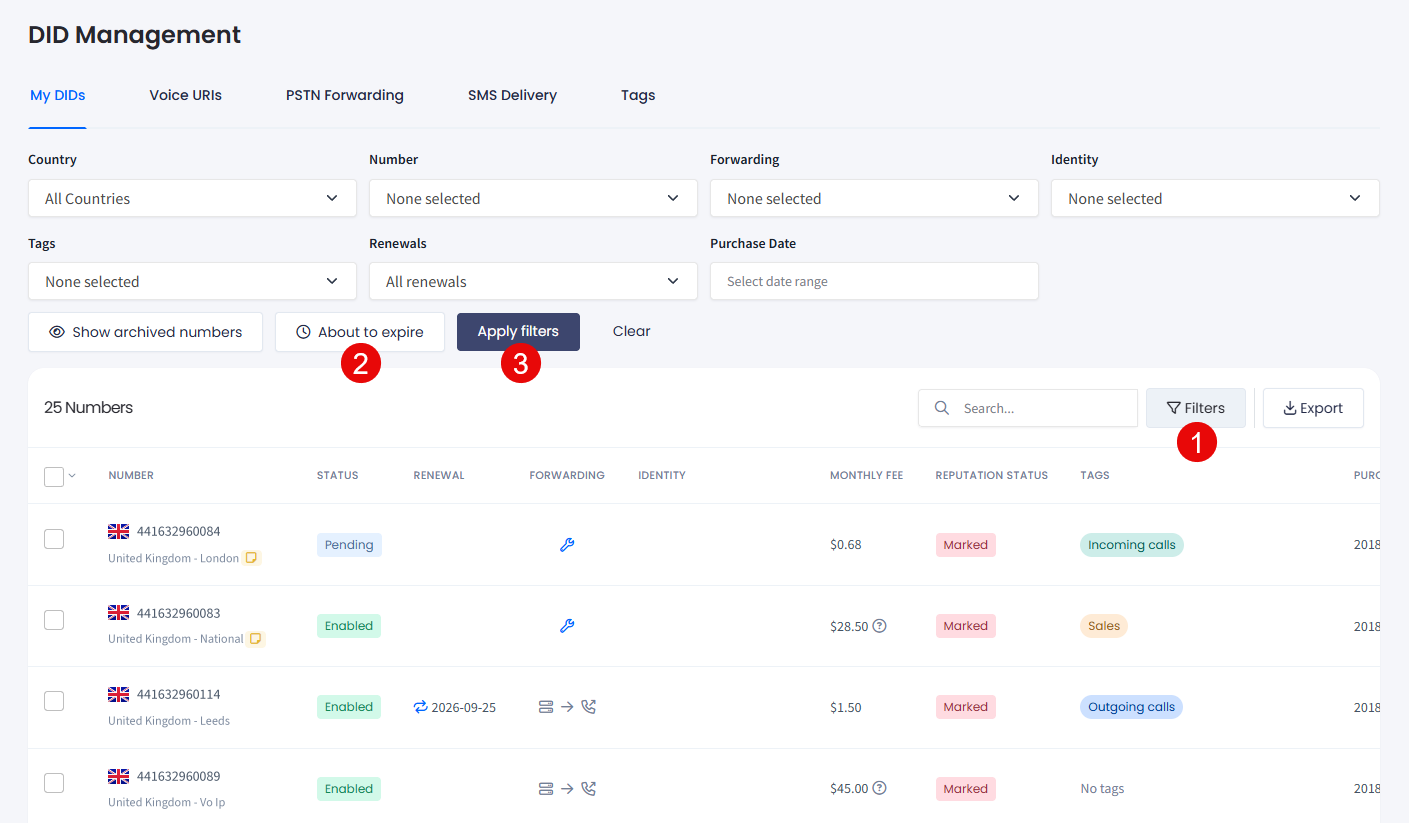
Filtering by About to expire DIDs
What auto-renewal does
Auto-renewal controls whether a DID's monthly fee is charged automatically on its renewal date so the number keeps running without action from you.
If auto-renewal is on, the icon in the Renewal column is blue, and the monthly fee is deducted from your account balance automatically on the renewal date.
Make sure to review the number before its renewal date to decide whether to keep it active or cancel it.
NOTEYou can turn auto-renewal on or off for one number, or for many numbers at once.
See Managing Auto-Renewal for single-number steps, and Managing Multiple DIDs to apply the change across multiple DIDs.
What happens if your balance is too low
If your account balance does not cover the monthly fee on the renewal date, the number is not renewed. Add credit to your account before the renewal date to avoid an interruption - see Adding Credit to Your Account.
WARNINGA number that is not renewed can move into cancellation, which is final. A canceled number keeps receiving incoming calls for 14 days, but it cannot be restored: see Can I Recover a Canceled DID Number?.
Add credit before the renewal date to avoid this.
For the full list of actions available on the My DIDs table, see Applying Actions.
Updated 4 days ago