

Getting PBX Stats API Keys and Documentation
Generate and manage API keys in PBX Stats for secure data access. Easily create, view, and delete API keys through your profile.
An API key is a unique secret code used to identify a client. API keys are used for accessing data instead of using a username and password. Creating more than one API key and deleting previously created keys is possible to ensure a client's security.
To get an API key via PBX Stats, follow these steps:
Log in to PBX Stats
Log in to PBX Stats.
Open your user menu
Click your name in the top right corner.
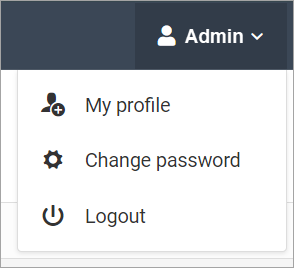
Admin menu
Open My Profile
Go to My Profile.
Get an API key
Click Get API Key in the API Key section on the right.
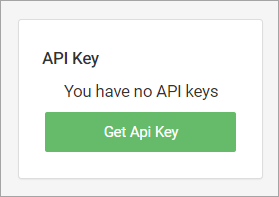
API Key section: Get API Key option
To see the key, click Show.
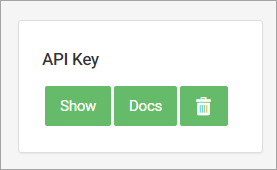
API Key section: Show, Docs and delete options
Open the API docs
After the API key is created, click Docs to view integration details.
NOTEYou can delete your API key at any time and create a new one whenever needed.
Updated 2 days ago