

Call and Messaging Pricing
View and download outbound call and messaging rates for CommPeak services by filtering and searching in the CommPeak Portal
Outbound call and messaging rates tabs are available in the CommPeak Portal main menu.
Voice
To see rates for Voice services:
- Expand VoIP Services and click Voice Rates.
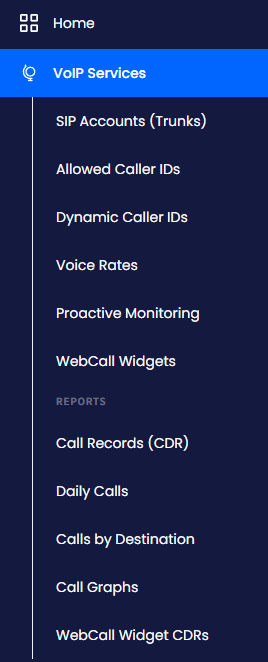
VoIP Services > Voice Rates menu tab
-
Use filters as described below.
-
Click Search.
To download rates as a .csv file:
-
Click the Export button in the top right.
-
Select a folder to save the file.
-
Click Save.
To narrow your search for outbound call rates, you can filter the list by:
-
Tech. Prefix - select the pricing model ((A-Z Platinum, A-Z Premium, A-Z Standard, or Viber Online))
-
Country - choose the required country in the list
-
Destination - enter the termination destination
-
Prefix - enter the phone prefix
-
Effective date - select the needed date from the dropdown.
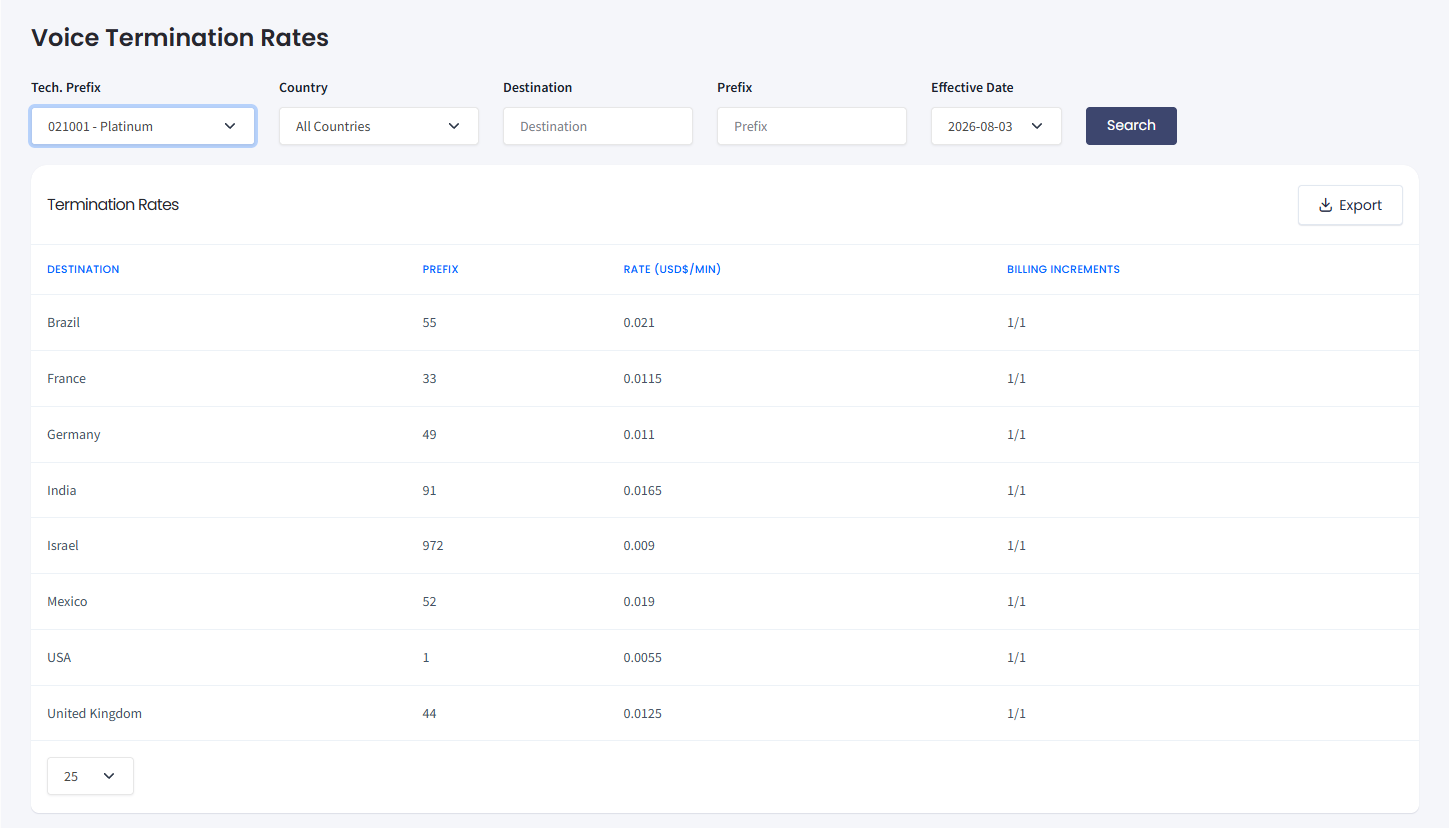
Voice Termination Rates table
TIP
Default tech. prefix can be set per SIP account.
To find the current rate, use the latest effective date.
The list will contain the rates by country and phone prefix.
In the Billing Increments column, you will see the number of seconds you are billed for.
EXAMPLEIf the Billing Increments column contains 1/1, you will be billed per second for calls to the specified country.
If the column contains 60/60, you will be charged for every 60 seconds of your call. This means that even a 10-second call will be charged as a 60-second one.
If the column contains 60/1, you will be charged for 60 seconds for the first minute only and then per second.
Messaging
To see rates for SMS services:
- Expand Messaging and click SMS Rates.
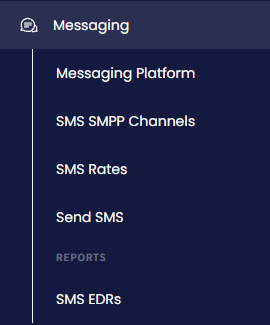
Messaging > SMS Rates menu tab
- Use filters as described below.
- Click Search.
To download rates as a .csv file:
-
Click the Export button in the top right.
-
Select a folder to save the file.
-
Click Save.
In this section, you can filter the results by:
-
Rate - select one of the rate modes from the drop-down list
-
Country - choose the required country in the list
-
MCC (mobile country code) or MNC (mobile network code).
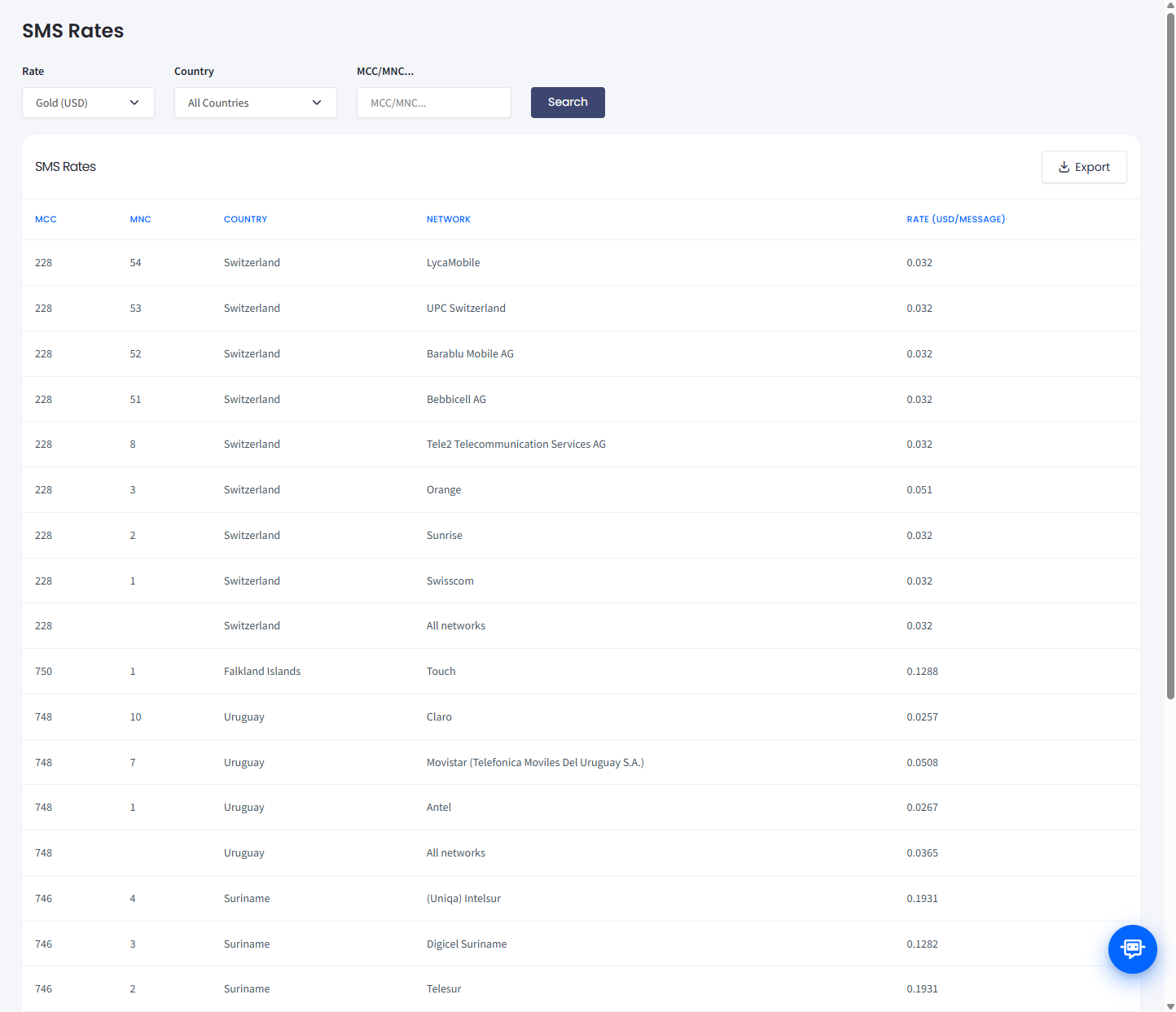
SMS Rates table
TIPThe pricing rate is set per SMS stream.
The list shows rates per message by country and mobile network.
Related articles
- How Do I Check Voice Rates for a Specific Country?: overview of how pricing works for voice call pricing.
- How Do I Check SMS Rates for a Specific Country?: the same workflow for SMS pricing.
- SMS Route Types: picking the right route for your campaign.
- Sender ID Requirements: regional registration rules that may affect cost.
- Setting a Spending Limit: cap maximum per-message rates to control campaign costs.
Updated 21 days ago