

Blacklisting an Incoming Number
Learn how to block unwanted calls by blacklisting numbers, specifying custom destinations, and setting actions for blocked calls using the Blacklist Module in your CommPeak PBX.
Blacklist Module allows you to blacklist certain numbers in your PBX. If a user calls from one of those numbers using the blacklisted DID number as CID, the call will still work with this exact CID. They will be sent to a destination you choose. If you do not choose a destination, they will hear the message "The number you have dialed is not in service. Please check the number and try again."
To blacklist a number:
Log in to your PBX
Log in to your PBX.
Open Blacklist
Go to ADMIN > Blacklist .
Add a number
Click + Blacklist Number.

+ Blacklist Number button
Enter the number and description
Add the number and description.
Save the number
Save changes.
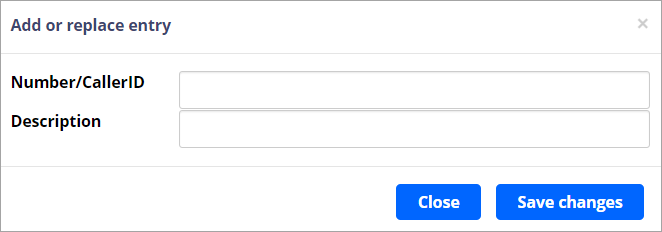
Add or replace entry dialog
Open the Settings tab
Go to the Settings tab.
Set the blacklist action
Select the destination and the action toward the blacklisted call.
Submit the settings
Click Submit.
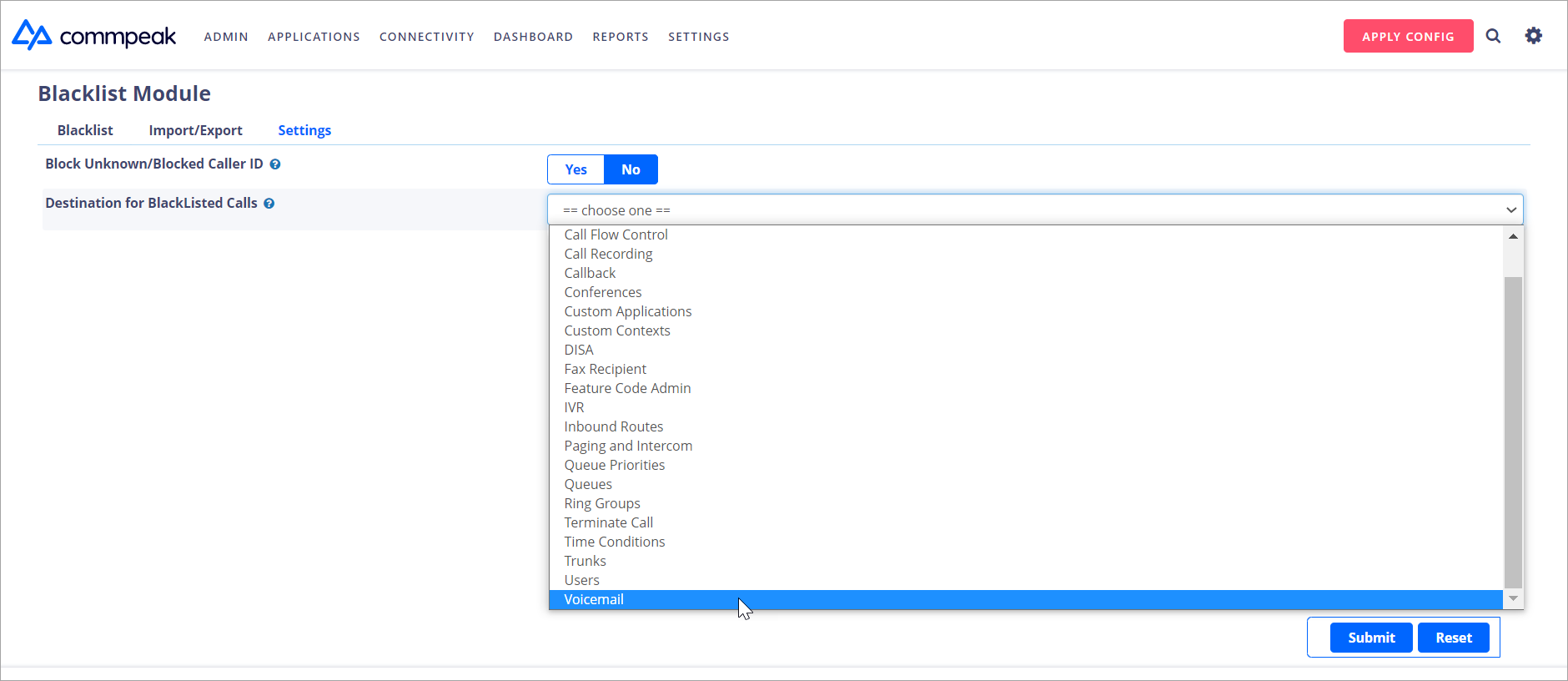
Submitting blacklist module
Apply the configuration
Click APPLY CONFIG in the top right corner.
APPLY CONFIG button
To remove the number from the blacklist, select it and click Delete Selected or the trash icon.
Delete button
Also, you can contact our support team with a blacklist request, and an admin will blacklist a number for you.
Updated 5 days ago