

Audio Messages, Beeps, and Pause Notifications
This article explains how audio notifications work in predictive dialing, including agent whisper messages and beep signals. It outlines how each sound and message helps agents understand call progress, status changes, and pause conditions.
In the Predictive Mode, the system plays audio notifications - agent whisper messages and beep signals - to inform agents about call progress and status changes.
If you're using the legacy Dialer Agent Interface, refer to the legacy Predictive Dialing article.
Agent system whisper messages
Agent system whisper messages are short audio announcements played only to the agent. The lead cannot hear these messages.
The message "We are trying to reach the customer" plays when the system starts dialing a specific lead (for example, in a 1:1 dialing ratio).
At this stage, the agent is waiting for that particular lead to answer. The agent will also see a corresponding notification in the Agent Workspace header.
Beep signals
Beep sounds indicate key call events and are played immediately when the status changes.
- Three short beeps indicate that the lead has answered and the bridge between the agent and the lead is established. At this moment, the lead can hear the agent.
- Two beeps indicate that the call with the lead has ended, regardless of which side disconnected.
After this signal, the lead can no longer hear the agent.
Pause announcements
Pause can occur in two ways:
-
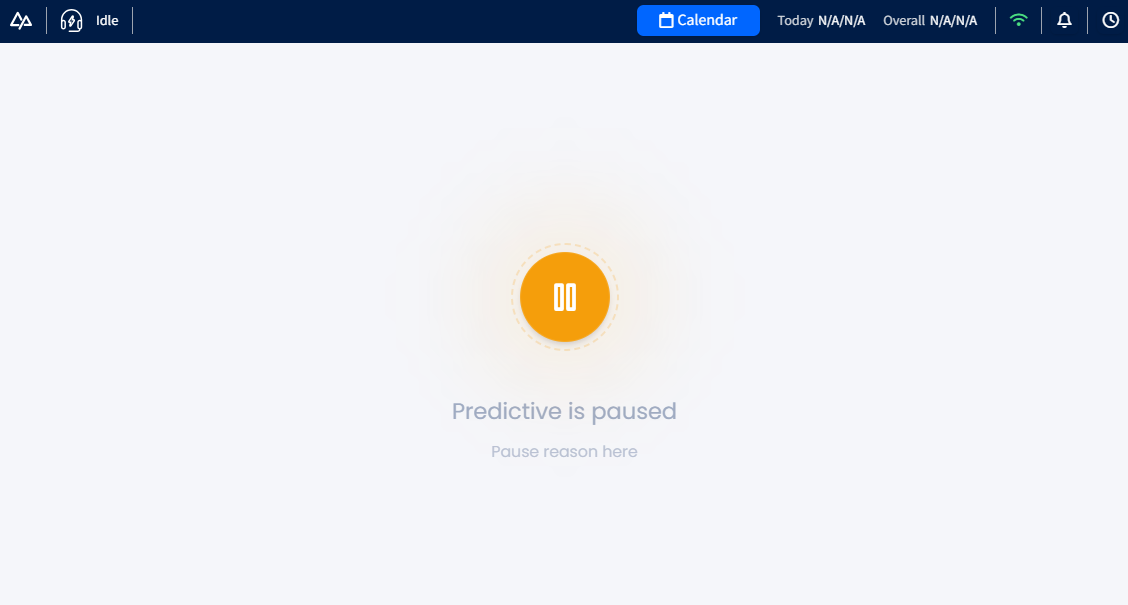
Manual pause (set by a manager): a manager can pause an agent from the Realtime page and add a description. The agent sees the pause reason on screen along with a visual animation.
-
Automatic pause due to insufficient balance: the system automatically sets the agent to pause when the account balance is insufficient.
When an agent is placed on pause, the system:
- Changes the agent's status in the header to Idle
- Displays an on-screen message with the pause reason
- Plays an audio announcement (agent system whisper) such as "Telephone is now off" when the agent is put on pause, or "Telephone is now on" when the agent is back in predictive dialing.
Behavior while on pause
When an agent is on pause, the system does not initiate new outbound predictive calls.
If the pause is due to insufficient balance, the agent can still receive incoming calls (from leads calling the dialer). However, the dialer will not continue dialing new outbound leads.
Updated 5 days ago