

SMS Transactional/OTP Channels
Learn how to create an SMS Transactional/OTP channel in TextPeak and add the event templates it sends receipts, alerts and reminders from.
A Transactional SMS channel carries receipts, alerts and reminders over priority routes. Each message it sends comes from an event template, and templates belong to the channel they were created for.
Video tutorial
NOTETo learn more about what content the transactional SMS stream allows, check the Transactional Stream Guidelines article.
Creating the channel
- Log in to TextPeak in your browser.
- Click Channels in the main menu on the left.
- The Channels page opens and lists every channel type, with the number of channels you have created under each one.
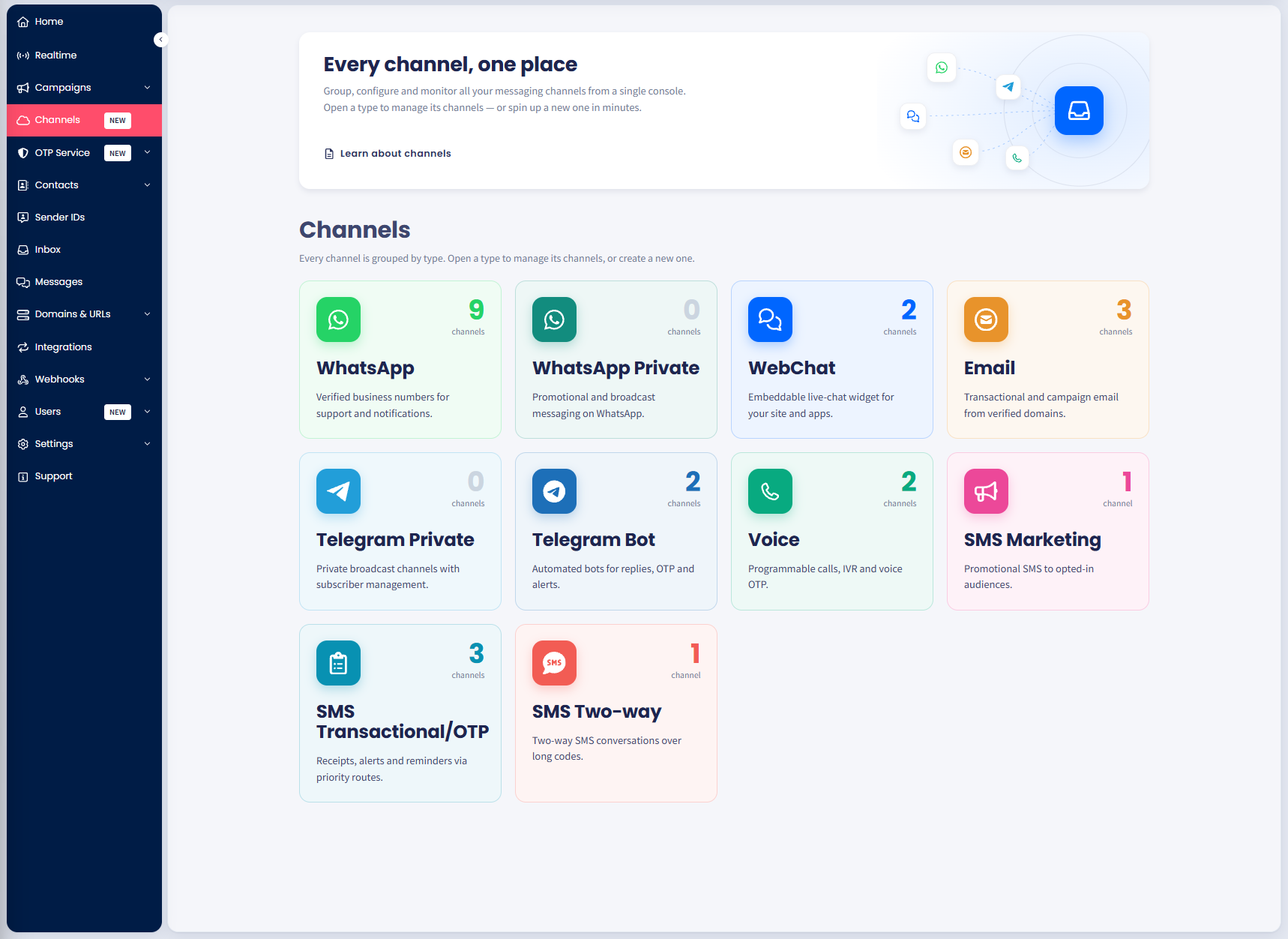
The Channels page in TextPeak
- Select the SMS Transactional/OTP card, then select Add channel.
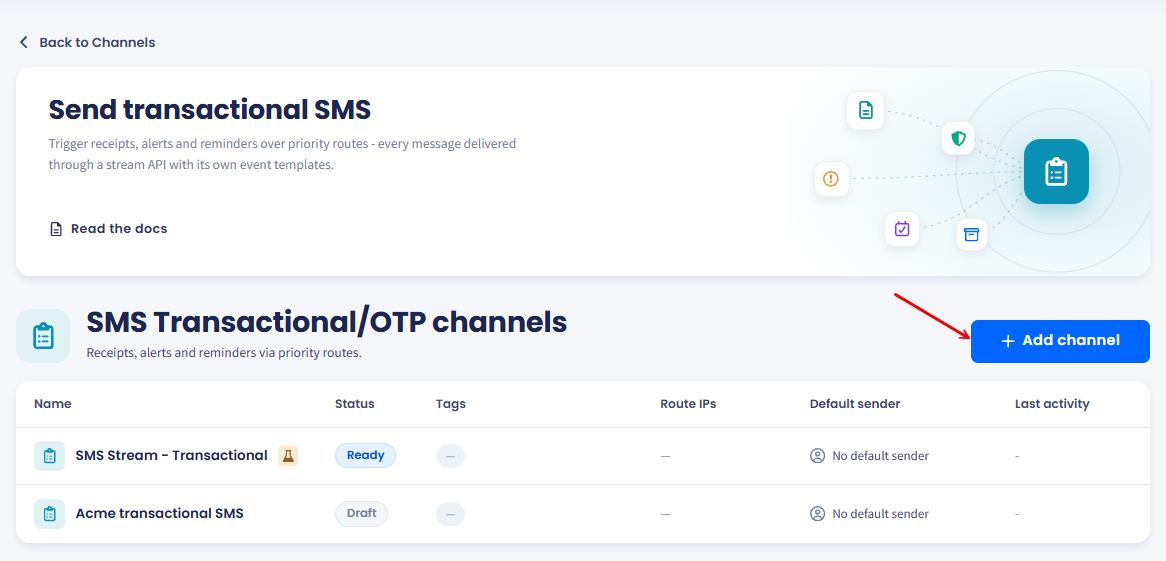
The channel list shows status, tags, route IPs and the default sender.
- Enter a Channel name and a Channel description.
- To limit which IP addresses can call this channel, select Enable IP ACL and add the addresses under Add IP.
- Add Tags if you group channels by team, campaign or environment.
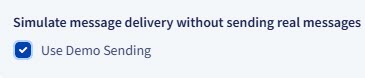
- To try the channel without sending real messages, select Use Demo Sending.
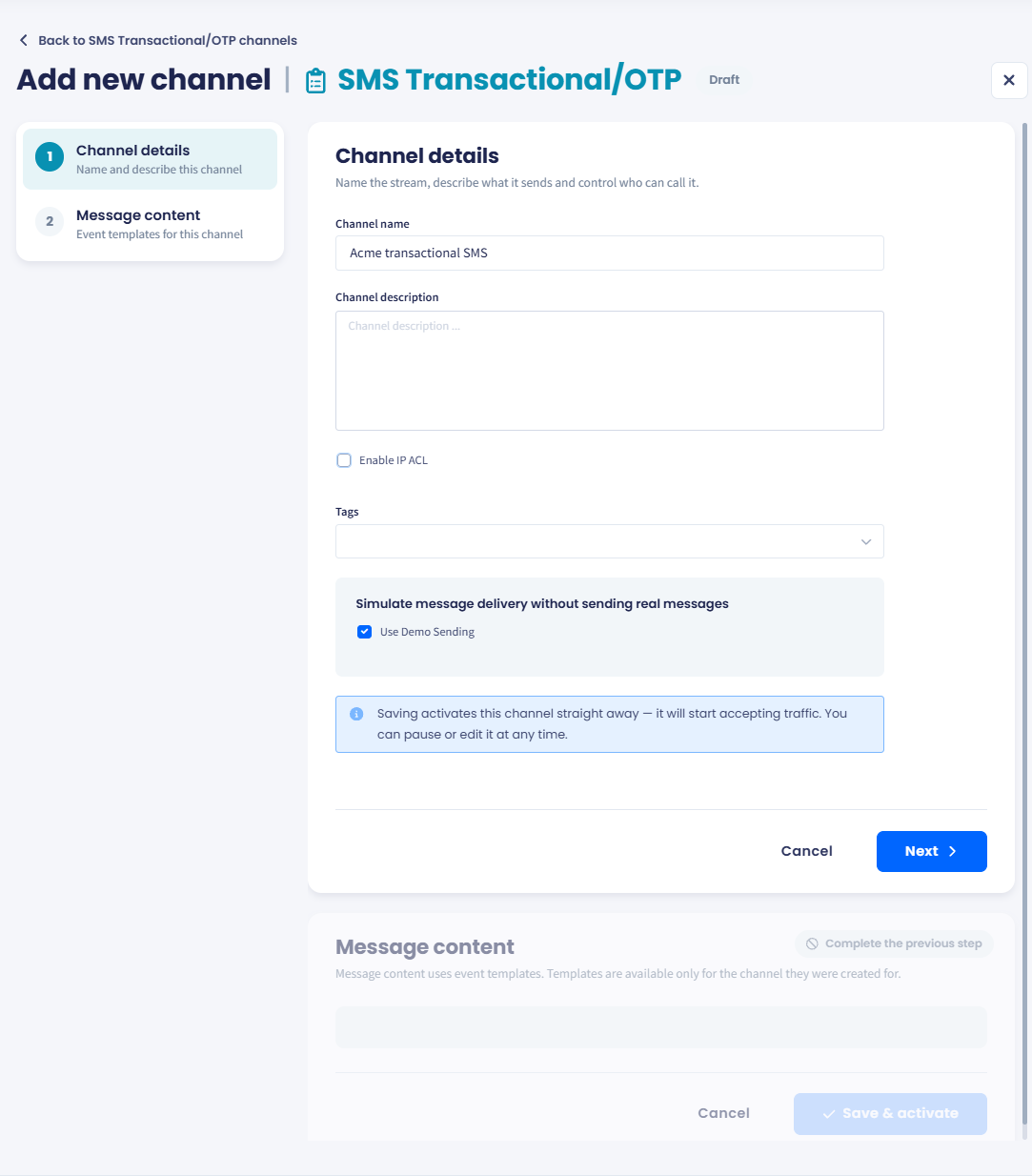
Step 2 stays locked until the channel details are complete.
Enabling the Demo Sending option creates a demo channel that simulates messaging flows without sending real messages.
This option is available for any channel type and can be useful for testing and development use cases.
- Select Next.
- Under Message content, select Create your first event template and add a template for each event this channel sends.
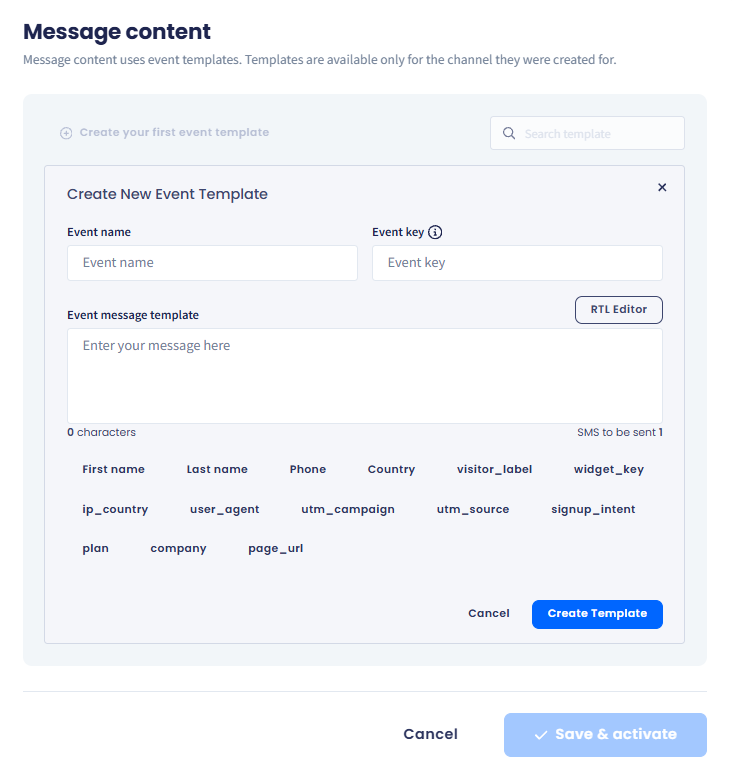
Every message this channel sends comes from one of its event templates.
- Select Save & activate.
NOTESaving activates the channel straight away and it starts accepting traffic. You can pause or edit it at any time.
- The channel appears in the SMS Transactional/OTP list. Its templates are available only to this channel, so a second channel needs its own set.
Updated 28 days ago