

How Do I Submit Documents for Verification?
Learn which documents you need for CommPeak, how to upload them in the Portal, and how to match your profile details to avoid approval delays.
Before you can purchase CommPeak services you must upload the compliance documents to verify your identity.
CommPeak identity verification standards
You must submit the following supporting documents to complete your Business Identity verification:
- Company Registration Certificate: A valid document confirming your company’s legal registration status.
- Authorized Representative’s ID: A government-issued ID, such as a passport or ID, for the person managing the account.
- Proof of Address: A utility bill issued in the company's name at the address stated on the form. Make sure you submit a document issued within the last six (6) months that clearly shows your registered address.
NOTEIf you are completing verification as an individual, you must submit two types of supporting documents:
- A government-issued ID that serves as a person's identification
- Proof of address: A utility bill issued under your name at the address stated on the form. Make sure the utility bills (like mobile phone or electricity bills) you submit to verify your address are not older than six (6) months.
You can check the Personal Identity page to learn how you can create a personal identity and get a range of tailored services for individuals.
How to upload documents
Follow these steps to submit your documentation for verification:
-
Log in to your CommPeak Portal account.
-
Navigate to DIDs in the main menu and select the Identities tab.
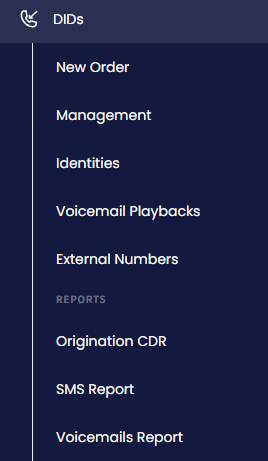
DIDs > Identities tab
-
Upload high-resolution, legible copies of your documents into the designated fields.
NOTEYou can check the Managing Identities and KYC Instructions articles for more details.
Matching your profile and address
To prevent delays in approval, ensure that the address in your CommPeak profile PRECISELY matches the address stated on your proof of address documents.
Ensure that:
- The address precisely matches the data provided in your utility bill.
- You update the supporting documents in the Portal if your registered address changes.
Processing Time: Once uploaded, our compliance team will review your documents. You will receive a notification once your identity is verified.
NOTECheck the What Should I Expect During CommPeak's Identity Verification? article for more details.
Updated 9 days ago