

Realtime Modules
Learn about the modules available on the Realtime page that allow you to monitor agents' real-time activities, view call center statistics, and access key actions and metrics through customizable grid or table layouts.
This article provides a detailed description of the Realtime page modules. The placement of modules is determined by the layout you select.
Agents
The Agents' module displays real-time details for all agents you are allowed to view according to your permissions and whose states are included in the selected state filters.
Click the icons on the right to switch between the grid and table views.

Icons for switching between grid and table
Agents
The grid view displays the real-time information about each call center agent in separate cubes.
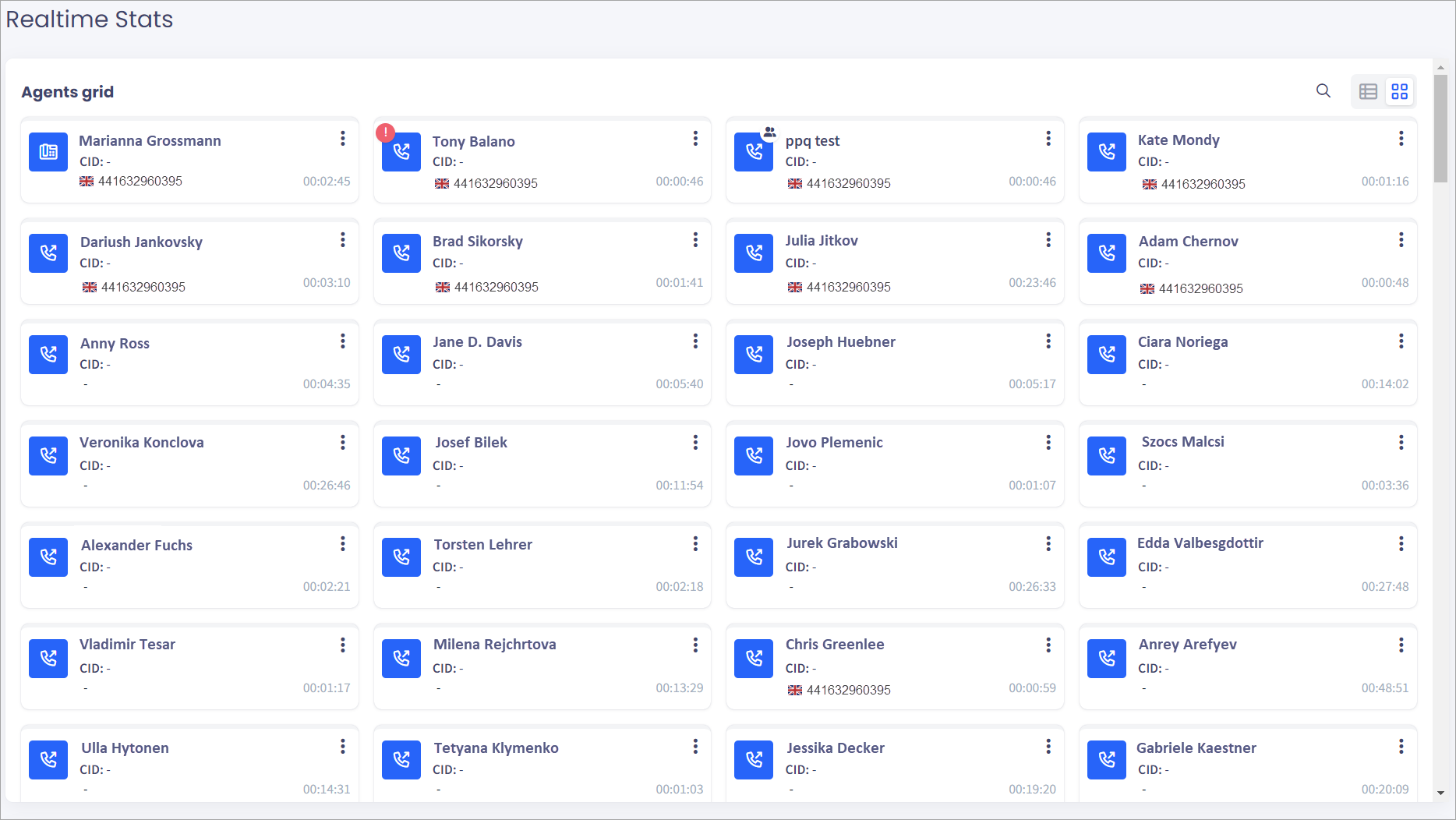
Agents' grid
The agent cubes contain the following information:
-
Agent state.
-
Agent extension and name.
-
Agent Caller ID.
-
Destination country and number.
-
Agent state duration.
-
The three-dots menu in the top-right corner of the cube.
Click the menu for additional actions, such as whispering.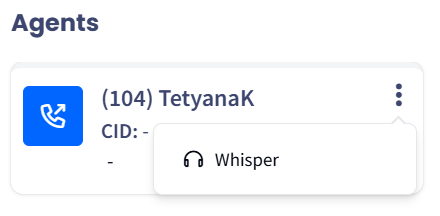
Actions in the agent cube
Agents' table
The table view displays the real-time data about each call center agent in table rows.
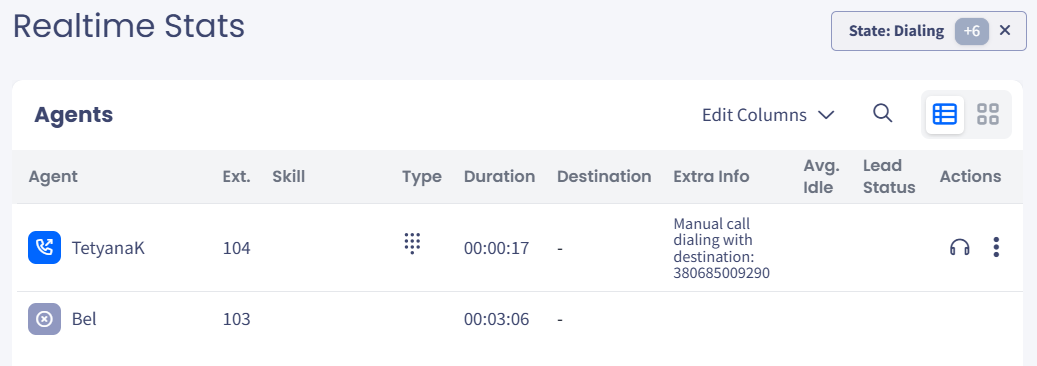
Agents' table
The columns in the agents' table are as follows:
| Column | Description |
|---|---|
| Agent | Agent’s state and name |
| Ext | Agent's extension |
| Type | Agent's calling mode |
| Duration | Shows the duration of the current action |
| Destination | Call destination (lead's country indicator and phone number) |
| Extra info | Additional information about the call |
| Avg. Idle | The average time the agent spends between calls. The first number is the average waiting time between calls, and the second number is the average time spent on filling out the feedback page. |
| Lead Status | The last status of the lead |
| Actions | Contains buttons and a three-dots menu for performing actions with the agent |
NOTEBy default, agents are ordered by state. In List View, drag a column border to resize any column except Agent and Actions — for example, widen Extra info. The Extra info content is configurable on the Customize tab.
Actions
- Whisper - click to connect to the agent’s call, listen to it, and interact with the agent or the lead after pressing the relevant number:
- 2 to speak with the agent
- 1 to speak with the lead
- 3 to engage in a three-way conversation
- 0 to release
Real-time monitoring visibility
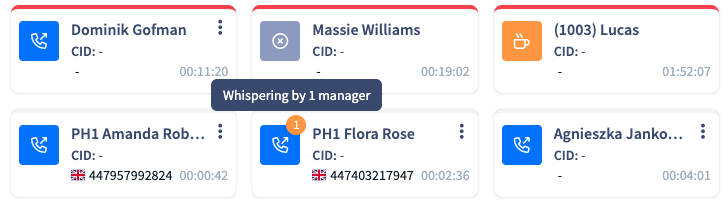
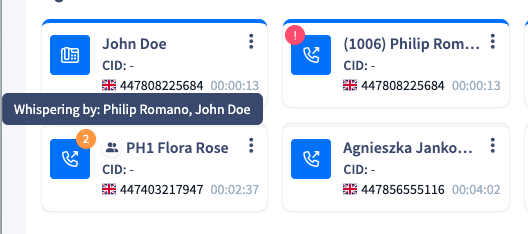
The Real-time Page provides live visibility into active sessions by displaying the names of managers currently whispering to an agent.
Please note that the names shown depend on the user's permissions (e.g., Desk or Skill-based); you will only see managers' whispering activity within your authorized scope.
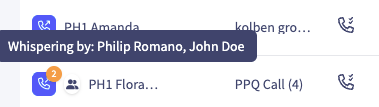
Whisper Feature Guidelines
- Concurrency Limit: A maximum of two managers can whisper to the same extension simultaneously.
A third attempt will trigger an automated message: "Sorry, you have reached the limit of concurrent whispering managers for the requested extension."- Regional Restriction: Whisper is supported only when both the manager and agent are within the same call center region.
- Audio Performance: When multiple managers are whispering, minor latency or choppy audio may occur. To limit this impact, sessions are capped at 2 concurrent managers.
- Quality Dependency: The manager’s audio experience depends on the agent and lead call quality. Any connection issues on their side will affect the manager as well.
- Access Methods: While managers without web access can use *15 for Cloud PBX instances, it is highly recommended to whisper via the Realtime Page directly for the best experience.
General info
The upper section of this module shows the total number of available, dialing, on-call, or on-break agents in the call center. The lower section shows the total number of incoming and outgoing calls.
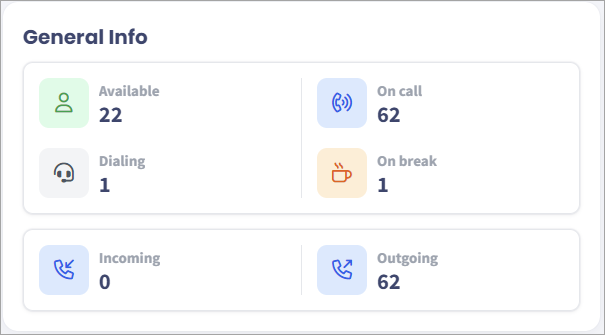
General Info section
Activity by desks
In this module, you can view the following summary statistics about groups:
- the number of online, in call, on break and dialing agents in each desk
- the total number of calls for the current day
- the Answer Seizure Ratio - ASR for the current day
- the total number of effective calls for the current day
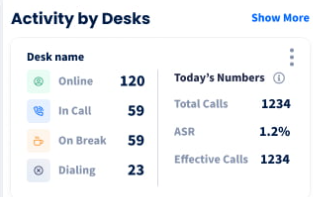
Activity by Desks section
Inbound calls
This module displays the total number of waiting calls, the average waiting time, and the waiting time of the current calls by queue.
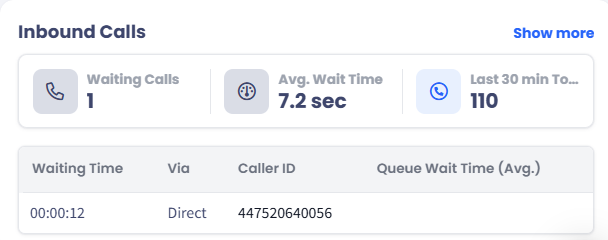
Inbound Calls section
Click Show more in the top-right corner of the module to expand the view and see a detailed per-queue breakdown, which includes the following statistics:
| Column | Description |
|---|---|
| Last 30 min Total | The total number of inbound calls received in the last 30 minutes |
| Connected | The number of waiting calls that have been connected to an agent |
| Abandoned Calls | The number of calls that were abandoned while waiting in the queue |
| Abandoned % | The percentage of abandoned calls out of the total calls for the queue |
External ongoing calls
This module displays the total number of active external outgoing calls and their average duration, with a detailed breakdown by destination. It includes calls that are ongoing without an agent - such as transferred calls or conferences where the agent has already left but the remaining parties are still connected.
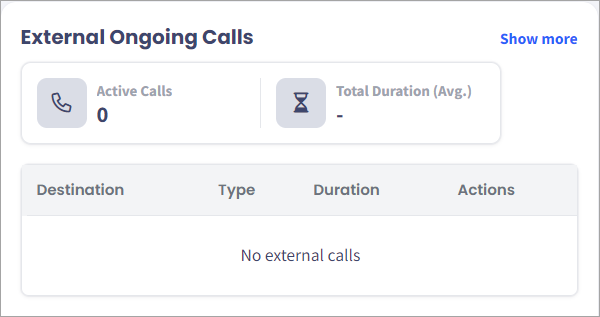
External Outgoing Calls section
TV mode
TV Mode is a presentation/display mode designed for showing the Realtime Stats dashboard on a large screen like a wall-mounted monitor or TV in a call center. You activate it by clicking the blue "TV Mode" button in the top-right of the Realtime Stats page.

After you click TV Mode, you enter the full-screen mode. In this view, you can select a different Agent grid size.
Exit TV Mode button
Click Exit TV Mode to return to the default view.
Updated 5 days ago