

Setting a Spending Limit
Prevent unnecessary expenses by setting a rate cap for call center agents, limiting their spending on phone numbers with high charges.
Sometimes, call center agents may mistakenly call premium numbers with a high charge per minute and create financial losses. The A-Z max. rate cap is a feature that lets you set the spending limit and thus prevent unnecessary expenses.
Every prefix in the number has a specific cost per minute. When a user dials a number, the system checks its prefix cost per minute. And then it allows or prohibits the call based on what is configured in the user’s CommPeak account.
To change the rate cap:
-
Log in to the CommPeak Portal and go to VoIP Services > SIP Accounts (Trunks).
-
On the SIP Accounts (Trunks) page, find the Rate Cap Settings card and click Set max rate cap.
-
In the Rate Cap Settings pop-up, enter the limit in the A-Z Rate Cap (USD) field. Calls to A-Z destinations above this rate are terminated; leave it empty for no limit.
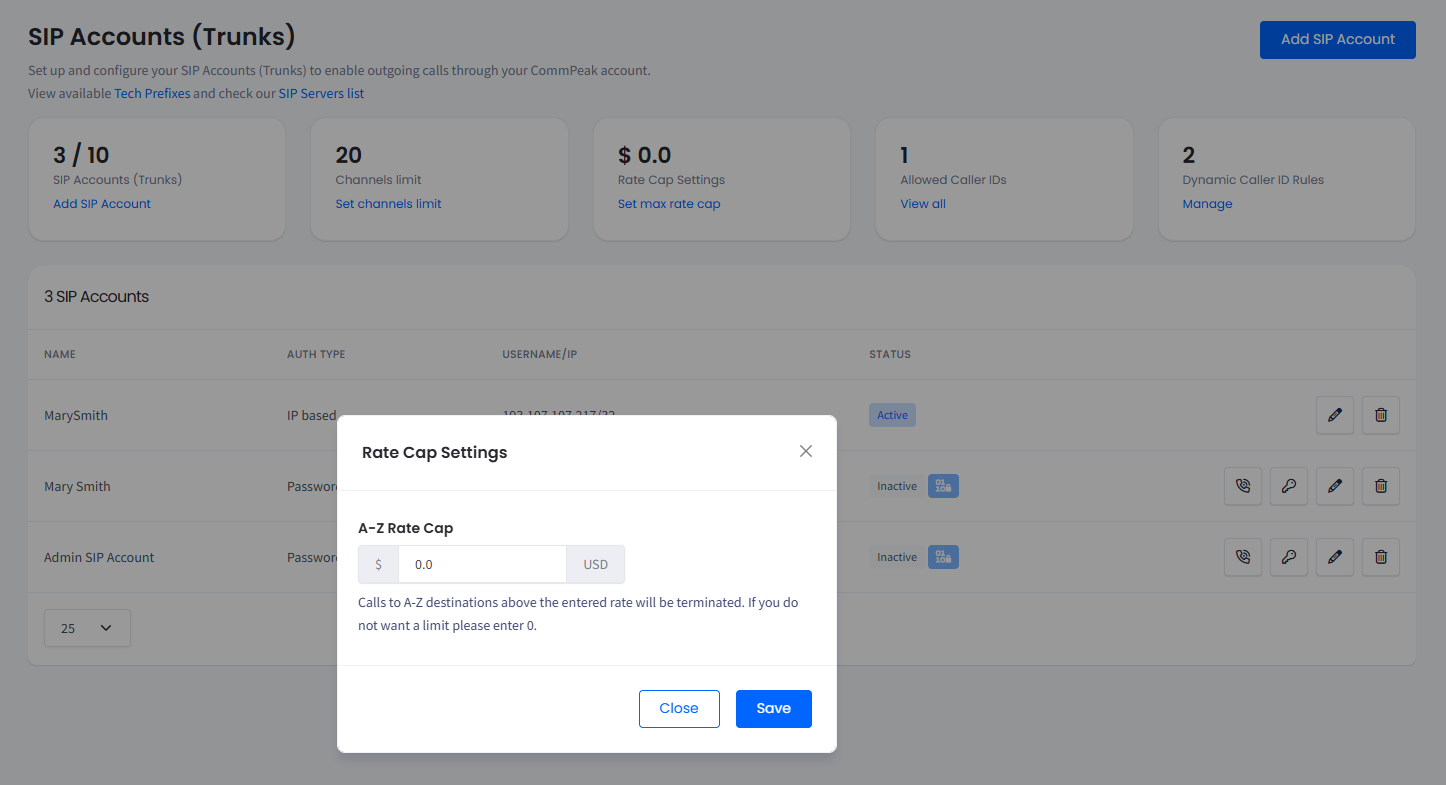
Modifying the rate cap settings
-
Click Save.
Related articles
- Call and Messaging Pricing: full overview of how pricing works in the Portal.
- How Do I Check Voice Rates for a Specific Country?: voice call pricing explained.
- How Do I Check Messaging Rates for a Specific Country?: the same workflow for messaging pricing.
Updated 5 days ago