

DID Reports
Run Origination CDR, SMS, and Voicemails reports for your CommPeak Portal DID numbers.
Your CommPeak Portal account provides three reports for tracking inbound activity on your DID numbers. You can open them from the DIDs section of the main menu:
- Origination CDR: inbound call records for your DID numbers.
- SMS Report: inbound SMS messages received on your DID numbers.
- Voicemails Report: voicemail messages left on your DID numbers.
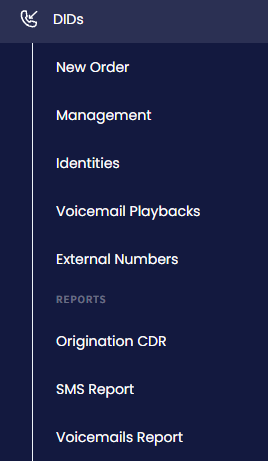
Origination CDR, SMS Report, and Voicemails Report in the DIDs menu
No results? Widen the date rangeEach report defaults to a recent date range (the last day or week). If a report looks empty, expand the Date filter to an earlier start date (for example, from
2010-01-01to today) and click Search.
Origination CDR
The Origination CDR page lists the inbound call records (CDRs) for your DID numbers. Each row shows the DID Number that was called, the Call Date, the call Status, the Source (caller), the Duration, the Rate, and the Cost.
To find specific calls, filter by DID Number and/or a Date range, then click Search. Use Export to download the matching records as a CSV file: exports are prepared in the background and become available under View Export Queue.
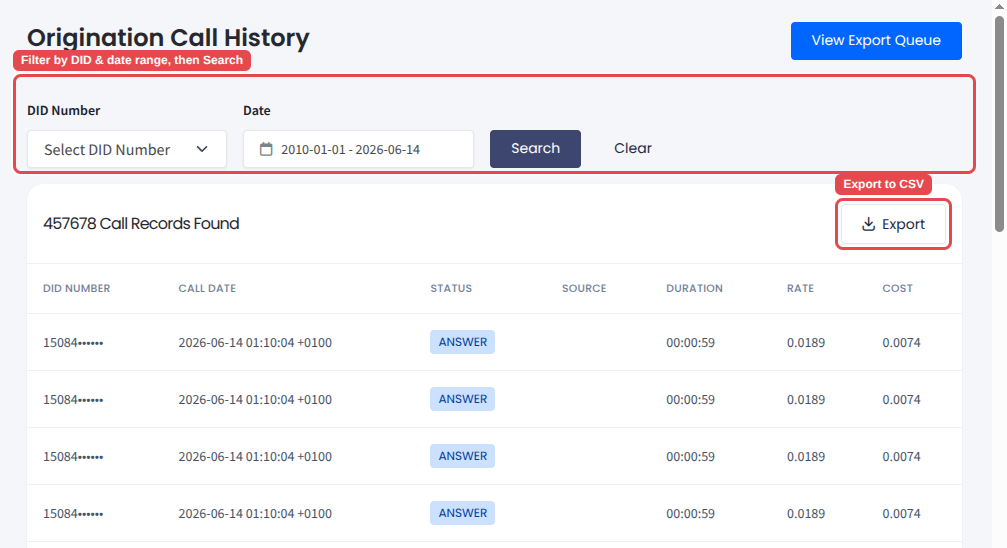
Origination CDR report
For detailed instructions on generating and downloading inbound call records, see the dedicated Origination CDR article.
SMS report
The SMS Report page lists the inbound SMS messages received on your DID numbers. Each row shows the DID Number, any Tags assigned to that number, the sender's number (From / Caller ID), the Received At time, the Cost per message, and the Sent To delivery email address(es).
Filter by DID Number, Caller ID, or Date range, then click Search (or Clear to reset).
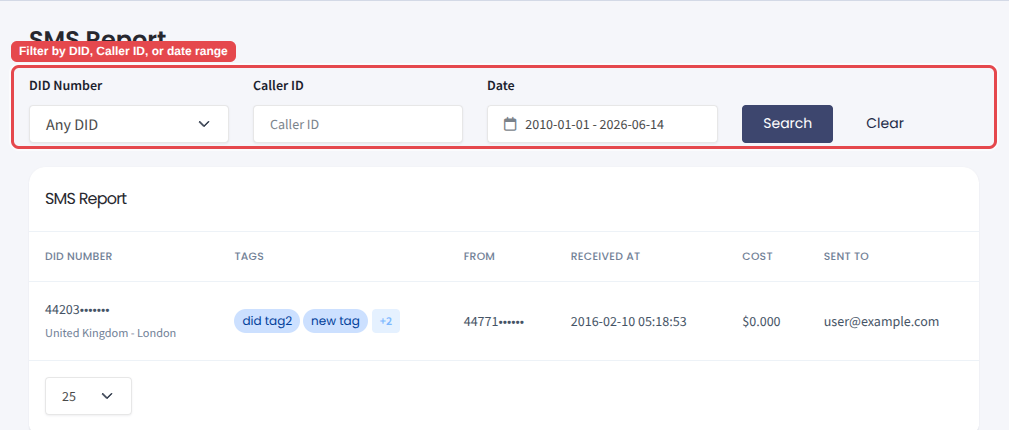
SMS Report
Voicemails report
The Voicemails Report page lists the voicemail messages left on your DID numbers. Each row shows the DID Number, the caller's number (From / Caller ID), the Received At time, and the Sent To delivery email address(es).
Filter by DID Number, Caller ID, or Date range, then click Search.
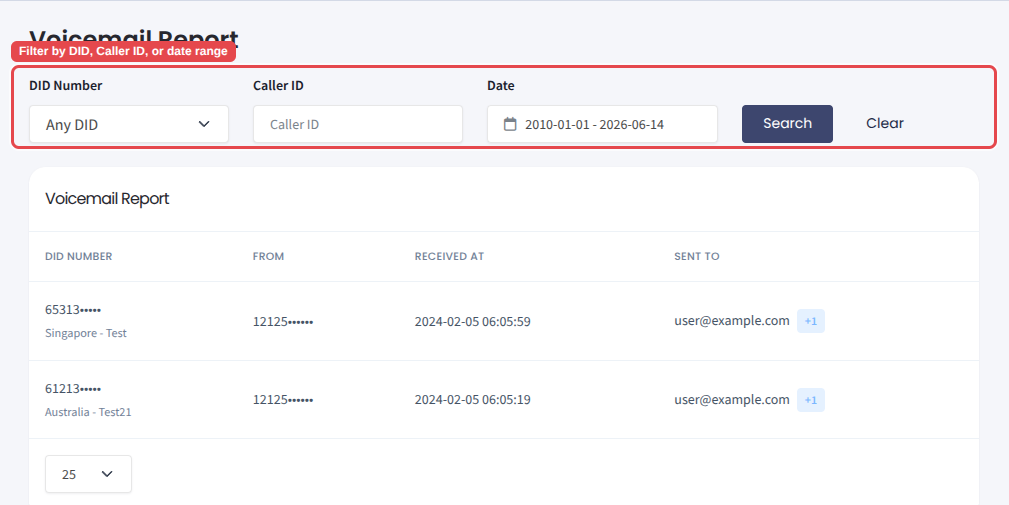
Voicemails Report
To learn how voicemail delivery is configured and how to listen to received messages, see Voicemail settings for DID numbers.
Updated 3 days ago