

Authorized Applications
View and manage your CommPeak account's active 3rd party authorized applications.
Authorized applications overview
To open the Authorized Applications tab:
Log in to the CommPeak Portal
Log in to CommPeak Portal.
Open Settings
Expand the Settings section in the main menu.
Open API Access
Click the API Access tab.
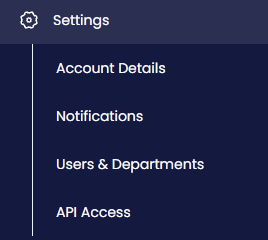
Settings menu tabs
Select Authorized Applications
Select Authorized Applications.
Use the Authorized Applications page to review all active 3rd party authorizations for your account.
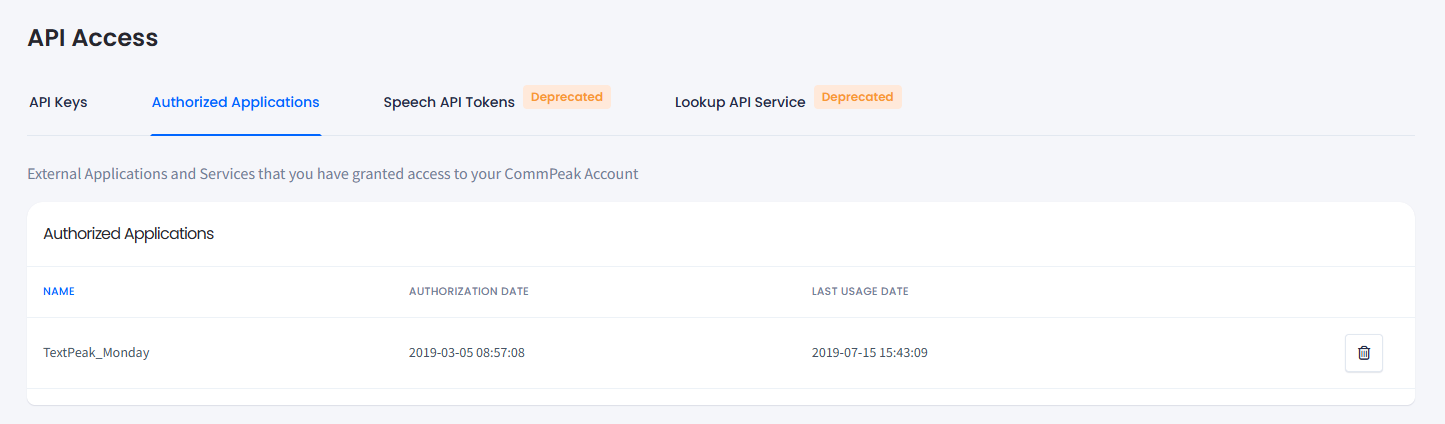
Settings > API Access > Authorized Applications tab
Common examples include CRMs and automation tools such as Monday, Make and Zapier.
Removing authorized applications
To revoke an authorization:
Find the application
Find the application in the table.
Delete the application
Click the delete button for that application.
Confirm the action
Confirm the action.
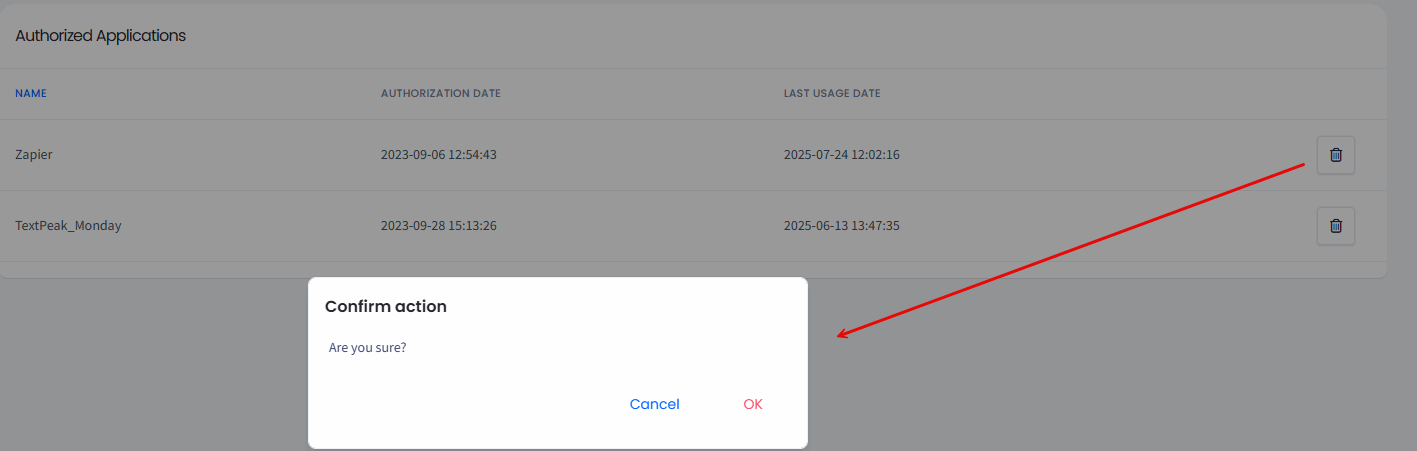
Deleting authorized application
Updated 6 days ago
Did this page help you?