

Billing & Payments
Manage your CommPeak account spending and payments: monitor recent expenses, view subscription fees, track consumption rates, set low balance threshold notifications, and access payment history and settings from the CommPeak Portal Dashboard.
Your account at CommPeak Portal offers various options for managing your payments and controlling your spending.
Video tutorial
What you will learn in this section:
Top up your CommPeak account balance using secure payment methods, including credit card, PayPal, and wire transfer
Manage how you pay for CommPeak services and track your billing activity in one place
Monitor your spending, access historical payment data, view rate details for calls and messages, and set spending controls to avoid unexpected charges
Find the answers to the most common questions about CommPeak billing and payments
From your CommPeak account Dashboard, you can monitor your spending and browse other payment-related options or add credit to your balance. To learn more, check the Monitoring Spending From Dashboard article.
From the Billing section, you can access more billing management options. Here, you can see the history of all your payments, check issued invoices and proforma invoices , view your recurring payments and services, and monitor precise balance, create and manage API keys for CommPeak Billing API for your account.
To open the Billing options:
- Log in to CommPeak Portal.
- Expand the Billing section in the main menu and select the needed option:
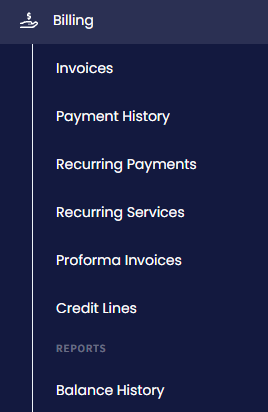
Billing menu tabs
TIPTo access even more payment options, such as setting notifications about upcoming payments for recurring services or reminders about the balance threshold, open your account Notification Settings.
NOTEIf you want to know about tariffs for voice calls and messages, refer to the call and SMS pricing guide.
Updated 5 days ago