

Scheduled Reports
This page shows the reports scheduled to run recurrently and allows you to create a new scheduled report based on an existing template.
Video tutorial
NOTEBefore you run a scheduled report you must create a template from the report you need.
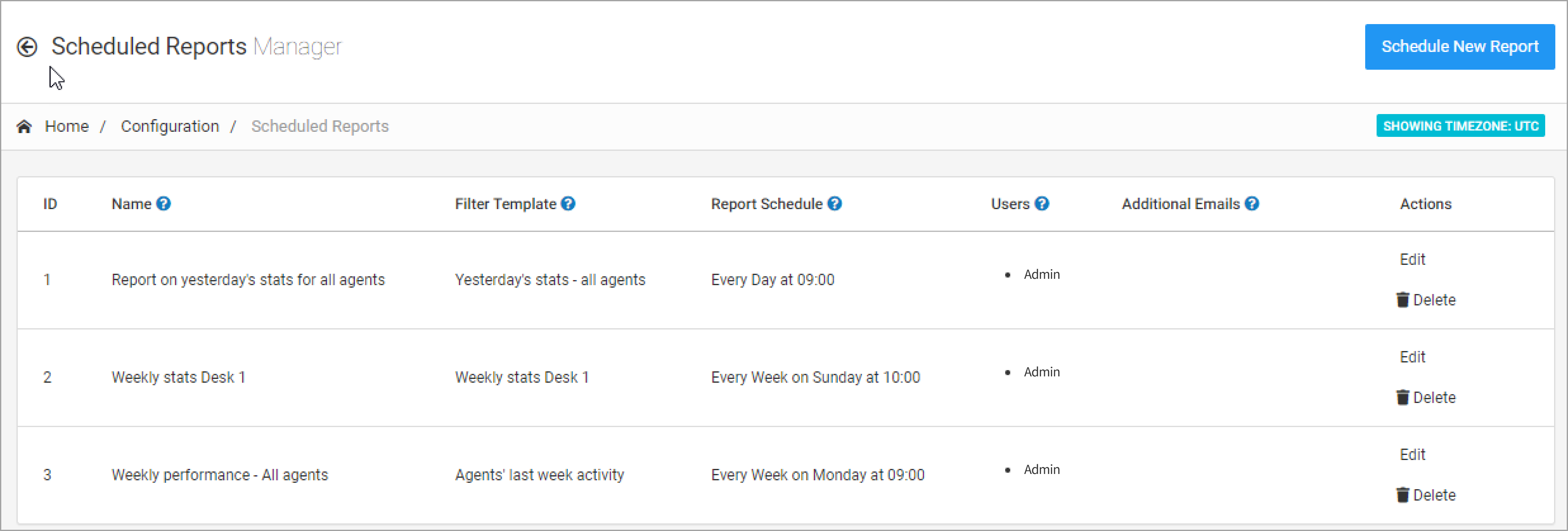
Configuration > Scheduled Reports tab
To schedule a PBX Stats report, go to Configuration > Scheduled Reports and click Schedule New Report in the top right corner of the page.
In the window that opens, fill in the fields as follows:
Name the report
Enter the name of the scheduled report.
Select the template
Select the template to use for it.
Set the schedule
Select the periodicity and time for the report running.
Add recipients
Specify the users and additional emails to which the report will be sent (optional).
Set a password
Create a password that you will need to enter to view the report.
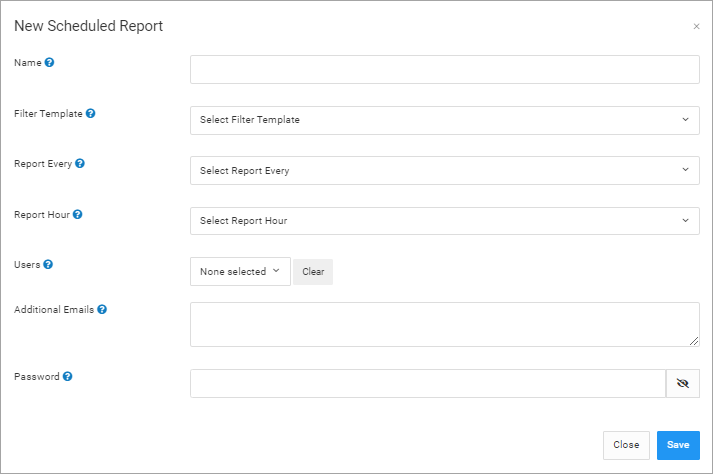
New Scheduled Report form
Then click Save. The report will appear in the list of scheduled reports.
Updated 12 days ago