

How to Rate Calls
Learn about the call rating feature that enables you to easily give feedback about the call quality and report call issues.
Agents can rate the call quality and report call issues during or after a call. Managers can identify problematic calls in the Call Record List report and review issue descriptions along with precise timestamps to understand when each issue occurred.
Activate the Call Rating feature in the Extended Settings section under General Settings. The sections below demonstrate how to submit call issues in the predictive dialing mode and during manual calls.
How to report issues with predictive calls
If you're using the legacy Dialer Agent Interface, refer to the legacy Call Rating article.
While on a call, you can submit any problems you are experiencing.
To report issues with a predictive call:
- In the call panel, select the three-dot menu and click Rate call.
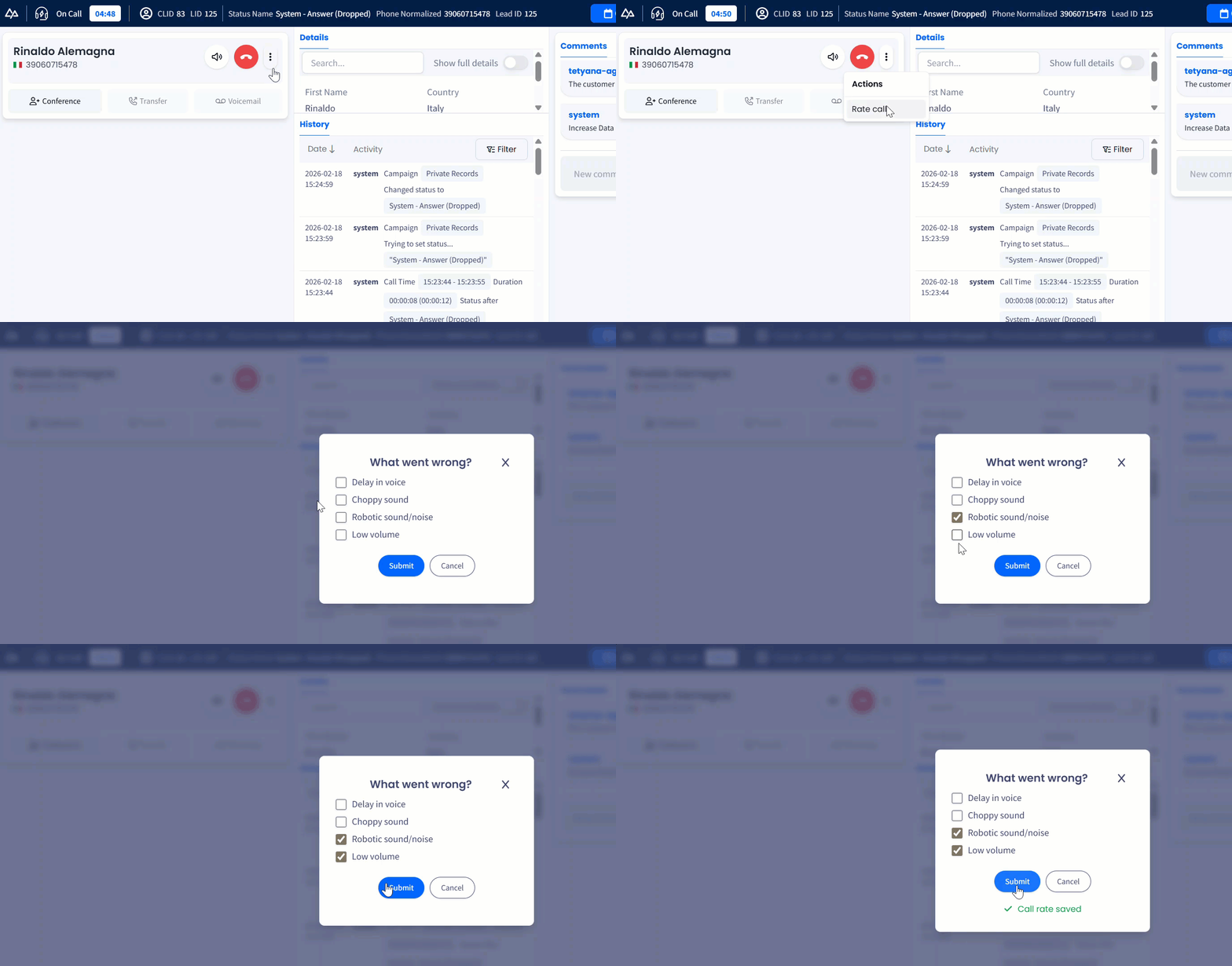
Reporting issues with predictive calls
- Alternatively, you can report call issues in the Feedback page that opens after the call has ended.
- To do it, click Rate call, provide your response, and submit it.
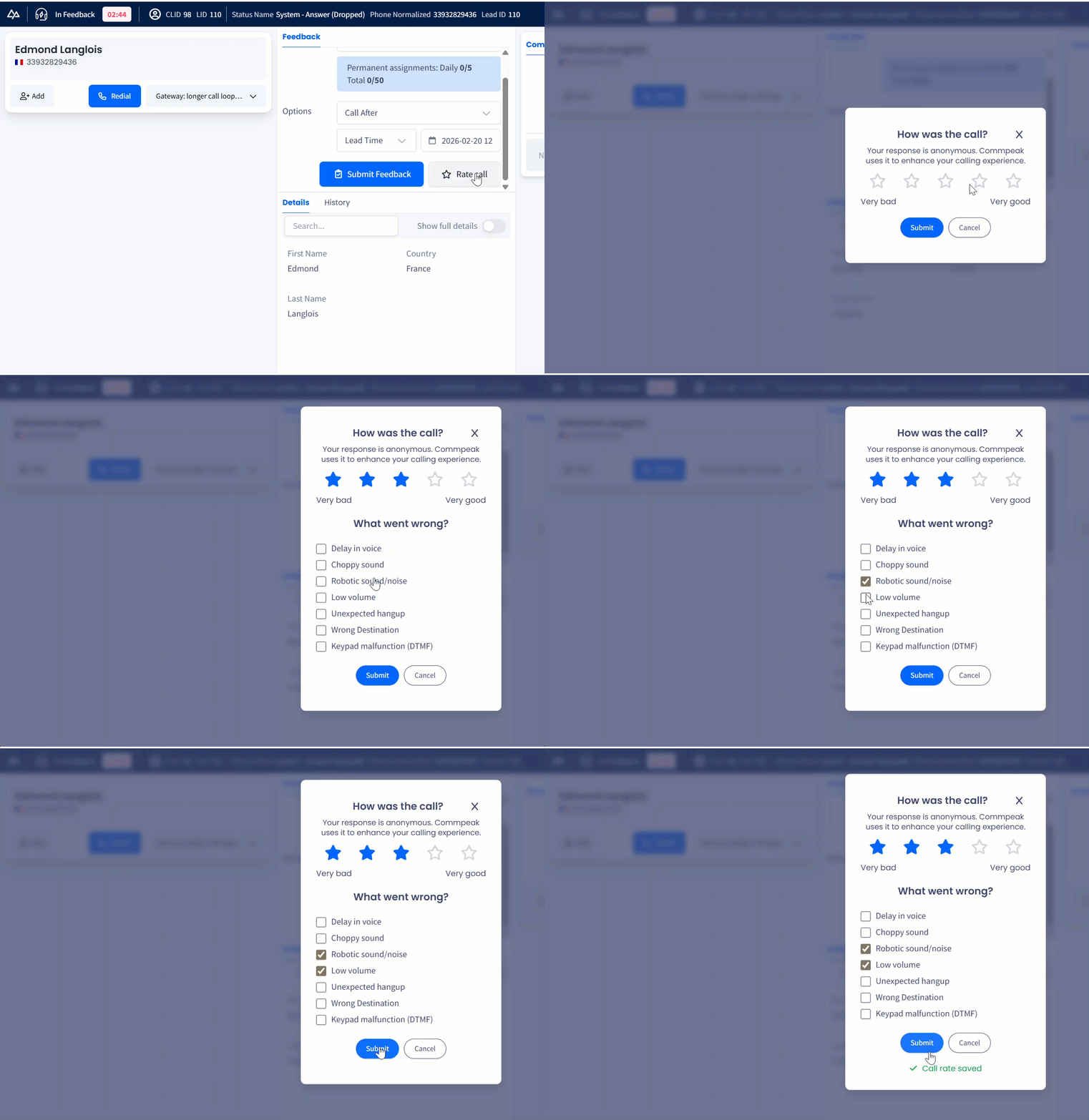
Reporting predictive call issues from Feedback page
How to report issues with manual calls
You can report issues during the call
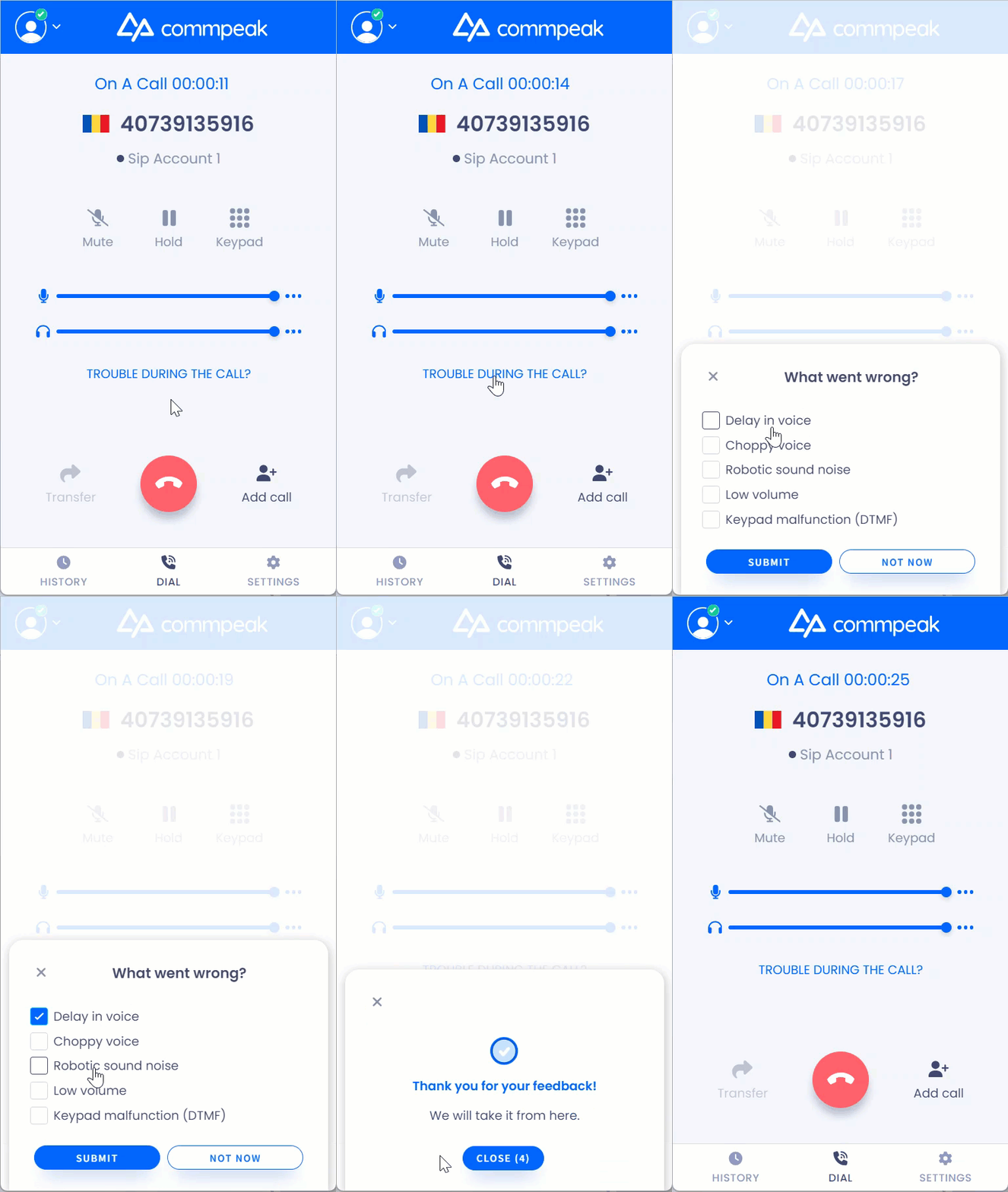
Reporting issues during manual calls
or after it has ended.
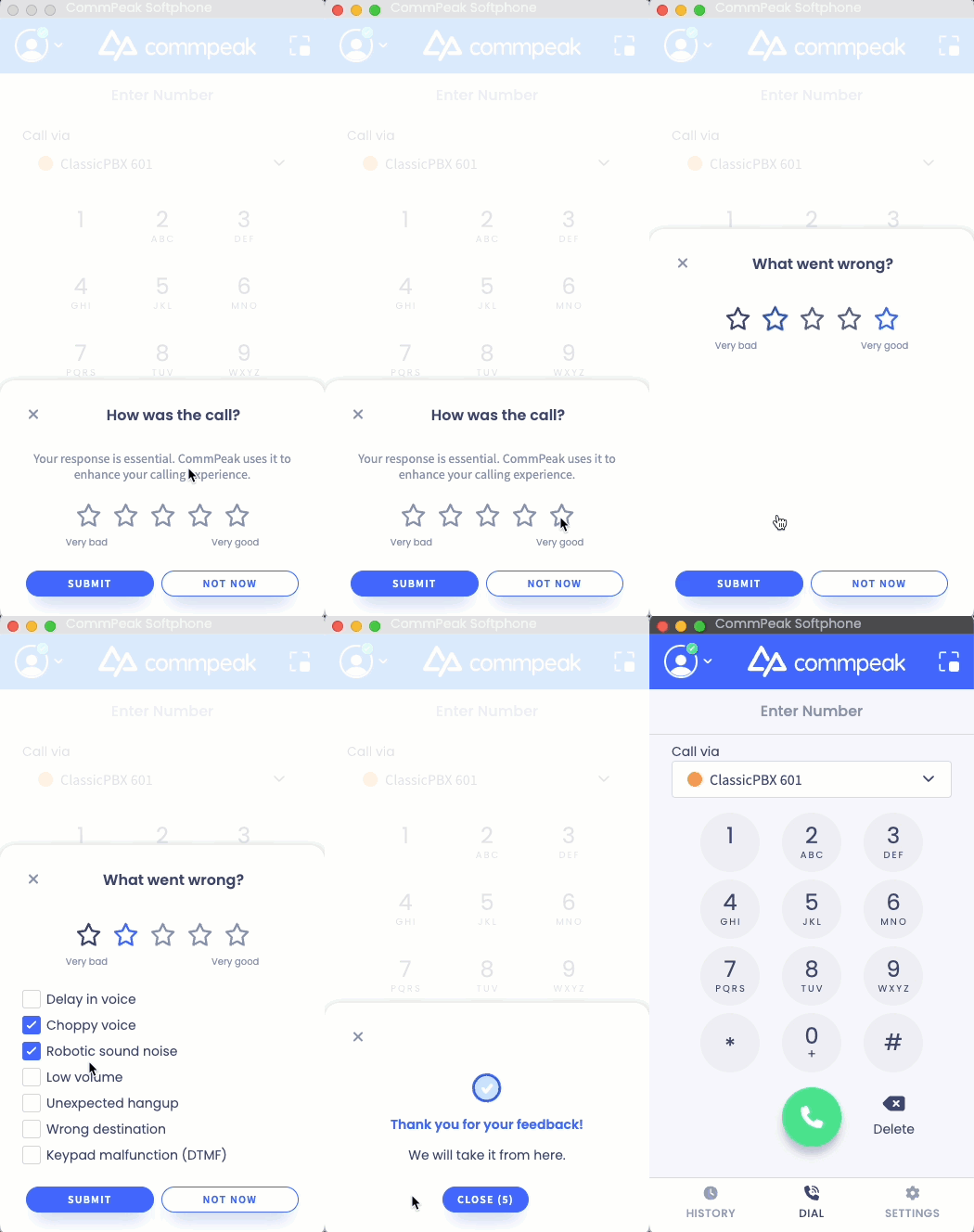
Reporting issues after manual calls
Updated 1 day ago