

Requesting a Refund
Request a refund in CommPeak account: select a reason and specify payment(s) to be refunded, choose refund destination (bank account, PayPal, etc.), and track status through email updates and Account Refund page.
On the Account Refund page in your CommPeak Portal, you can request a refund for the funds that were debited to your account. A refund may be requested if you have accidentally topped up the wrong amount, are going to close your account, or have any other reason why you need your money returned.
After you complete and submit a refund request form, our team will either approve your request and issue a refund or decline it with an explanation.
IMPORTANTWe send refunds only to the original payment method you used: this is for your security and compliance with financial regulations.
How to request a refund
-
Log in to your CommPeak account and expand the Help & Support section in the main menu.
-
Select Account Refund.
-
Click Request refund at the top right.
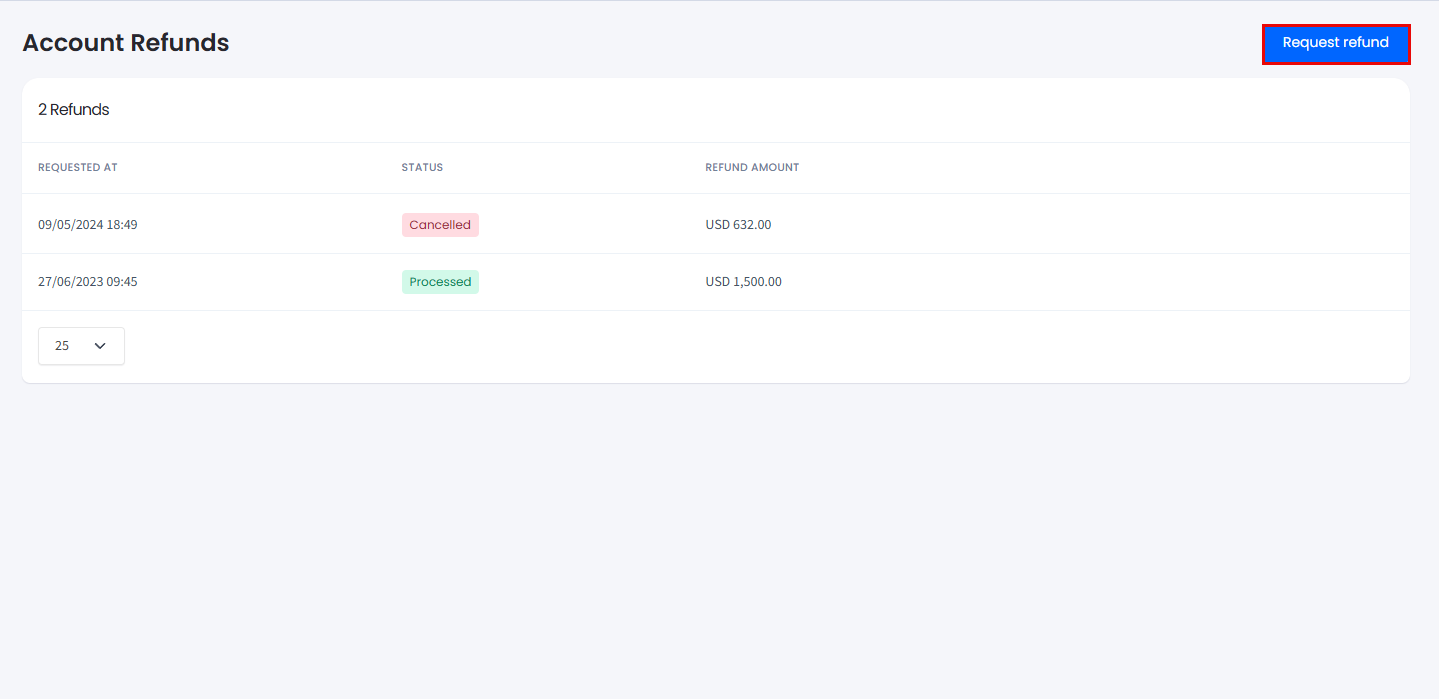
Account Refund in the main menu
Filling out the refund request form
To fill out the refund request form:
- Select the reason for your refund:
- Wrong top-up amount
- Account closure
- Other (you will be asked to specify clearly).
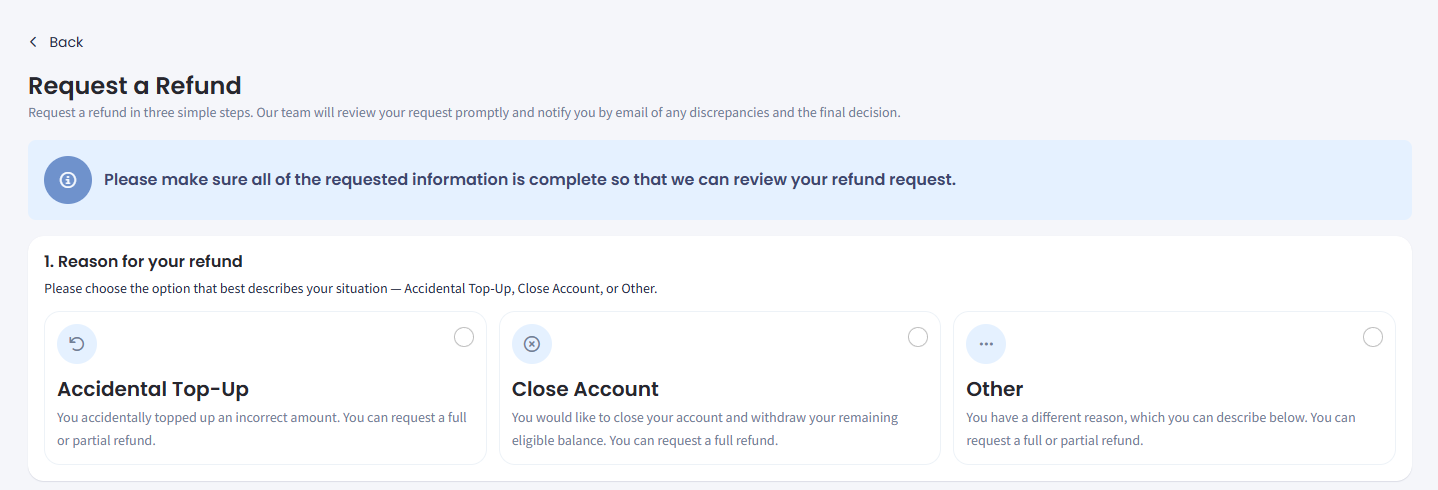
Selecting the reason for refund request
- If you accidentally made a wrong payment, select the Accidental Top-Up option, click Choose a specific amount, and enter the amount you want refunded. Optionally, check the Select all payments checkbox to select all the payments made under your account.
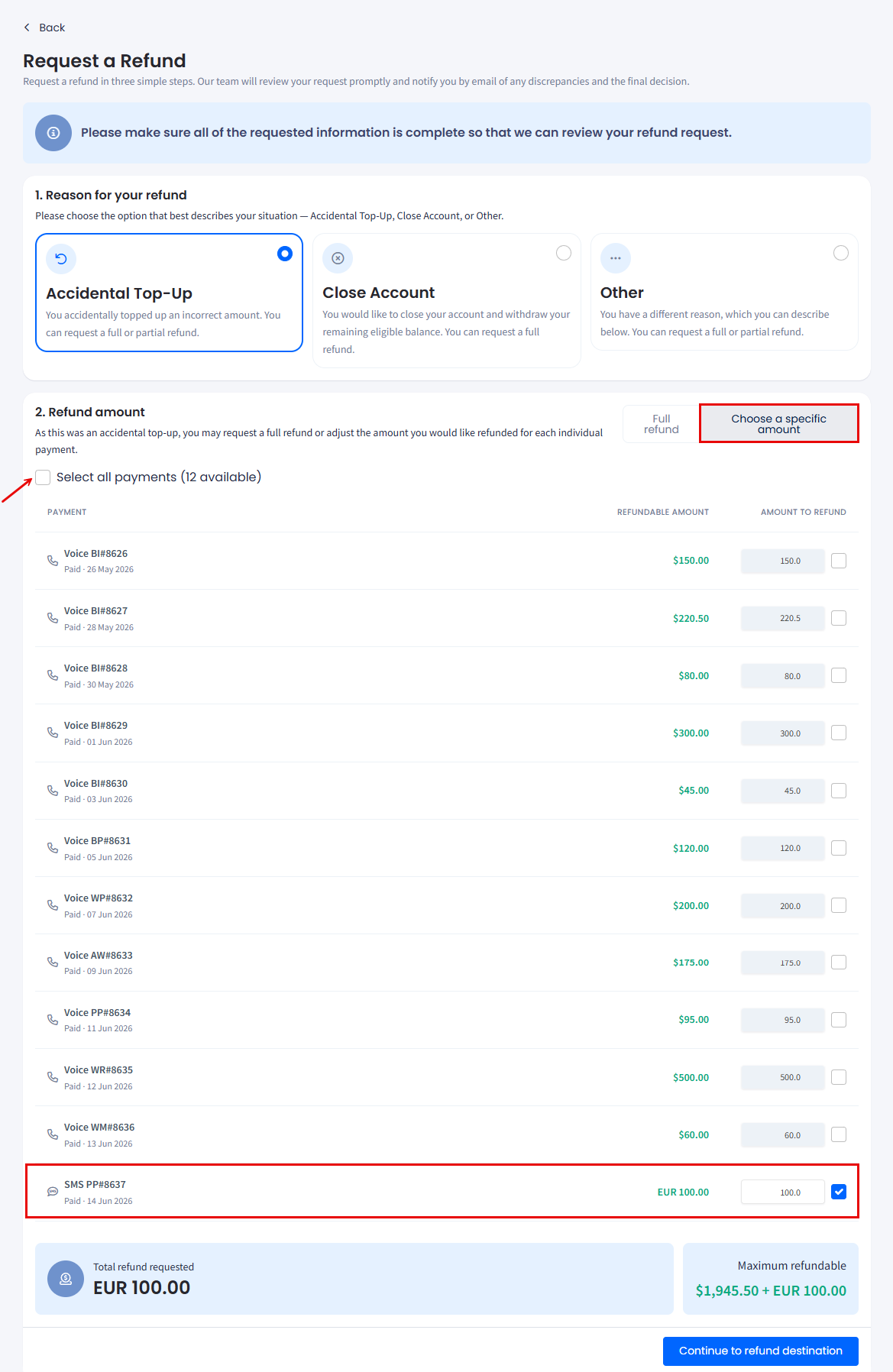
Request a Refund form: choosing specific amount
- To request to refund all eligible payments in full, select Full refund.
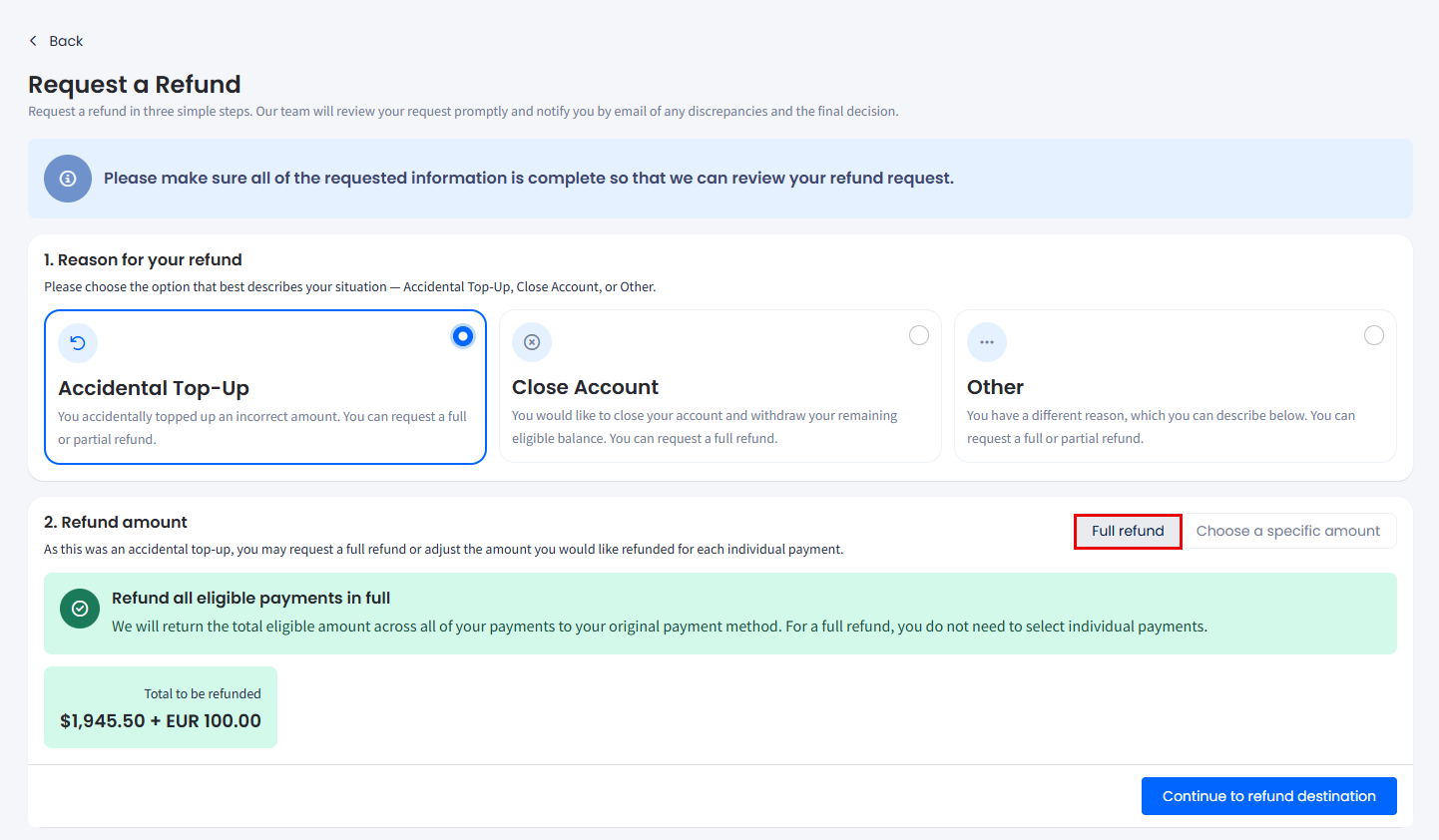
Request a Refund form: asking for full refund
- If you're closing your CommPeak Account and want to withdraw your remaining eligible balance, select the Close Account option.
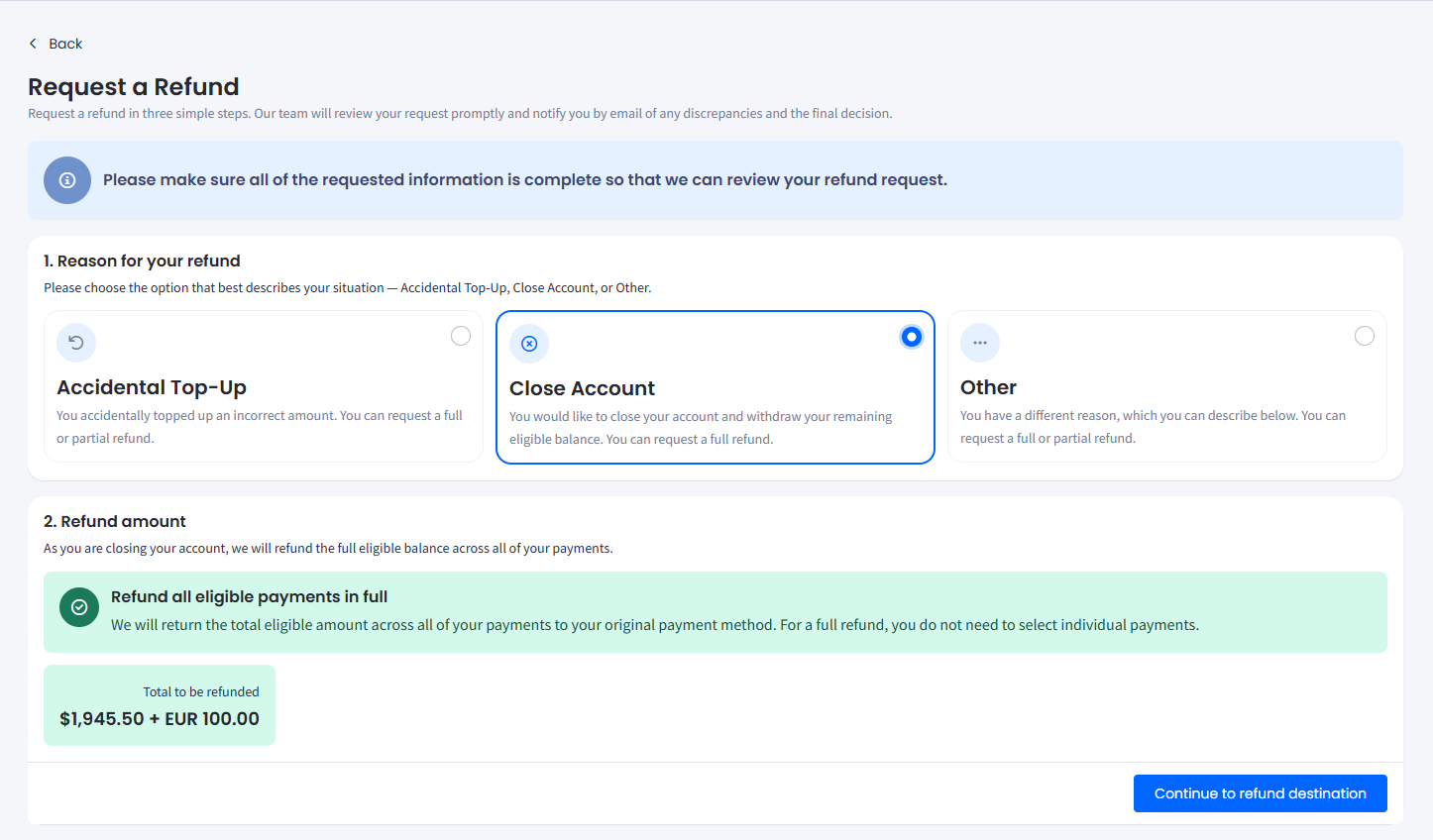
Request a Refund form: Close Account option
IMPORTANT⚠️ Make sure you submit a refund request before or shortly after submitting your account closure request.
Any remaining account balance for which you have not submitted a refund request will be permanently forfeited at the end of the current fiscal year. CommPeak will not issue refunds after this date.
- For any other refund request reason, select Other and enter the relevant details in the field below; then, select if you want some specific amount to be refunded or a full refund.
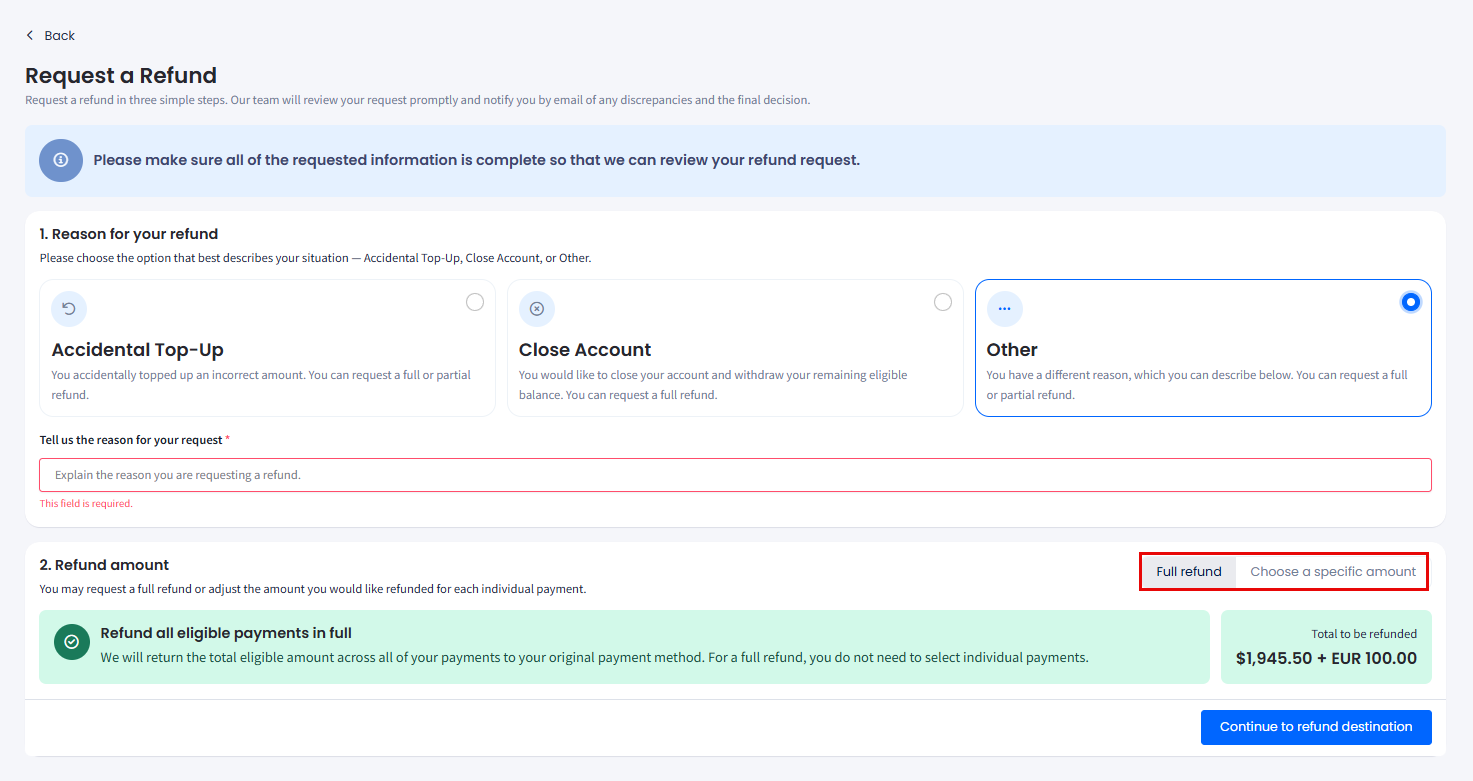
Request a Refund form: Other option
- Click Continue to refund destination.
- In the new section, choose the payment method used for the original transaction and provide the required payment information such as your bank account, credit card, or PayPal account details. Optionally, enter any relevant additional details in the field provided.
IMPORTANTWe always return refunds to the original payment method used for the transaction. We will decline requests that don't match the original payment method.
For example, if you paid via PayPal, we send the refund back to the same PayPal account you used. If you paid via bank transfer, we return the refund to that same bank account.
- Finally, review all the submission details, check the Confirmation statement checkbox, and click Submit Refund Request.
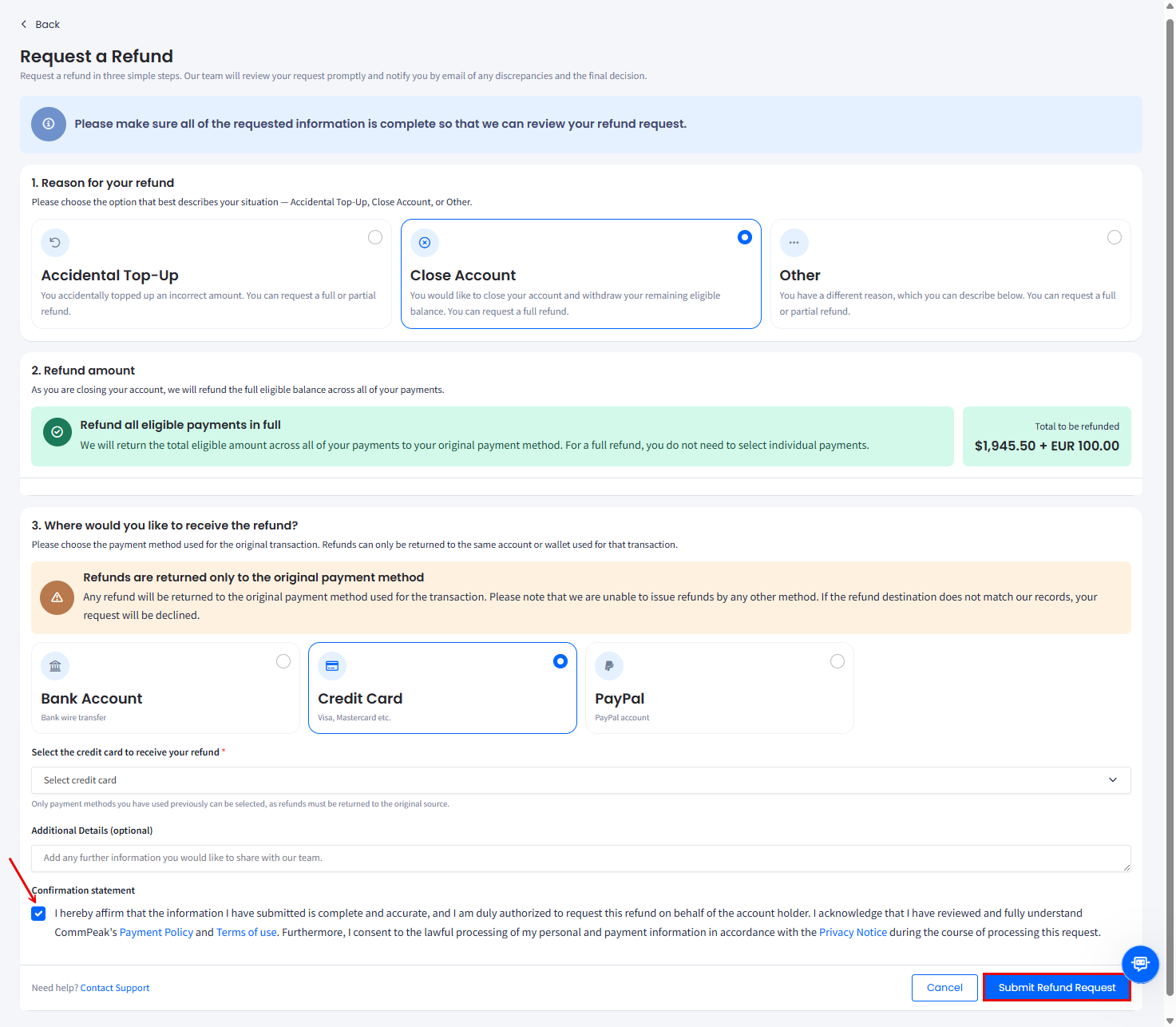
Request a Refund form: confirmation request submission
After you submit
- As soon as your request is submitted, it gets the Pending status. You’ll receive an email notification that your refund request has been created and is under review.
- You can track the status of your request on the Help and Support > Account Refund page.
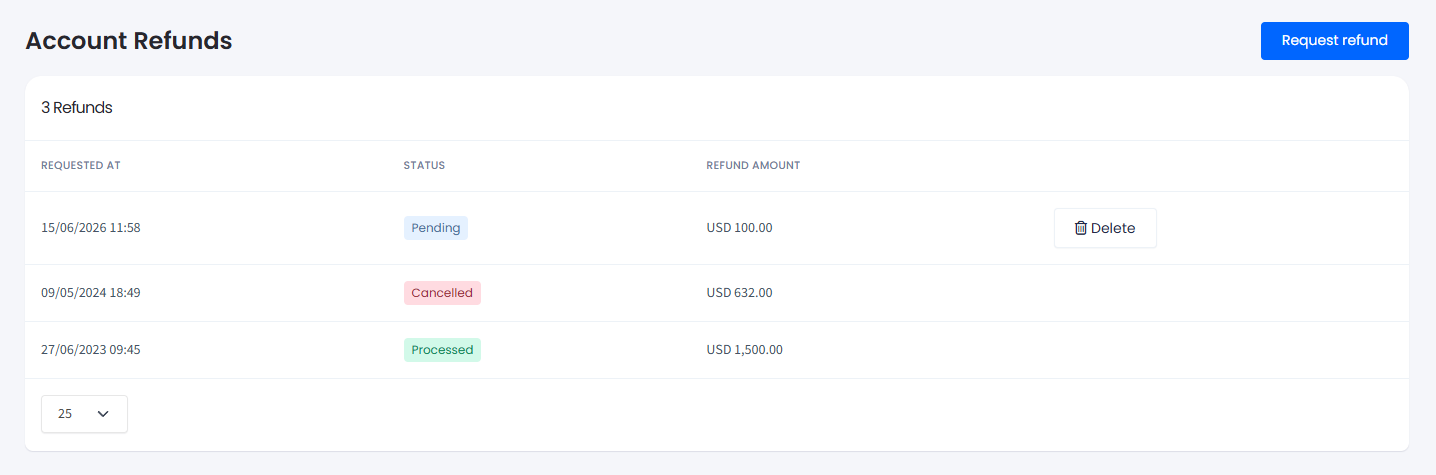
Account Refunds table
- The request will be reviewed by our team and marked as:
- Approved – your refund is confirmed and in progress
- Cancelled – you cancelled the request; the locked amount has been returned to your balance
- Processed – your funds have been refunded to the original source
- Declined – the request didn't meet refund requirements; the locked amount has been returned to your balance.
Updated 5 days ago