

Switching to the New Agent Workspace
This article explains how to switch to the new Agent Workspace and highlights the key improvements over the Legacy Agent Interface.
The new Agent Workspace provides an updated interface for agents working in Predictive Mode. Its structured layout contains clearly separated sections, centralized call controls, and improved visibility of agent and lead information.
The legacy Dialer Agent Interface remains available. Agents can switch between the two views at any time in their profile settings.
How to switch to the Agent Workspace
To enable the Agent Workspace option:
-
Click your profile icon in the top-right corner.
-
Select Profile Settings.
-
Open the Configurations tab.
-
Select the Agent WorkSpace checkbox.
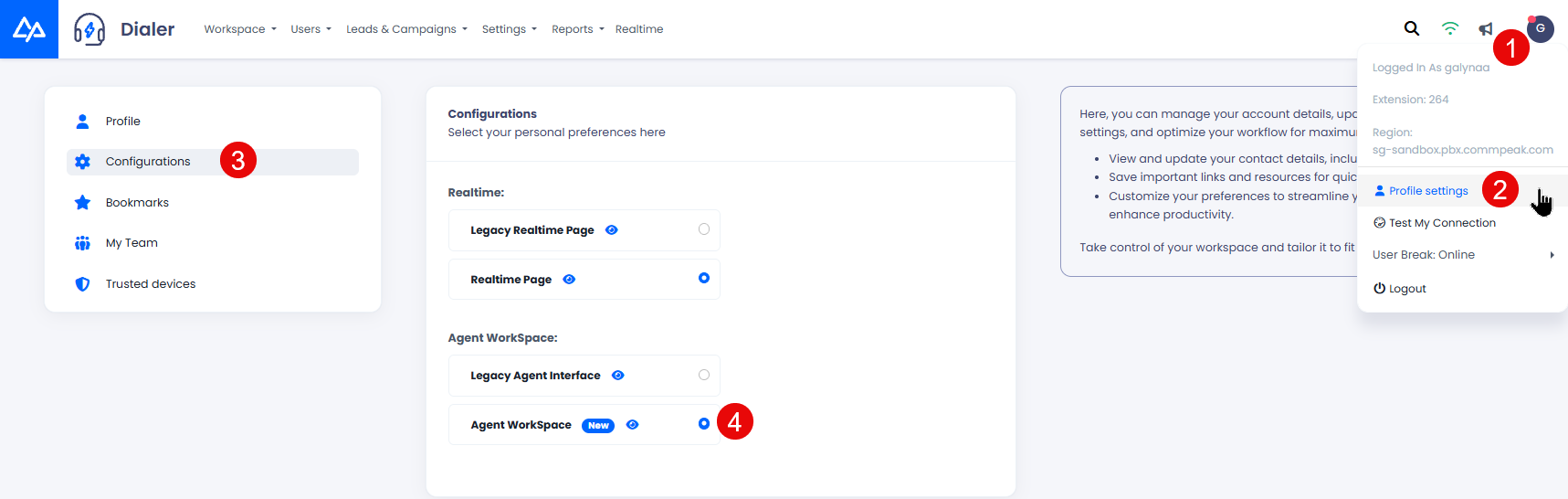
How to enable the Agent Workspace
NOTEFor more details, visit the User Profile article.
Agent Workspace vs legacy interface
See below what has changed.
During a call
The legacy Dialer Agent Interface displays indicators, lead details, and controls within a single window.
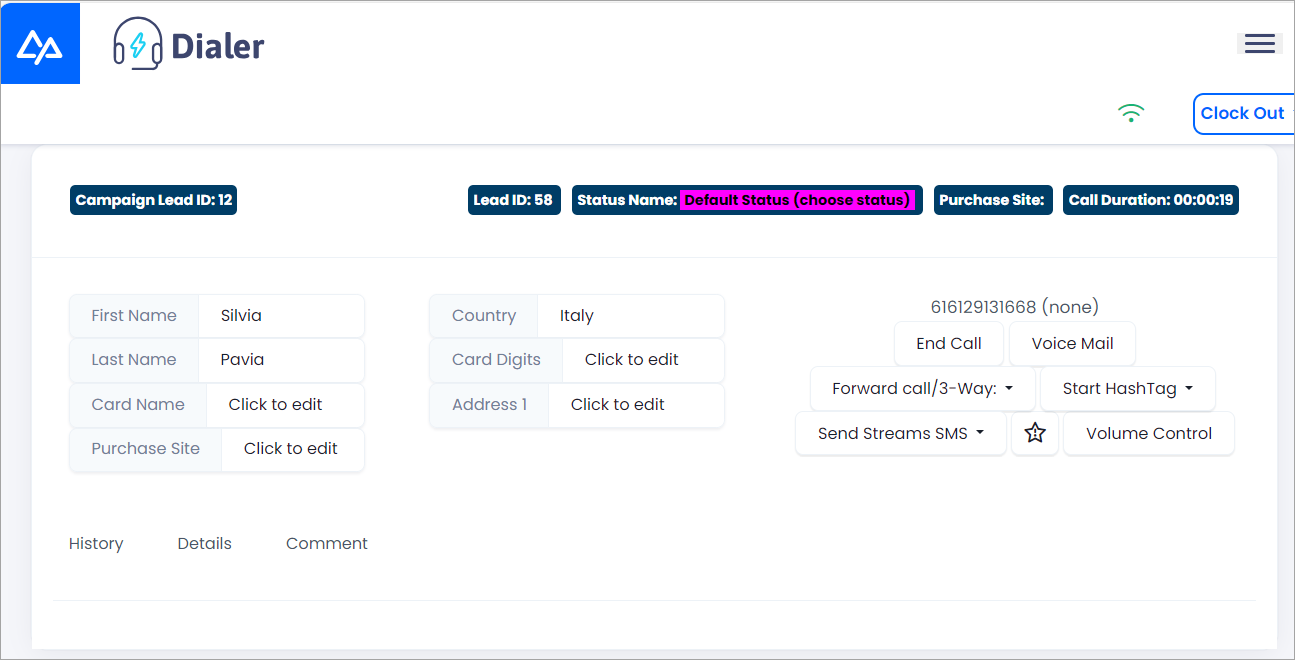
The call page in the Legacy Agent Interface
The new Agent Workspace is divided into clearly structured sections.
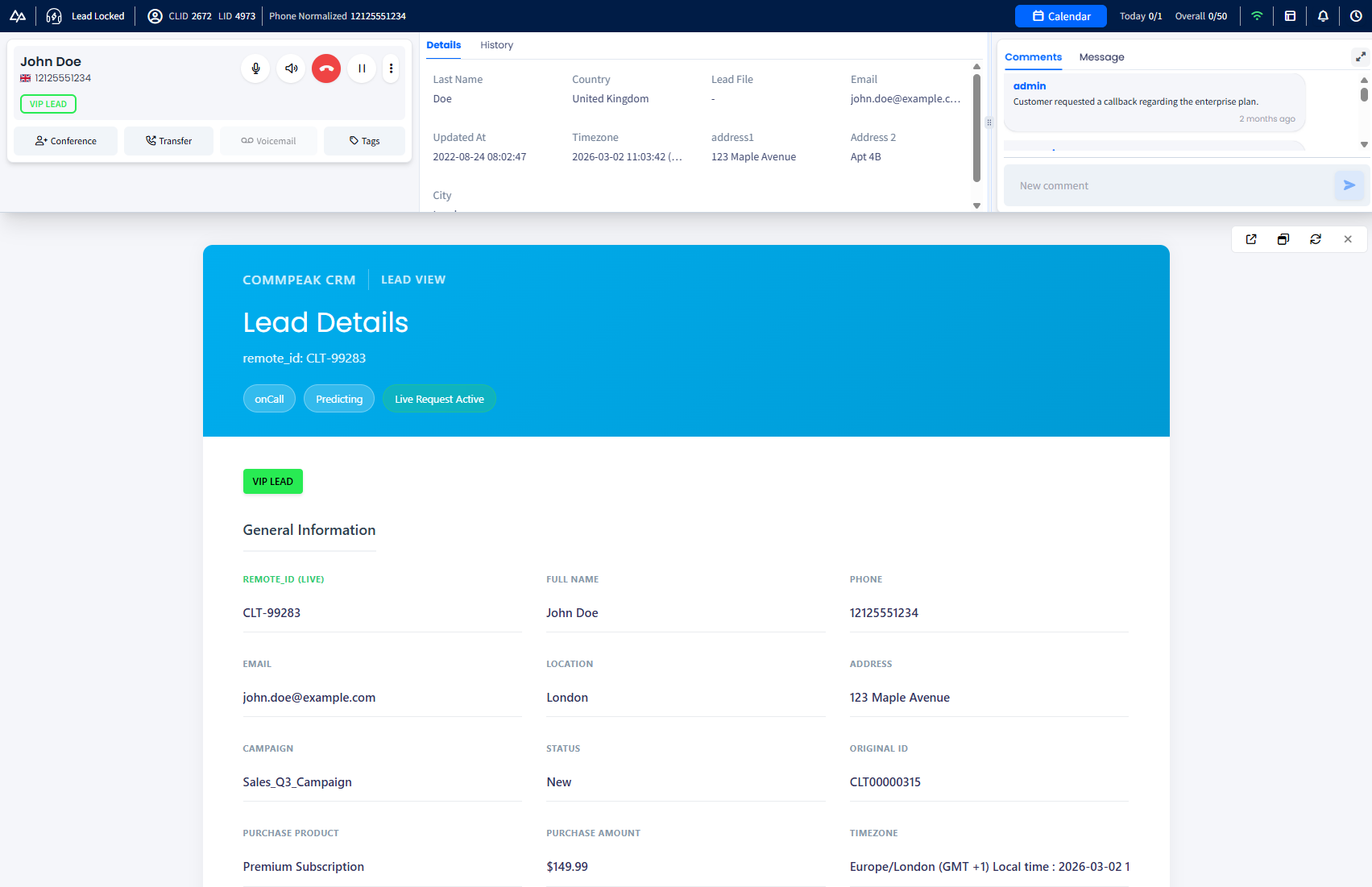
The call page in the Agent Workspace
- The header displays the agent status with timer, campaign and lead identifiers, phone number, connection quality indicator, notifications, calendar access, meeting count, and clock-out option.
- The call panel contains controls to manage the active call, including volume adjustment, hold, hang up, redial, transfer, conference, voicemail, and call rating.
- Lead details and history allow agents to review and update lead information and interaction history.
- Comments: display internal notes and allow agents to add new comments. When expanded, the Comments panel opens as a right-side sidebar. If both Comments and the Inbox are in use during the same call, the inactive panel is moved to a side tab. New Inbox messages are indicated by a red dot badge showing the number of unread messages.
- Extended CRM information shows additional lead data synchronized from the CRM system.
NOTEFor more information about handling calls, refer to the Making Calls article.
During feedback submission
The working window during feedback submission uses the same single layout in the legacy Dialer Agent Interface.
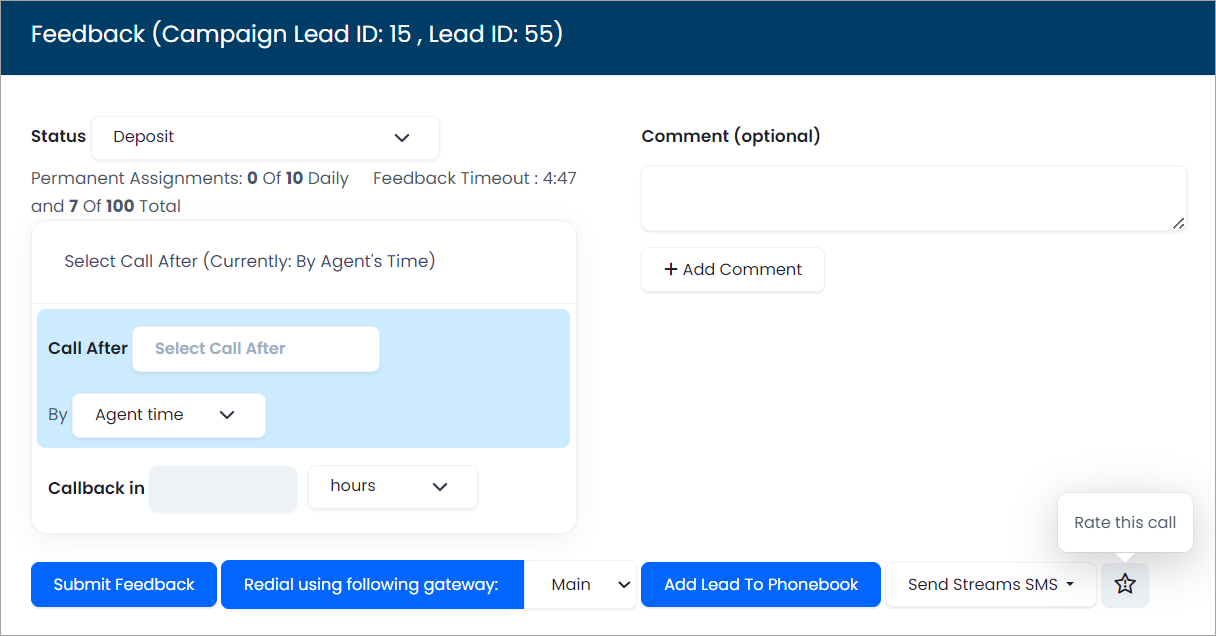
The feedback page in the legacy Agent Interface
The same structured layout as during the call with the call panel, lead data, and comments applies to the feedback window in the new workspace. In addition, agents can select the conversation status and schedule a callback.

The Feedback page in the new Agent Workspace
NOTEFor more information, refer to the Submitting Feedback article.
What’s new in the Agent Workspace
In addition to the structured layout, the new Agent Workspace offers new features that improve agent experience.
| New Feature | Benefit |
|---|---|
| Resizable Sections | All workspace sections can be resized. This allows agents to adjust the layout based on their screen size and workflow. |
| Informative Header | Agents gain real-time visibility into agent and lead details, quick access to scheduled meetings and their totals, instant insight into connection quality, and one-click access to notification history. |
| Centralized Call Controls | All call management functions are grouped in the call panel, allowing agents to manage active calls from a single location. |
| Improved Lead Management | The Lead Details and History section provides a complete view of the lead profile and interaction history. Agents can update lead information in real time, use search functionality, and filter history records. |
| Expandable Comments & Inbox Panel | The Comments panel can be expanded into a right-side sidebar during a call. If both Comments and Inbox Message tabs are open simultaneously, the inactive panel moves to a side tab. Incoming Inbox messages are flagged with a red dot notification showing the unread count. |
Why switch to the Agent Workspace?
The new Agent Workspace provides a more structured, organized interface than the legacy view and maintains access to the same core functionality.
Key improvements include clearly defined sections for each function, centralized call controls, and better visibility of lead information and agent status. Resizable panels and independent sections allow agents to adjust the layout based on their workflow and screen size.
These changes support more efficient navigation and interaction during Predictive Mode.
Updated 5 days ago