Channels

See the TextPeak channels, what traffic each one carries, and which setup guide to open for the type you need.

Channels is the TextPeak page where every messaging route lives, grouped under the type it belongs to. This page lists the types on offer and links to the setup guide for each one.

📘

NOTE

Channels is the new name for Streams API, introduced in TextPeak v1.1.2. The routes themselves have not changed: your existing streams appear here as channels, and every token, template, and webhook continues to work. Only the page and its navigation have been rebuilt.

What changed

BeforeNow
Streams API in the main menu, with every route in one flat list.Channels in the main menu, with routes grouped under ten types.
One-time passwords were a stream type.One-time passwords are configurations under OTP Service, reaching SMS, WhatsApp, and Voice from one endpoint.
WhatsApp templates lived in the stream sidebar.WhatsApp templates live on the channel, under Channel message content.
A WhatsApp route asked for an auth token and a business ID.A WhatsApp channel signs in through Meta with Connect WhatsApp.

Nothing needs migrating. Existing tokens, templates, and webhooks keep working exactly as they did.

Channels page

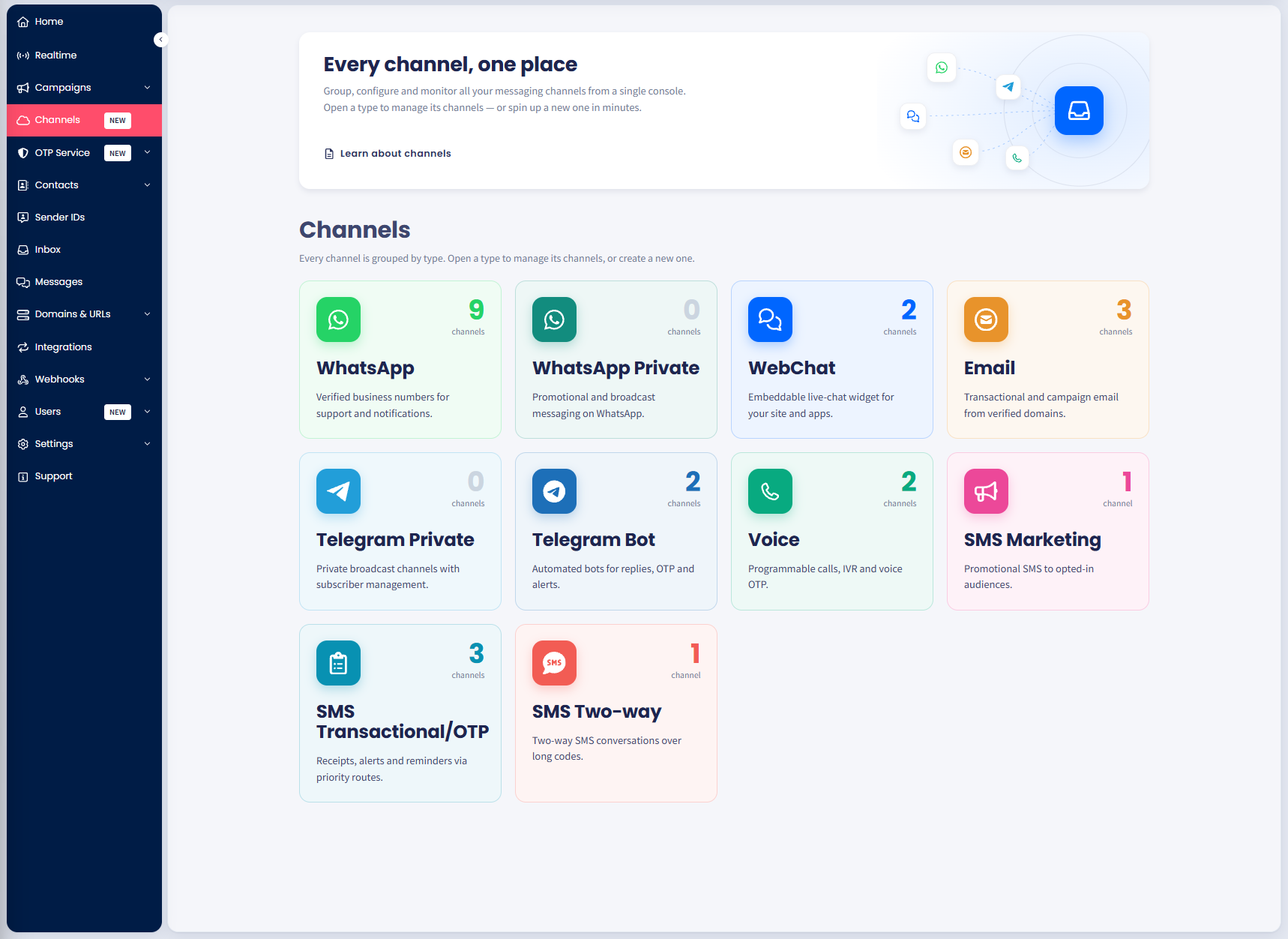
  1. Log in to TextPeak in your browser.
  2. Click Channels in the main menu on the left.
Screenshot of the TextPeak Channels page showing the intro banner and the start of the channel type grid

The Channels page in TextPeak

  1. The Channels page opens listing every channel type and its short description.
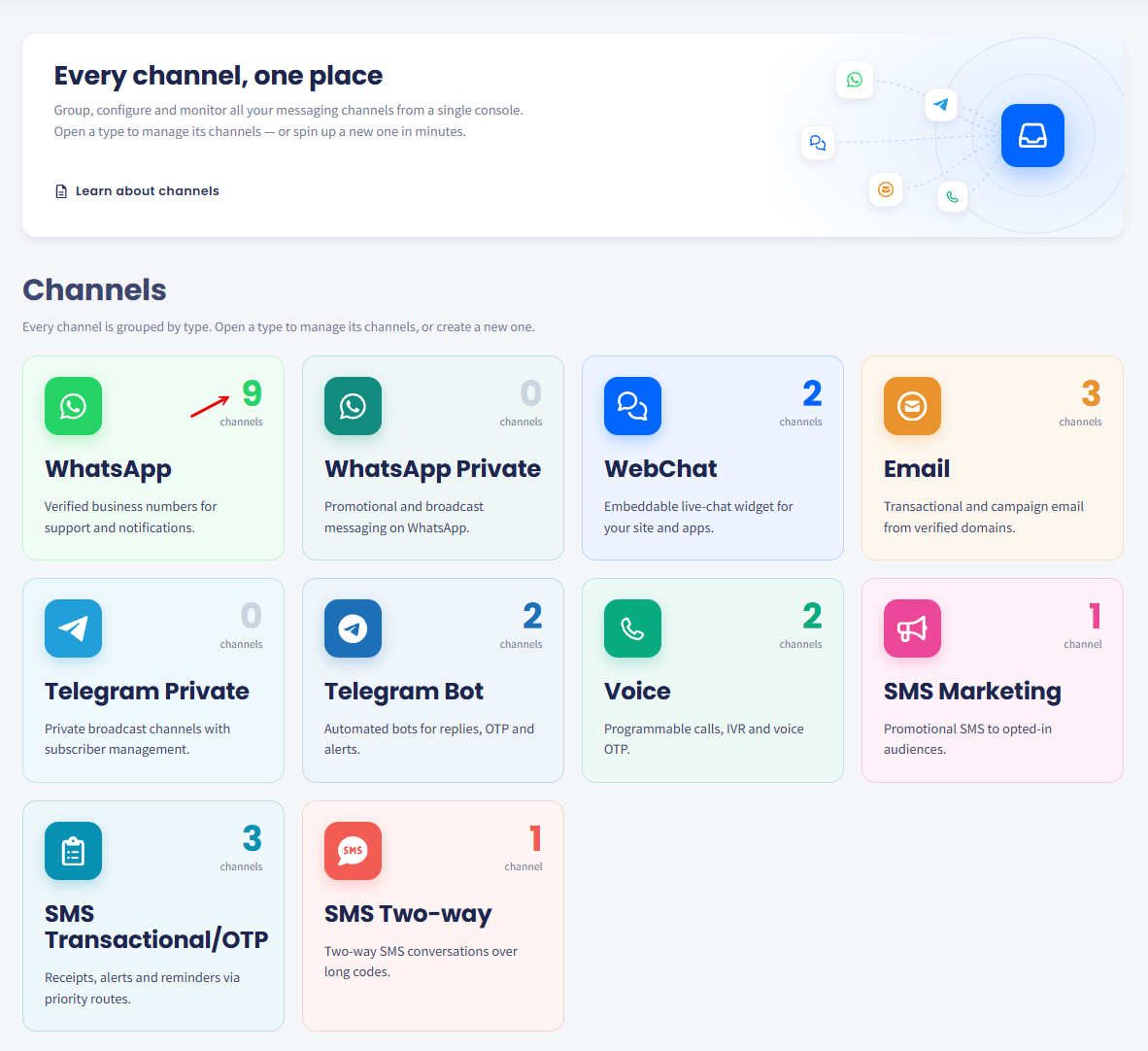
  2. The count on the card tells you how many channels of that type exist on the account.
Screenshot of the channel type cards on the Channels page, each showing a channel count

Number of channels created for WhatsApp

ChannelWhat it carries
WhatsAppVerified business numbers for support and notifications.
WhatsApp PrivatePromotional and broadcast messaging on WhatsApp.
WebChatAn embeddable live-chat widget for your site and apps.
EmailTransactional and campaign email from verified domains.
Telegram PrivatePrivate broadcast channels with subscriber management.
Telegram BotAutomated bots for replies, OTP, and alerts.
VoiceProgrammable calls, IVR, and voice OTP.
SMS MarketingPromotional SMS to opted-in audiences.
SMS Transactional/OTPReceipts, alerts, and reminders over priority routes.
SMS Two-wayTwo-way SMS conversations over long codes.

What you can do with Channels

  • Group routes by type so you open WhatsApp, Email, or WebChat and see only the channels that belong to it.
  • Create a channel through a form that names the route first and collects its type-specific settings after. The number of steps depends on its type.
  • Manage a channel in one place, including its token, its details, its type settings, and its message templates.
  • Check channel status at a glance, so you can tell which routes are ready, which are still drafts, and when each last carried traffic.
👍

TIP

Dark mode applies to every TextPeak page, Channels included. Use the sun and moon buttons in the top bar to switch between the light and dark themes.

Screenshot of the dark mode enabled for Email channels

Dark mode enabled for Email channels

What to do next

For the type-specific instructions, check below:

One-time passwords are not a channel type. To send them, create a configuration under OTP Service, which reaches SMS, WhatsApp, and Voice from one endpoint. For the steps, see Creating OTP Configurations.

Did this page help you?